
How to use Duplicator features of Sky Addons for WordPress
The Sky Addons Duplicator is a powerful feature that allows WordPress users to create exact copies of posts, pages, and Elementor templates with a single click. This time-saving tool maintains all content, meta information, taxonomies, and Elementor settings in the duplicated item, making it perfect for creating templates, testing variations, or repurposing existing content while preserving the original.
Key Features
- One-click duplication for posts, pages, and Elementor templates
- Preserves all content, meta data, and taxonomy associations
- Creates copies as drafts to prevent accidental publication
- Maintains Elementor template settings and styling
- Automatically regenerates CSS files for proper display
- User permission controls for secure access management
General Settings
This feature works automatically with no configuration required. It adds duplication links to your WordPress admin interface for easy access.
- Permission Management – The Duplicate link appears for administrators and editors (users who can edit other people’s posts).
- Draft Creation – Duplicated content is always created as a draft to prevent accidental publication.
- Naming Convention – The copy gets ” – [Duplicated]” added to the end of its title, for example “About Us – [Duplicated]”.
- Content Preservation – All content, custom fields, and taxonomy associations are maintained in the duplicate.
- Elementor Integration – Special handling ensures Elementor templates work correctly after duplication.
Enable Duplicator
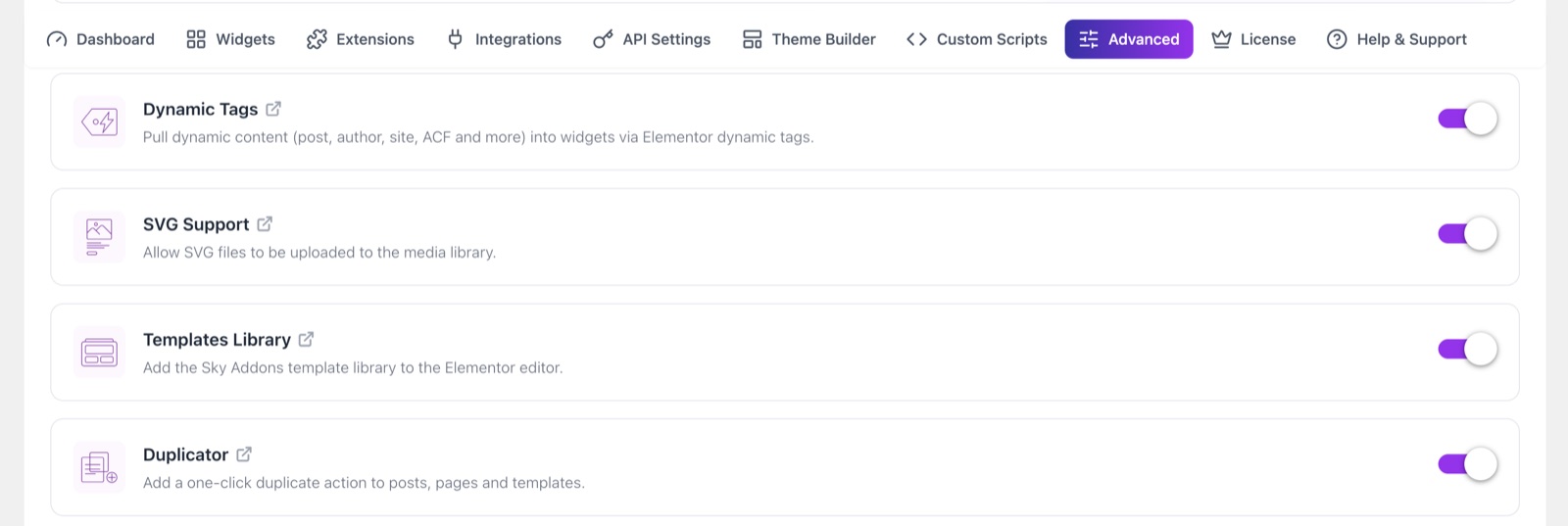
Duplicator is on by default. To check it:
- In your WordPress dashboard, open Sky Addons.
- Click the Advanced tab.
- In the Features list, make sure Duplicator is turned on.
Usage
The duplicator is simple to use and integrates directly with the WordPress admin interface.
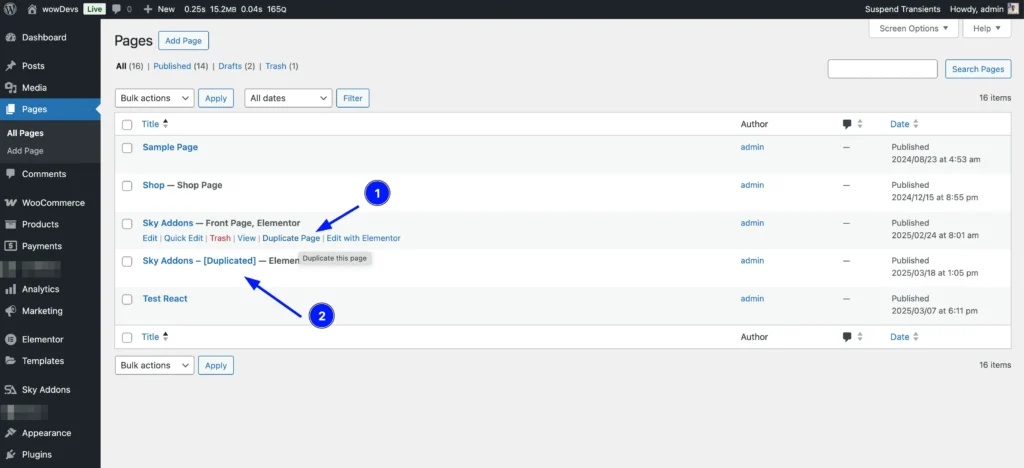
- Post/Page List View – Hover over any post or page to reveal the “Duplicate Post” or “Duplicate Page” link.
- Elementor Templates – When viewing template lists, a “Duplicate Template” option appears for each item.
- Permission-Based Access – The duplicate option only appears for users with appropriate permissions.
- One-Click Process – Clicking the duplicate link instantly creates a copy and redirects you to the content list.
Save and Preview
- Once you’ve duplicated a post, page, or template, it will be saved as a draft automatically.
- Preview the duplicated content to ensure it looks and functions as desired before publishing.
Troubleshooting
- Duplicate Links Not Visible – The link is shown to administrators and editors only. Also check that Duplicator is on in Sky Addons > Advanced. To copy WordPress menus, turn on the separate Menu Duplicator switch on the same screen.
- Missing Content in Duplicate – Some third-party plugins may store data in ways that aren’t captured by the standard duplication process.
- Styling Issues – If duplicated Elementor templates have styling problems, try manually regenerating the CSS by editing and saving the template.
- Redirection Problems – If you’re not redirected properly after duplication, manually navigate to the content list view.
Conclusion
The Sky Addons Duplicator feature streamlines your WordPress workflow by providing a quick and reliable way to clone content. Whether you’re creating variations of existing designs, testing changes, or repurposing content, this tool saves valuable time while preserving all your hard work.
If you have any questions or encounter any challenges while using the Duplicator feature, please don’t hesitate to reach out to our dedicated support team at https://wowdevs.com/support/ where our expert team is ready to provide prompt and helpful assistance.