
How to use Background Reveal Extension of Sky Addons for Elementor
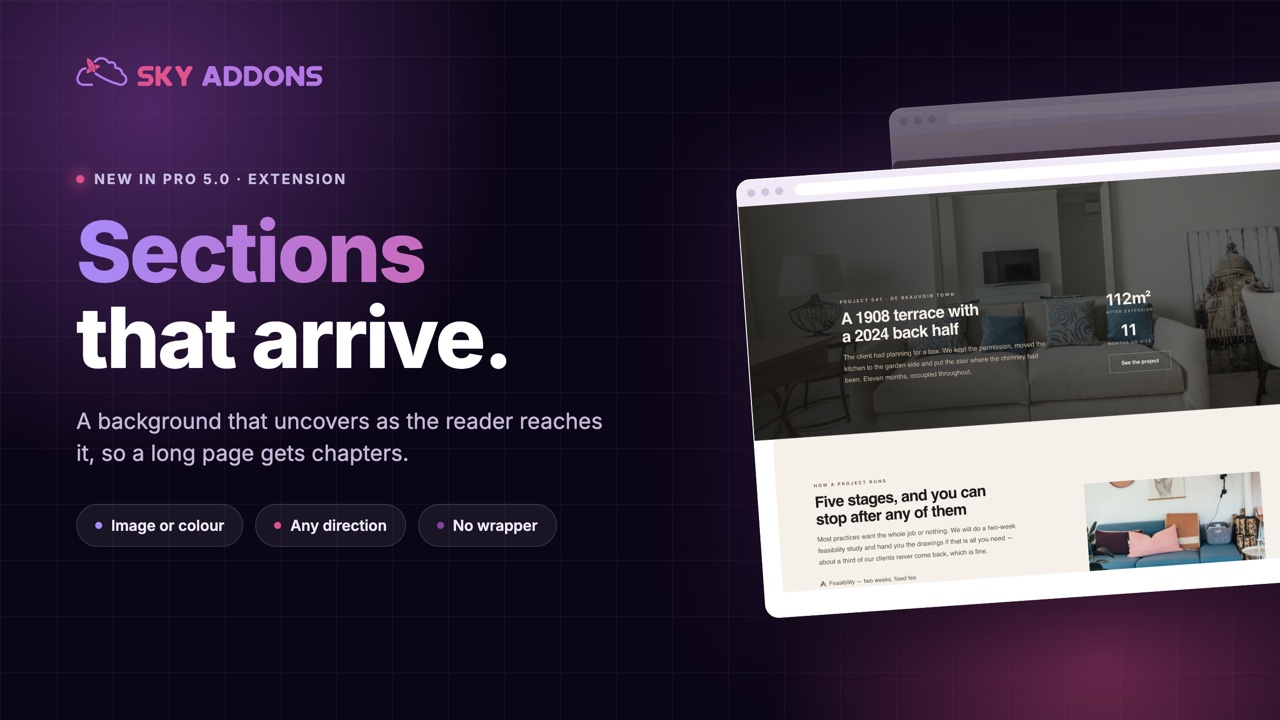
Sky Addons Background Reveal is a scroll-driven Elementor extension that starts a container’s background as a centered, rounded band and reveals it edge-to-edge as the container scrolls up through the viewport. The corner radius morphs from a start value to an end value across the same range, giving you the premium full-bleed “expand into view” effect seen on high-end agency sites. Because the Background Reveal extension animates a clip-path rather than the box itself, the container, its layout, and its content never move. There is no reflow and no jitter. The reveal is powered by GSAP and ScrollTrigger, scrubbed to the scroll and reversing cleanly on scroll-up, all configured visually with no custom code. This documentation will guide you through enabling and configuring the Background Reveal extension on your website.
Features:
- Scroll-scrubbed reveal that expands from a centered band to full width
- Adjustable start width so you control how constrained the background begins
- Corner radius that morphs from a start radius to an end radius during the reveal
- Clip-path based animation: the box, layout, and content never shift or reflow
- Smoothness control that adds a soft scrub catch-up lag behind the scroll
- Reverses cleanly on scroll-up, with toggles for tablet and mobile
Enable the Background Reveal Extension
Background Reveal ships with Sky Addons as an extension you switch on from the dashboard. To confirm it is active:
- Navigate to your WordPress Dashboard and locate “Sky Addons” in the left sidebar menu
- Click on the “Extensions” (Modules) tab within the Sky Addons dashboard
- Find “Background Reveal” in the extensions list
- Ensure the toggle switch is in the “On” position
- Save your changes if you made any adjustments
Once enabled, the controls appear on Containers only. Select a Container in the Elementor Editor, open the Style tab, and find the Background Reveal section (marked with the Sky Addons icon) right after the Background section.
Background Reveal Controls
The Background Reveal section is built for a full-width Container with content boxed inside. Only the background is revealed. Content never moves. The effect runs on the front end; the editor shows the final expanded state.
- Enable – Activates the background reveal animation on the selected container
- Start Width – Width of the background band before the reveal (30%–100%, default 75%). It expands to full width as you scroll; keep this wider than your content so nothing is clipped
- Start Radius – Corner radius while the background is constrained (0–100px, default 24px). It morphs toward the End Radius as the band expands
- End Radius – Corner radius once the background is fully expanded (0–100px, default 0). Use 0 for a sharp full-bleed edge
- Smoothness – Scrub catch-up lag in seconds (0–2, default 0.6). Higher values let the reveal glide behind the scroll for a softer feel; 0 locks it to the scroll
- Disable on Tablet – Turns the effect off at the tablet breakpoint (default off)
- Disable on Mobile – Turns the effect off at the mobile breakpoint (default on)
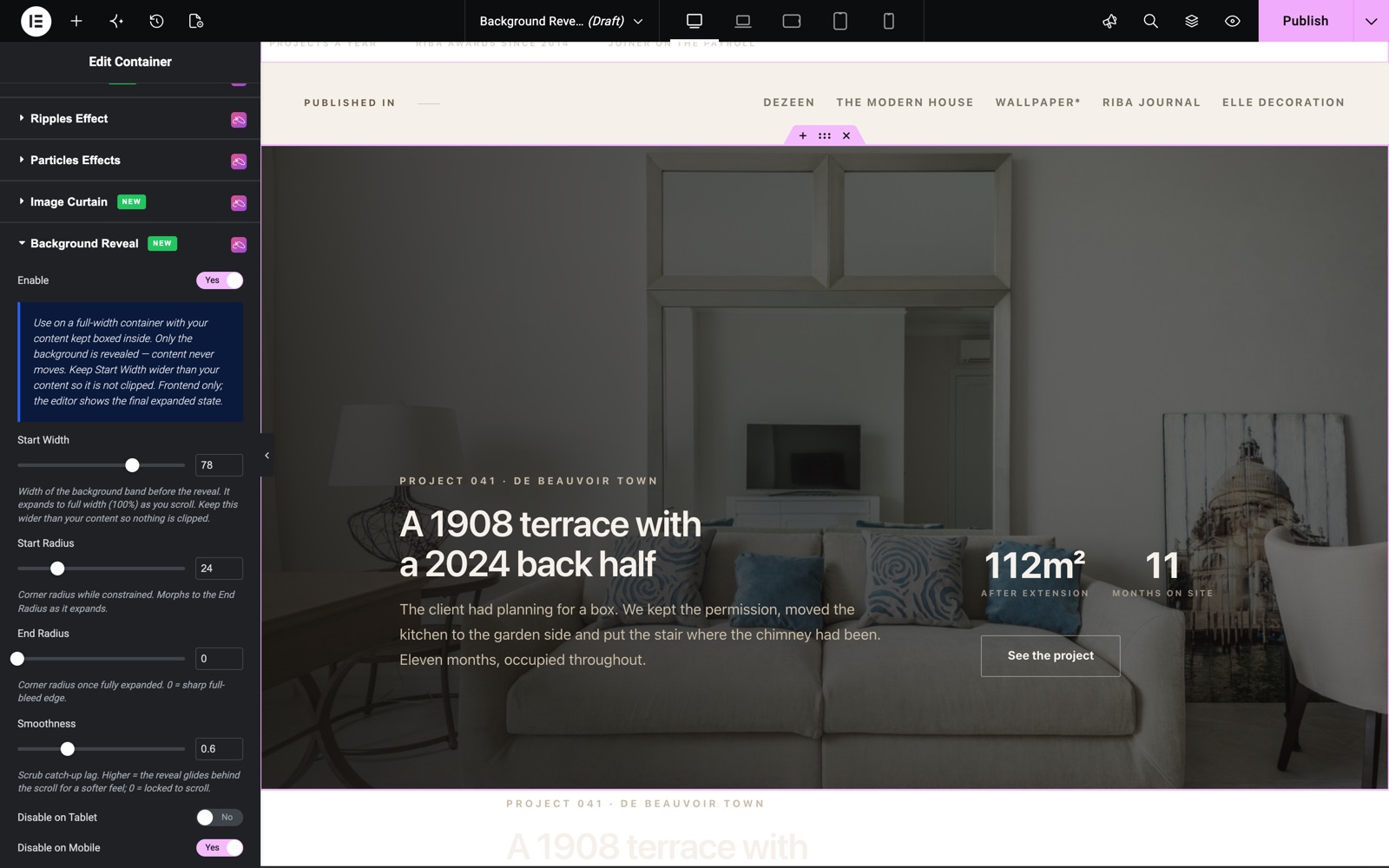
Here the project section uses a Start Width of 78%, a Start Radius of 24px, an End Radius of 0 and a Smoothness of 0.6. The editor shows the section at full width, because the effect runs only on the live page.
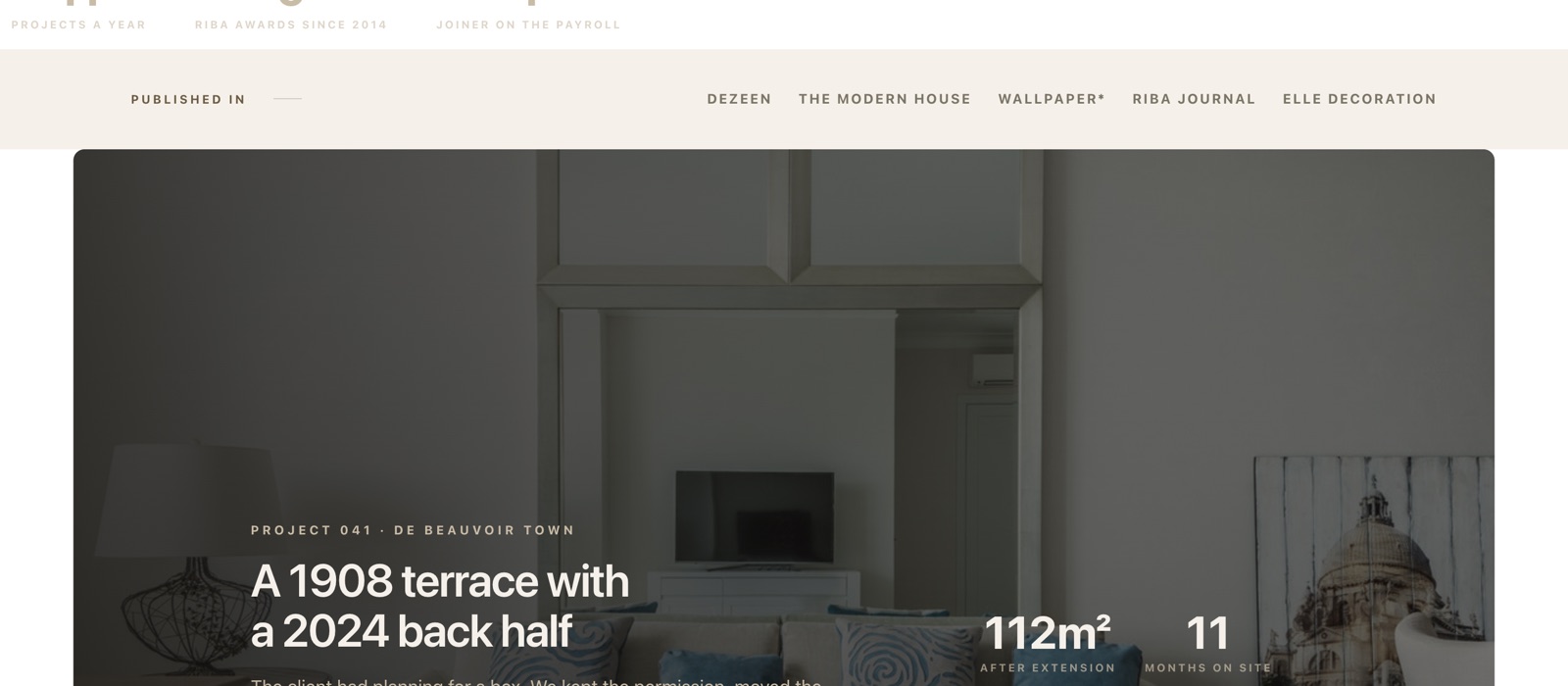
On the live page, the same section starts as a rounded band with space on both sides. As the visitor scrolls, the band grows to the full width and the corners become square.
Save and Preview
- Once configured, click “Publish” or “Update” to save your changes.
- Preview the page and scroll the container through the viewport. The reveal will not scrub inside the editor.
Best Practices
- Apply it to a full-width Container with a distinct background, keeping content boxed in an inner container so nothing gets clipped.
- Keep Start Width (70%–85%) wider than your inner content for a comfortable margin.
- Pair a rounded Start Radius with a 0 End Radius for a “rounded card expands into a full-bleed band” transition.
- Use a small Smoothness (0.4–0.8) for an elegant glide; set it to 0 to lock the reveal to the scroll.
- Leave Disable on Mobile on for most designs, since narrow screens suit a width-based reveal poorly.
Troubleshooting
- Reveal Not Animating in the Editor: This is expected. The effect is front-end only. Preview the published page and scroll the container into view to see the reveal scrub.
- Content Gets Clipped: Your Start Width is narrower than the inner content. Increase Start Width, or box your content in a narrower inner container so it sits within the starting band.
- No Effect on Smaller Screens: Disable on Mobile is on by default, so the reveal will not run at the mobile breakpoint until you turn it off. Check the tablet switch too.
- Section Missing: Background Reveal is container-level. Confirm you selected a Container (not a widget or legacy section) and that the extension is enabled.
Frequently Asked Questions
Why can’t I see the reveal animation while editing?
The Background Reveal extension runs only on the front end. The editor shows the final, expanded state so your layout stays predictable. Preview the page to watch the scroll-scrubbed reveal.
Does the reveal cause the page to jump or reflow?
No. The effect animates a clip-path over the background, so the container, its layout, and its content stay perfectly still, with no reflow and no jitter. Only the visible background band expands.
How do I round the corners at the start and square them at the end?
Set a Start Radius (for example 24px) and an End Radius of 0. As the container scrolls up, the corner radius morphs from rounded to sharp alongside the width reveal, ending in a clean full-bleed edge.
Can I turn the Background Reveal off on phones?
Yes. Use the Disable on Mobile and Disable on Tablet switches. Disable on Mobile is on by default, so the reveal is skipped on phones unless you turn it back on.
Related Documentation
Conclusion
The Background Reveal extension by Sky Addons for Elementor turns an ordinary full-width container into a cinematic, scroll-driven reveal with no code and no layout shifts. Use it on hero bands and feature sections where a rounded card should expand into a bold full-bleed background as visitors scroll. If you have any questions, the Sky Addons support team is happy to help.