
How to use Animated Gradient Background features of Sky Addons for WordPress
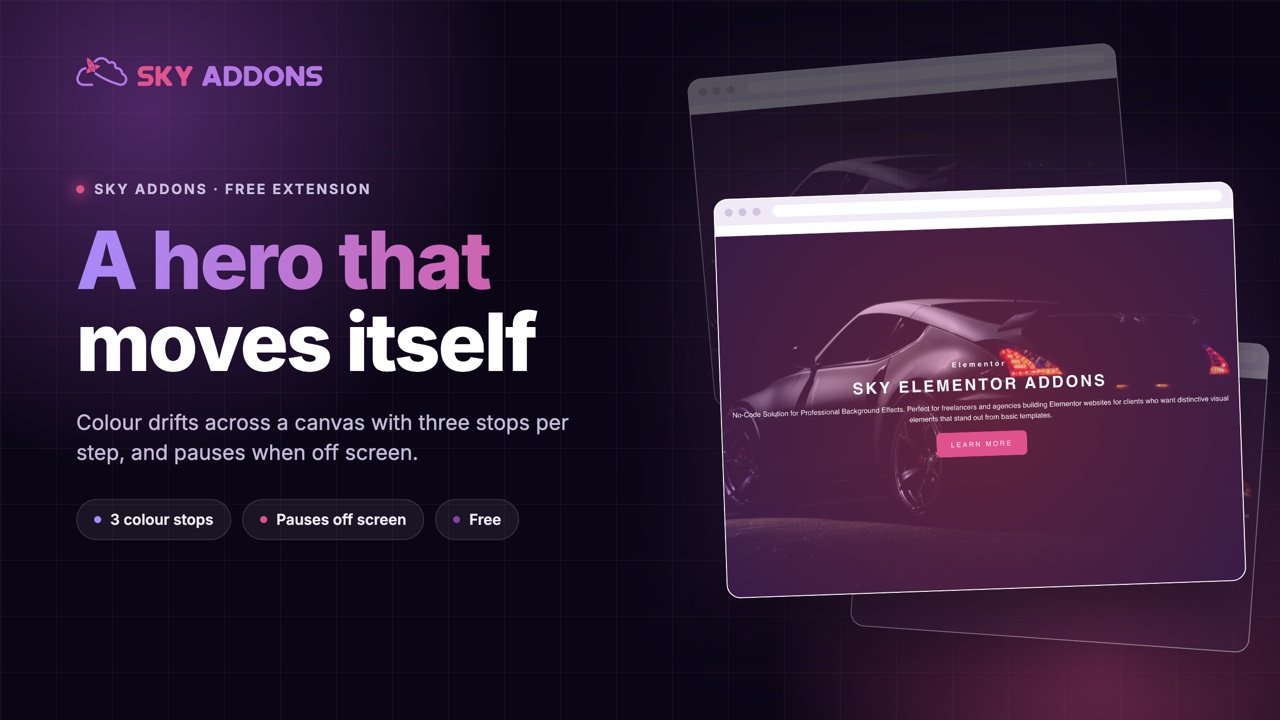
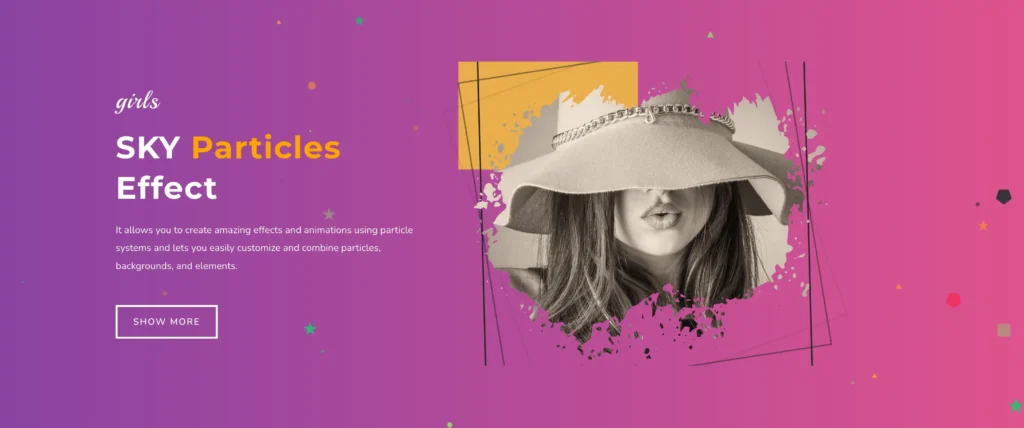
The Animated Gradient Background module brings stunning, dynamic gradient backgrounds to your Elementor elements. This powerful feature allows you to add smooth transitioning gradient effects to sections, columns, containers, or any widget, creating eye-catching visual experiences without needing custom code or additional plugins.
Key Features
- Apply to any Elementor element (sections, columns, containers, widgets)
- Multiple directional options including left-to-right, diagonal, top-to-bottom, and radial
- Unlimited color combinations with customizable start and end colors
- Adjustable transition speed for perfect timing control
- Custom z-index and opacity settings for precise layering
Activate Animated Gradient Background Module
To enable the captivating Animated Gradient Background functionality in your Elementor site:
- Navigate to your WordPress Dashboard and locate “Sky Addons” in the left sidebar menu
- Click on the “Extensions” tab within the Sky Addons dashboard area
- Find the “Animated Gradient Background” option in the extensions list
- Toggle the switch to the “On” position to activate this feature
- Make sure that your changes are saved.
Once activated, you’ll be able to add animated gradient backgrounds to any Elementor element through the Style or Advanced tab.
Adding Animated Gradient Background
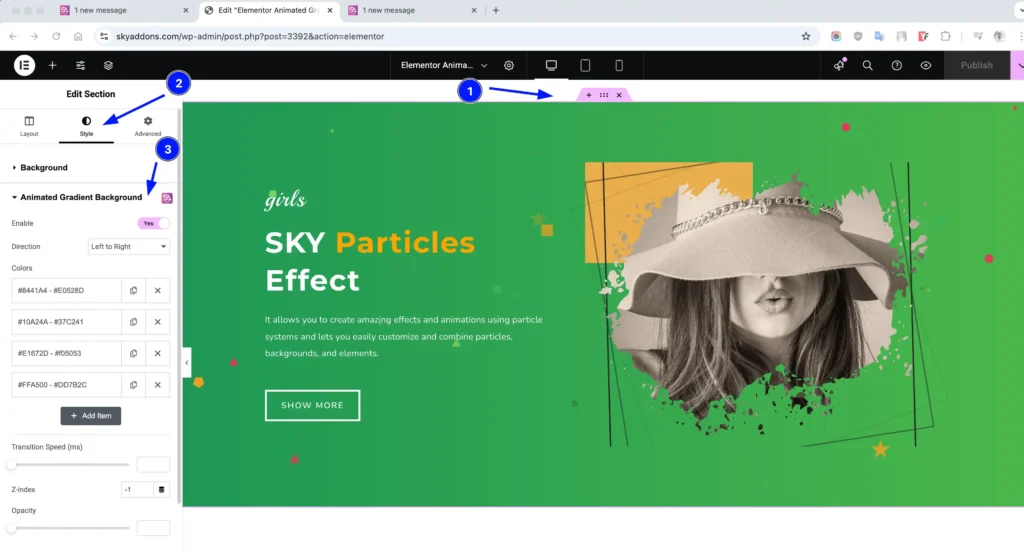
- Open Elementor Editor. Edit any section, column, container, or widget
- In the Style tab (for sections, columns, and containers) or Advanced tab (for widgets), locate “Animated Gradient Background”
- Toggle the “Enable” switch to activate the feature for that specific element
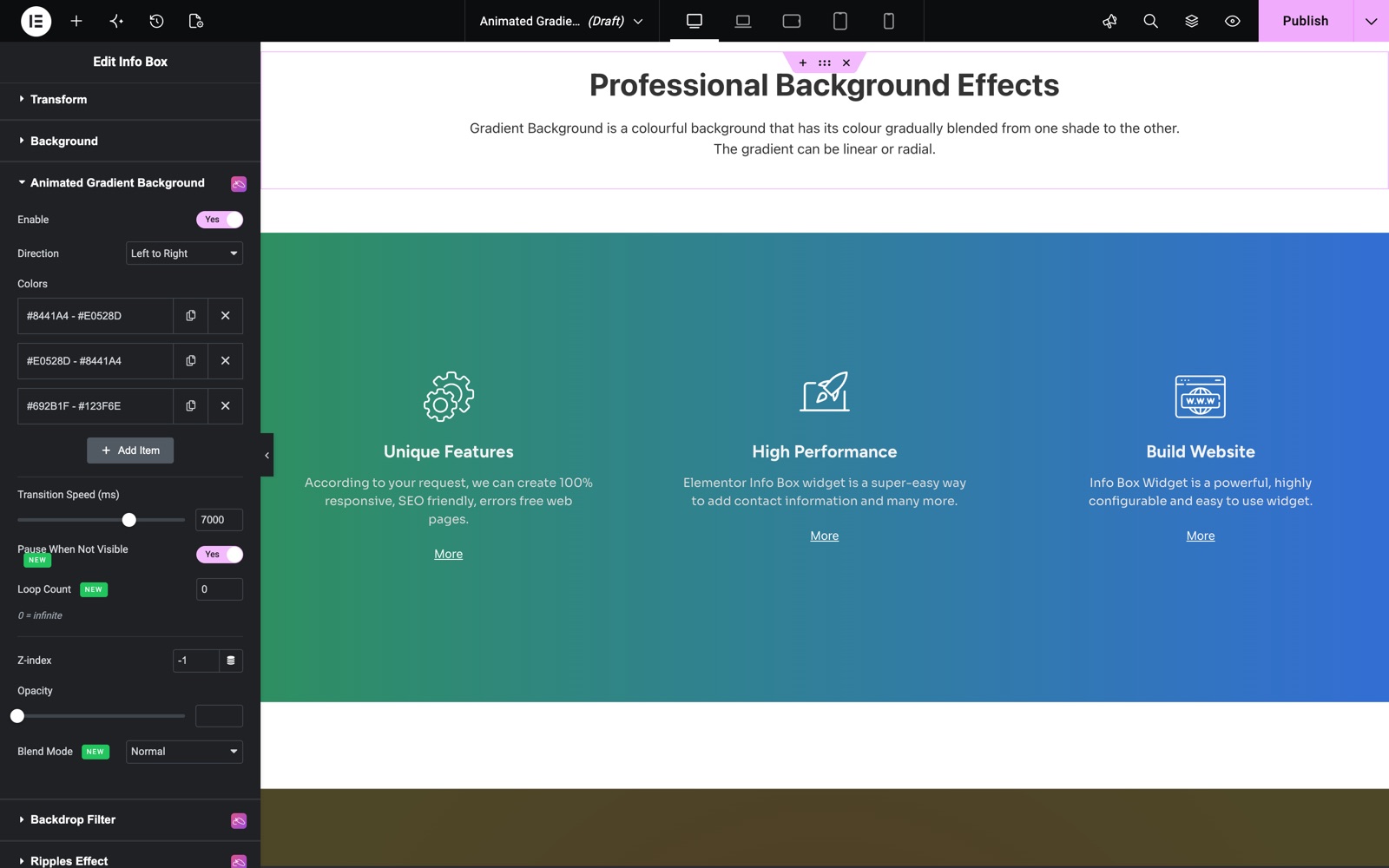
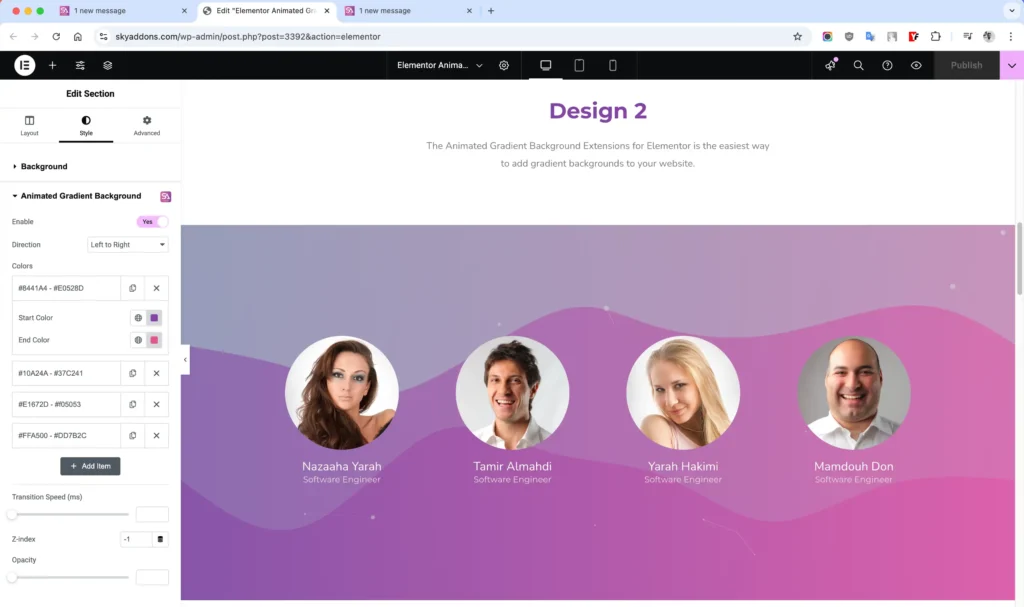
On a widget, the section sits on the Advanced tab, below Background. These info boxes use three color pairs that move from left to right.
Configuration Options
Fine-tune your animated gradient background with precise controls for visual appearance and animation behavior. The Animated Gradient Background extension offers extensive customization options with limitless possibilities:
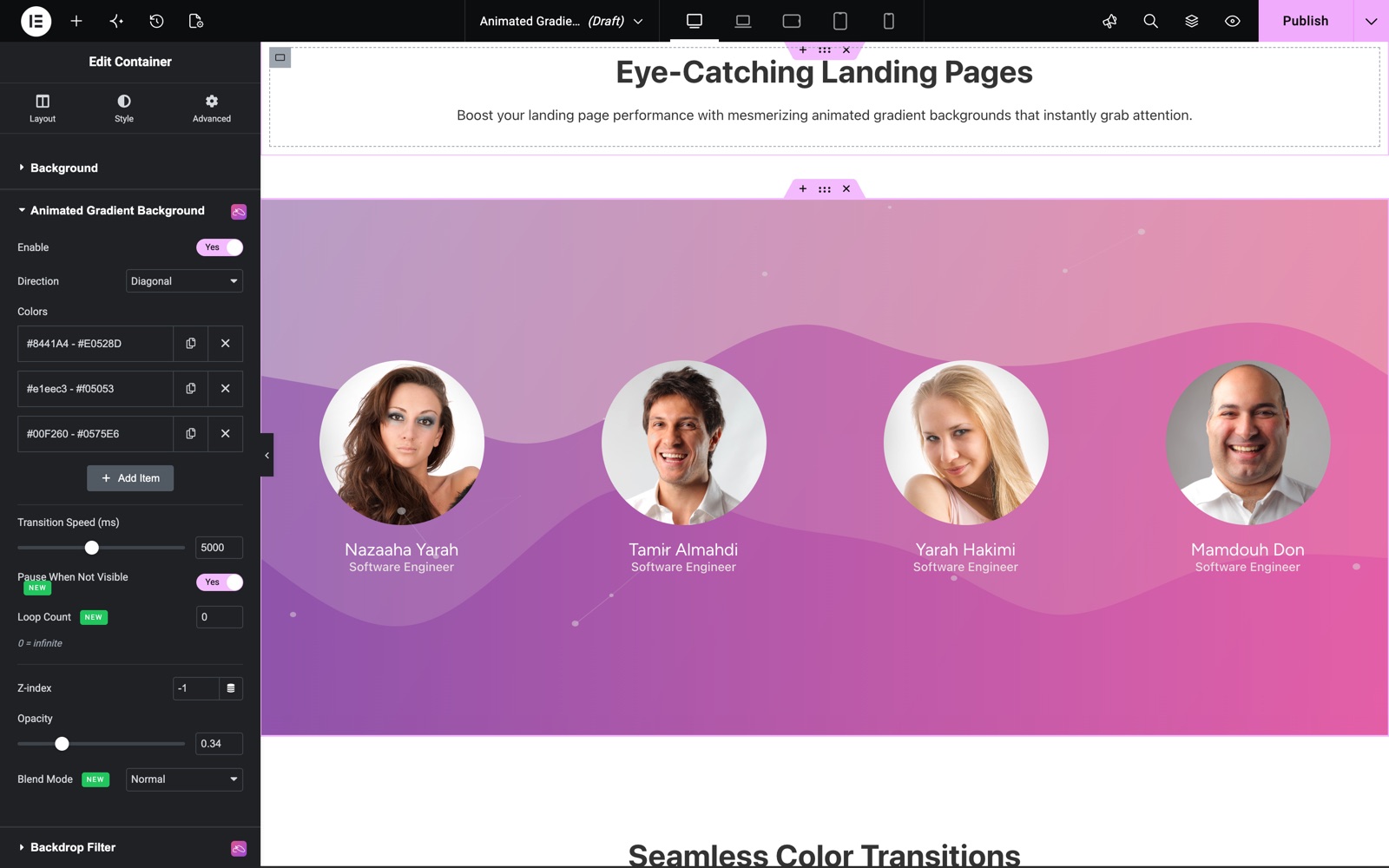
- Direction – Determines the animation flow pattern across your element. Choose how your gradient animates: Left to Right, Diagonal, Top to Bottom, or Radial. The direction applies only with Sky Addons Pro. Without Pro, the gradient runs left to right.
- Colors – Add as many color pairs as needed using the repeater control
- Start Color – The initial color in each transition
- End Color – The destination color in each transition
- Mid Color – An optional middle stop for creating richer three-color gradients
- Transition Speed – Controls the timing of color transitions, from 1000 to 10000 ms. The default is 7000.
- Higher values create slower, more subtle transitions
- Lower values create faster, more dynamic effects
- Z-index – Controls the stacking order relative to other elements
- Opacity – Adjusts transparency from 0.1 to 1.0
- Pause When Not Visible – Automatically pauses the animation when the element scrolls out of view to save resources. It is on by default.
- Loop Count – Set how many times the gradient cycles (0 = infinite loop)
- Blend Mode – Blend the gradient with the element using modes like Multiply, Screen, Overlay, Darken, Lighten, and more
On a container, the section sits on the Style tab. This team section uses the Diagonal direction, three color pairs and a 5000 ms speed. The opacity is 0.34, so the gradient stays soft behind the photos.
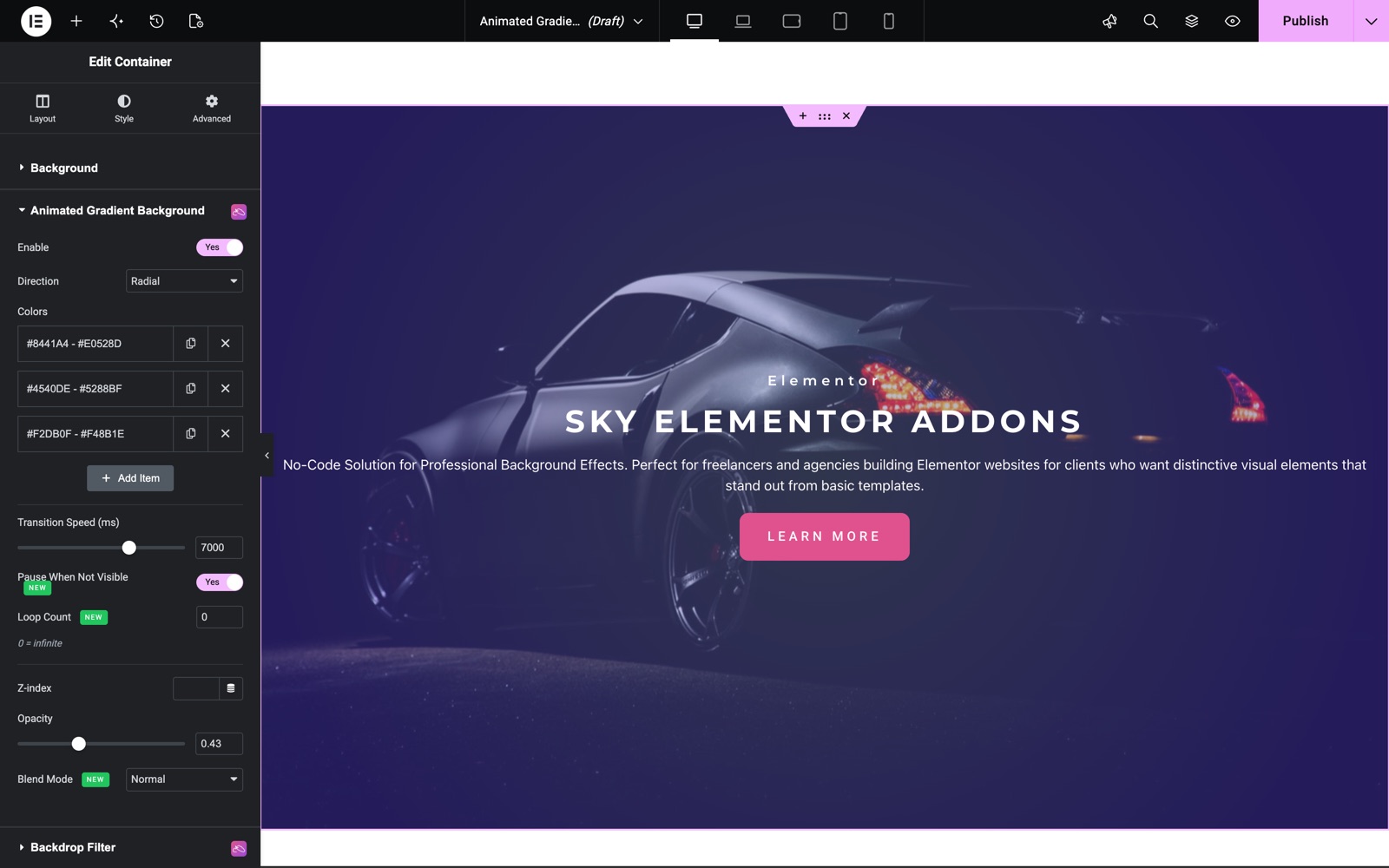
The next hero uses the Radial direction over a background photo. Opacity is 0.43, so the photo still shows through.
Save and Preview
- Once you’ve customized and styled your animated gradient background, click “Publish” or “Update” to save your changes.
- Preview the page to ensure the widget looks and functions as desired.
Troubleshooting
- Gradient Not Showing – Ensure you’ve toggled the “Enable” switch to “Yes” and added at least one color pair.
- Animation Not Working – Check if you have any conflicting background settings in the same element. Background images or videos may interfere.
- Performance Issues – Too many animated gradients on one page can impact performance. Consider reducing the number or optimizing transition speeds.
- Z-index Problems – If the gradient appears behind content unexpectedly, adjust the z-index value higher or review other elements with custom z-index settings.
Frequently Asked Questions
Is Animated Gradient Background free?
Yes, it is part of the free Sky Addons plugin. Only the Direction setting needs Sky Addons Pro. Without Pro, gradients move from left to right.
How do I keep the text readable over a moving gradient?
Lower the Opacity, pick colors close in brightness, and use a slower Transition Speed, such as 7000 ms or more.
Can I stop the animation after a few cycles?
Yes. Set Loop Count to the number of cycles you want. 0 means it never stops.
Related Extensions
- Backdrop Filter: blur or tint what sits behind an element.
- Particles Effects: add moving particles to a background.
Conclusion
The Animated Gradient Background module is a powerful tool for creating engaging, dynamic visual experiences on your website. By combining multiple color transitions and directional options, you can create unique atmospheres that capture attention and elevate your design. Whether you’re looking to add subtle movement to a section or create bold, eye-catching backgrounds, this feature delivers professional results without complex coding.
If you have any questions or encounter any challenges while using, please don’t hesitate to reach out to our dedicated support team at https://wowdevs.com/support/ where our expert team is ready to provide prompt and helpful assistance.