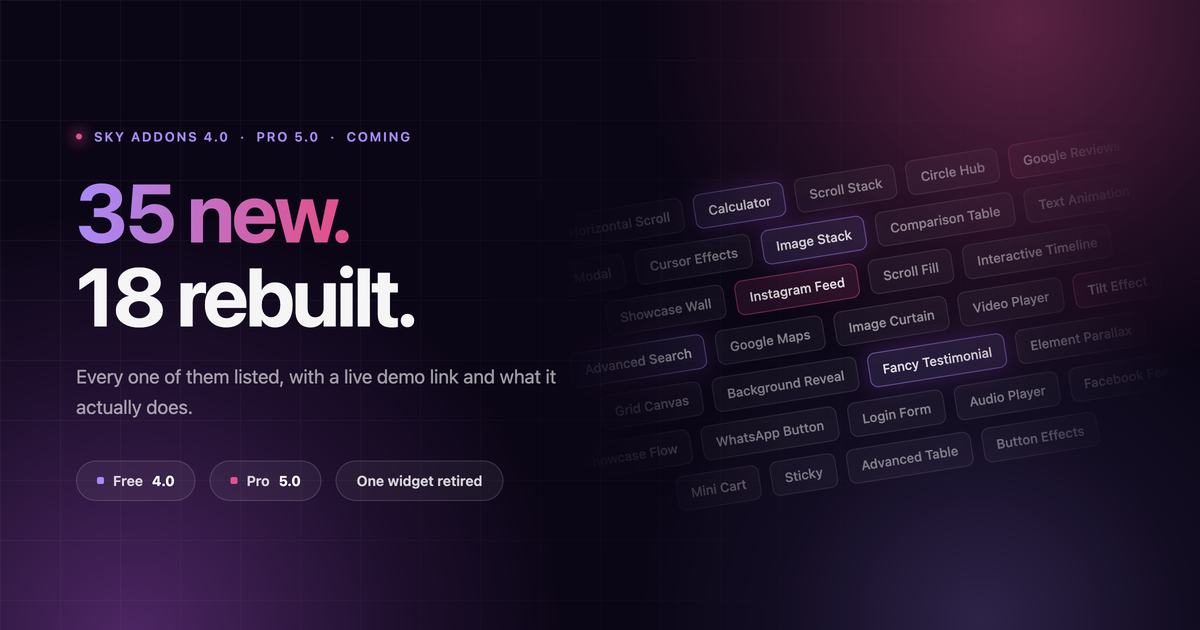
Two releases are loading at once. Sky Addons 4.0 on the free plugin, Sky Addons Pro 5.0 on top of it. 35 brand-new widgets and extensions, 18 more rebuilt from scratch, a complete White Label system for agencies, and one widget retired.
Neither has shipped. Every demo below is already live, so you can play with the thing before you can install it.
New in Sky Addons 4.0 — free
Seven new tools, all of them free on day one.
- Fancy Testimonial
Brand new. Full-height portrait, star rating and animated transitions, without reaching for a slider plugin.
- Video Player
YouTube, Vimeo or self-hosted, styled to match your design instead of the platform’s chrome.
- WhatsApp Button
Floating chat button with a preset message and opening hours, so it hides when nobody is there to answer.
- Tilt Effect
3D tilt that tracks the mouse, with glare and depth. Point it at any element, no wrapper needed.
- Button Effects
Ten pure-CSS hover effects and a halo ring, bolted straight onto Elementor’s own Button widget.
- Grid Canvas
Draws a real editorial grid behind a section. Magazine layouts stop being guesswork and start being aligned.
- Sticky
Pin any section or widget to the top or bottom while the rest of the page scrolls past it.
Plus the part that changes how you build
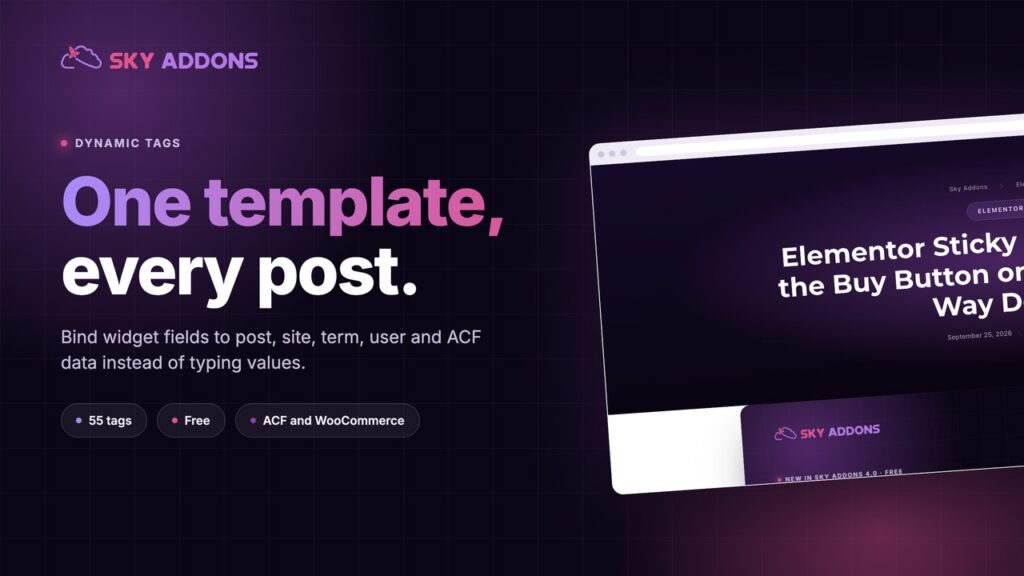
Dynamic Content lands in the free plugin. Repeater fields stop being boxes you type into and start being queries. Accordion, Advanced Slider, Panel Slider, List Group and Tidy List all pull from posts, custom fields and ACF.
Build the slide once, point it at a custom post type, and the client fills it in for three years without ever opening Elementor.
The Theme Builder also gains an Archive and Single page builder. Also free.
New in Sky Addons Pro 5.0 — 28 additions
Scroll, motion and the cursor itself
Nine of these. Most are effects agencies currently hand-code with GSAP and bill for.
- Horizontal Scroll
Vertical scrolling drives side-scrolling panels. The storytelling layout every client sends you a reference for.
- Scroll Stack
Cards pin and pile on top of each other as the page moves. Steps, features, pricing tiers.
- Scroll Fill
Text or a shape fills with colour at exactly the pace you scroll. Great for a statement line.
- Background Reveal
A hidden image or colour uncovers itself as the section comes into view.
- Background Parallax
Multi-layer backgrounds that answer to the mouse as well as the scrollbar. Depth without a video file.
- Element Parallax
Give individual widgets their own scroll speed. Set it per element, not per section.
- Image Curtain
Curtain-style image reveal that slides open on scroll or hover.
- Text Animation
Per-letter and per-word entrances on any text on the page. Not just headings.
- Cursor Effects
Swap the pointer for a shape, a word or a trail. The detail that makes a portfolio site feel built, not assembled.
Social proof that updates itself
Seven, and none of them need you to paste a screenshot ever again.
Widgets that do a job, not just a look
- Calculator
Quote and estimate forms where the total updates as the visitor picks options. Qualify the lead before they email you.
- Advanced Search
AJAX results for posts, pages and products while the visitor is still typing.
- Comparison Table
Plans side by side with a highlight column. The pricing page you rebuild by hand on every project.
- Modal
A popup opened by a button, an image or a link, holding any content you can build.
- Google Maps
Custom markers, custom map styling, multiple locations. Not the grey default embed.
- Interactive Timeline
Vertical or horizontal. Company history, product roadmap, onboarding steps.
- Circle Hub
A centre item orbited by points that light up on hover. Integrations, services, ecosystem diagrams.
- Showcase Flow
3D flow slider with the active slide centred and forward. Portfolio and product ranges.
- Showcase Wall
A wall of images on parallax layers that pulls apart as you scroll through it.
Accounts and store
- Login Form
Front-end login with redirect, remember me and a lost-password link. Members area without leaving your design.
- Register Form
Front-end registration with custom fields and a redirect of your choosing.
- WooCommerce Mini Cart
Header cart with item count, subtotal and slide-out contents.
Rebuilt, not just patched
Eighteen widgets were taken apart and put back together: new markup, new controls, new output. They are effectively new widgets. The difference is that your existing pages keep every setting they already have, so nothing breaks when you update.
Store — all eight, grid and carousel
Content and media
- Advanced Table
Rebuilt with sortable columns, responsive stacking and import instead of retyping. It also moves out of Pro into the free plugin.
- Iframe
Rebuilt from scratch. Lazy loading, aspect ratio and a click-to-load state instead of a raw embed.
- Video Gallery
Completely refreshed, now with aspect-ratio control so thumbnails stop cropping badly.
- Audio Player
Completely refreshed. A player you can actually style to sit inside a design.
- Hover Video
Gains aspect ratio, autoplay and loop. Silent preview tiles without a custom script.
Navigation, forms and scripts
- Nav Menu
Now accepts dynamic content, so a menu can be built from a query rather than typed out.
- Breadcrumbs
Improved output and separators, and it behaves on deep custom post types.
- Smooth Scroll
Improved easing and fewer fights with sticky headers and anchor links.
- Form Builder
Gains webhooks. Push a submission straight into whatever you already run.
- Custom Scripts
Improved snippets, so site-wide CSS and JS stays in one place instead of five.
And under the hood
- Element-level Custom CSS in Pro. Style one widget without leaving it.
- Pagination fixed across the blog widgets, and video support extended to every post widget.
- Dashboard rebuilt, and PHP 8.2 undefined-property warnings cleared.
- Security: a SQL issue in the Duplicator feature, reported through Patchstack by Ananda Dhakal, plus hardening on the Pro licence endpoints.
White Label: your name on the admin, not ours
One more, and it is only for the agencies. Hand a finished site to a client and White Label makes Sky Addons stop looking like Sky Addons — your title, your icon, your logo, sitting in the WordPress menu as though you wrote it. It lives under Sky Addons → License, with a live preview on the right while you type.
- Your name in every place a client looks
Admin menu, page title, the Plugins screen row, the dashboard header, and the Elementor widget categories.
- Your menu icon and dashboard logo
Both straight from the media library. The icon gets sized for you and the logo keeps its shape instead of stretching.
- Show, lock or hide the License panel
Lock leaves other admins a read-only panel with a masked key. Locked means locked — the save and deactivate requests answer 403, it is not a hidden button.
- Hide the plugin from other administrators
Menu, dashboard and Plugins row all gone for everyone but you. Typing the URL by hand gets a 403, not the page.
- Nobody switches your updates off by accident
While the plugin is hidden, an admin toggling auto-updates on the Plugins screen cannot drag Sky Addons along with it.
What it deliberately leaves alone is the point. Menu slugs, asset handles, CSS classes, REST routes and option keys never change, so nothing needs migrating and nothing quietly breaks. It is backend only — the front end never sees it. Lock yourself out? One line in wp-config.php puts everything back.
Agency plans only, and only while the licence is activated and valid. Other plans get no tab, no locked upsell card, and none of the code loaded. Compare the plans.
One thing is leaving. Check before you update.
The Dark Mode widget is removed in Pro 5.0. Pages still using it will stop rendering the toggle. Search your site for it and plan the replacement before the update lands, not after.
The full list for both plugins lives on the changelog. If something you need still isn’t in there, this is the useful moment to say so.


Comments are closed.