
Elementor Header Builder: Replace the Theme Header for Good
The Sky Addons header builder replaces your theme header with an Elementor design, with display conditions, role targeting and a switch back.
Every theme gives you a header, and every theme gives you about six options for it. Logo left or centre. Menu here or there. A colour, if you are lucky. The moment you want a second call to action, a notice bar, or a menu that is not a row of links, you are out of options.
A header builder removes the ceiling. You design the header in Elementor, on a full canvas, with the widgets you already use, and it replaces the theme’s own header rather than sitting underneath it.
That last part matters. Plenty of approaches leave you with two headers stacked on each other. A proper header builder takes the slot over.

| What you want | Theme customiser | Header builder |
|---|---|---|
| Move the logo | Usually a preset choice | Anywhere on a full canvas |
| Add a second button | Rarely possible | Any widget, any position |
| Different header on one section | Not available | A display condition |
| Sticky on scroll | Sometimes, one style | Sticky extension, full control |
| Mega menu | Theme dependent | Nav menu widget with an Elementor template |
| Undo a redesign | Undo and hope | Toggle the old template back on |
| Survive a theme update | Only in a child theme | Unaffected, it is not in the theme |
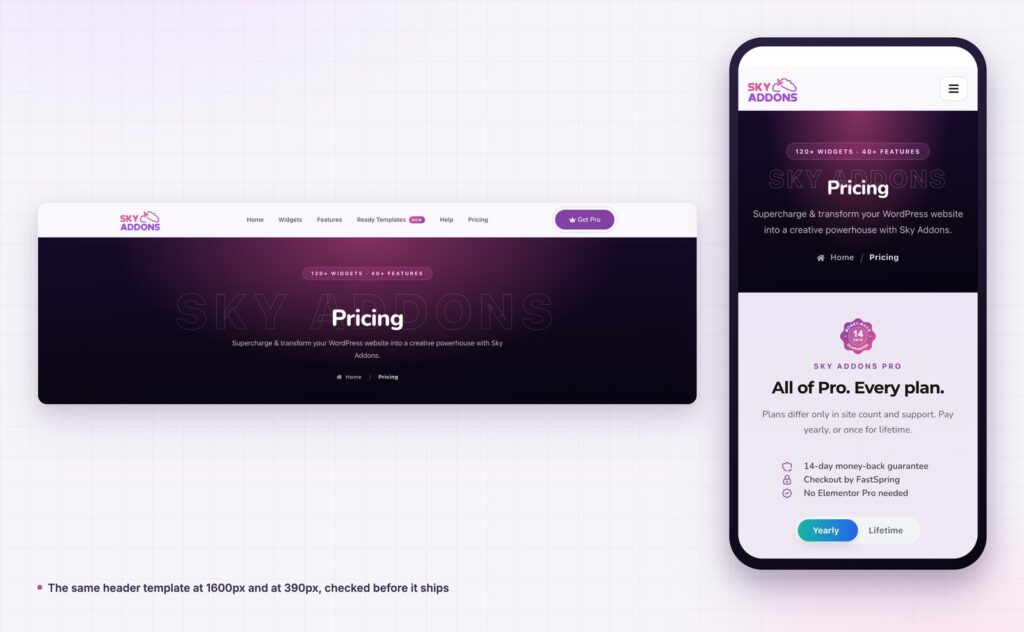
The test of a header builder is not what it can build. It is whether you can put the old header back in five seconds when the new one is wrong.
It replaces, it does not overlay. A header template takes the theme header’s slot. You do not end up hiding the theme header with CSS and hoping no update changes the class name.
Conditions decide where it appears. Each template carries a display list and a do not display list. Entire site, special pages, all posts, or named pages, and a separate role list for logged in users. Two headers with opposite conditions is the normal way to run a site with a marketing section and an app section.
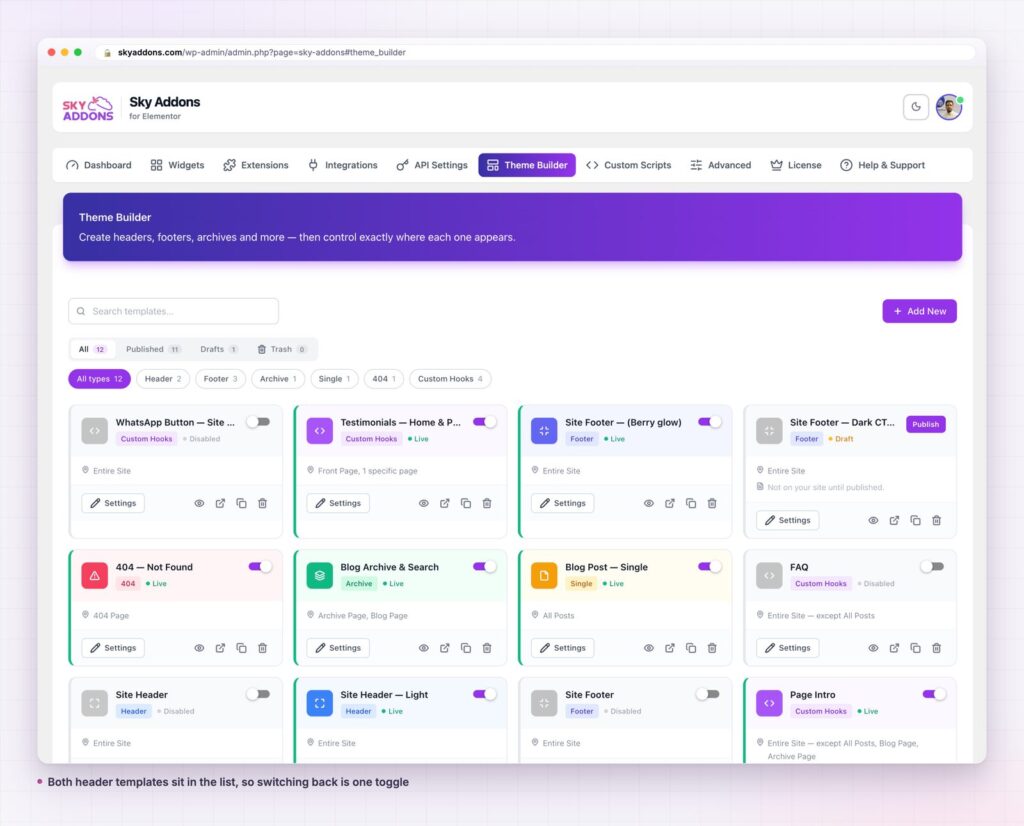
Published and switched on are different things. A header template can sit published and disabled. On skyaddons.com there are two header templates, and exactly one of them is serving the site. The other is a finished design waiting its turn. That is what makes a redesign safe: build the replacement, switch, and if it reads badly, switch back.
The menu is a widget, not a theme setting. Sky Addons ships a Nav Menu widget, plus Off Canvas Menu, Full Page Menu, Vertical Menu and Slinky Menu. A mega menu is a normal Elementor template dropped into a menu item, so it can hold anything a page can hold. WordPress’s own navigation menus still feed it, so your existing menu structure carries over.
Sticky is a separate, better decision. Rather than one sticky toggle, the header is an ordinary element you can make sticky with the Sticky extension, which means offsets, breakpoints and behaviour are all yours. CSS position sticky is what sits underneath it.

A header builder gives you a blank canvas, and a blank canvas is where most custom headers go wrong. The useful ones stay close to four elements.
The logo, linked home. Obvious, and still missed. It is the most clicked element on many sites.
Five or six menu items, not twelve. If the menu needs twelve items, two of them are categories and the rest belong in a mega menu panel underneath.
One action. Get started, Book a call, Get Pro. One. A second button of equal weight halves the first one.
Something contextual, if it earns the space. Search on a documentation site. A cart on a shop. An account link for members. Nothing else.
Everything beyond that is a notice bar, and a notice bar is a separate custom hook template so you can switch it off without unpicking the header.
The reason to keep the list short is that the header repeats on every page. A widget you add here is a widget every visitor loads on every view, which is also why the per widget asset loading matters more in a header than anywhere else on the site.
The header is the one element on every page, so every improvement compounds. A clearer action in the header is worth more than the same button on one landing page, and a header you can actually edit means you will keep improving it instead of living with it.
There is a second, quieter benefit. Because the header now lives in a template rather than the theme, changing themes stops being a rebuild. The design you spent a week on does not belong to the theme any more.
The third benefit takes a few months to show up. Once a header builder is in place, the header becomes something you test rather than something you inherited. Move the action, change its wording, try a notice bar for a fortnight. Each of those is a toggle and a condition, so the cost of trying is close to zero, and the cost of being wrong is one click. Teams that can edit their header cheaply end up with a better one, not because they are better designers, but because they get more attempts.
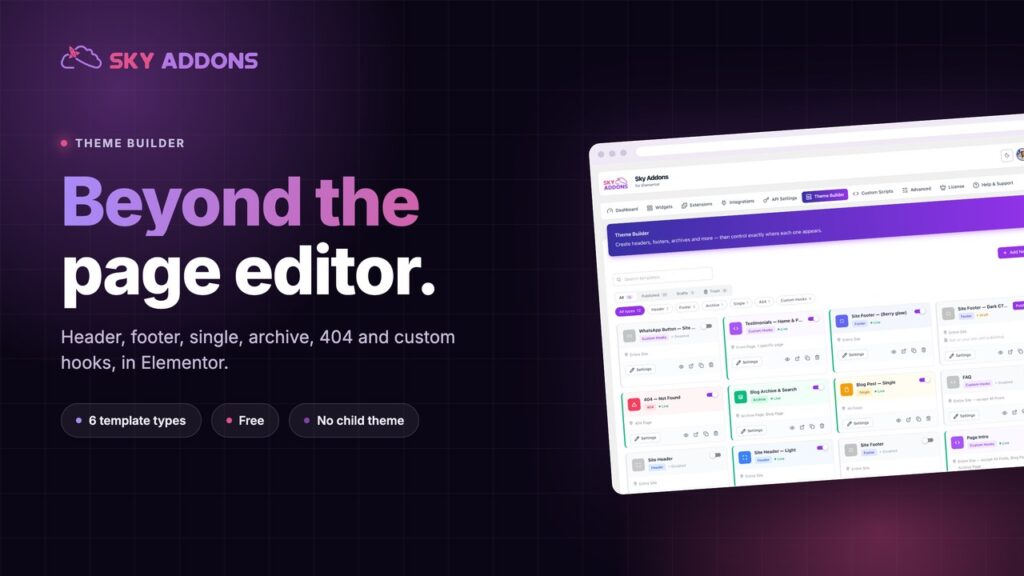
Yes. The header builder is part of the free Sky Addons theme builder, along with footers, archives, single posts, 404 pages and custom hooks. Some menu widgets are Pro, which the free versus Pro page sets out.
No, free Elementor is enough.
No. The template replaces the theme’s header rather than drawing over it. If a theme renders its header unusually, the theme compatibility notes cover it.
Yes, that is what display conditions are for. Give each header template its own condition and keep them from overlapping, or the more specific one wins.
It loads like any Elementor document, and Sky Addons loads widget assets per widget by default, so the header pulls only the files its own widgets need.
A header builder moves your site header out of the theme and into Elementor, where you can design it properly, target it with conditions and user roles, and switch it back with a toggle if the new version does not work. It is free, it works with free Elementor, and your existing WordPress menus carry straight over.
If your theme header is almost right, stop negotiating with it.
Full detail is in the header builder documentation. For the whole picture, read Elementor Theme Builder, and for making the header stay put on scroll see Elementor Sticky Element. Conditions are covered in the display conditions reference, and licences are on the pricing page.

Comments are closed.