
Elementor Video Player: Video Pages People Actually Watch
The free Elementor video player keeps video pages fast and watchable: the right source, a poster that loads first, and chapters that find the right minute.

Every enquiry that begins “roughly how much would it cost to…” is a sale you have not made yet. The visitor wants a number. You want to know they are serious. Both of you are waiting on an email that takes two days to write and answer.
A calculator on the page ends that standoff. The visitor types their figures, sees a real number, and either books or leaves. The ones who stay have already agreed with your pricing, which is the most useful thing a lead can do before you speak to them.
The Elementor calculator widget in Sky Addons Pro 5.0 builds that in an afternoon, without a form plugin, a subscription or a line of JavaScript.
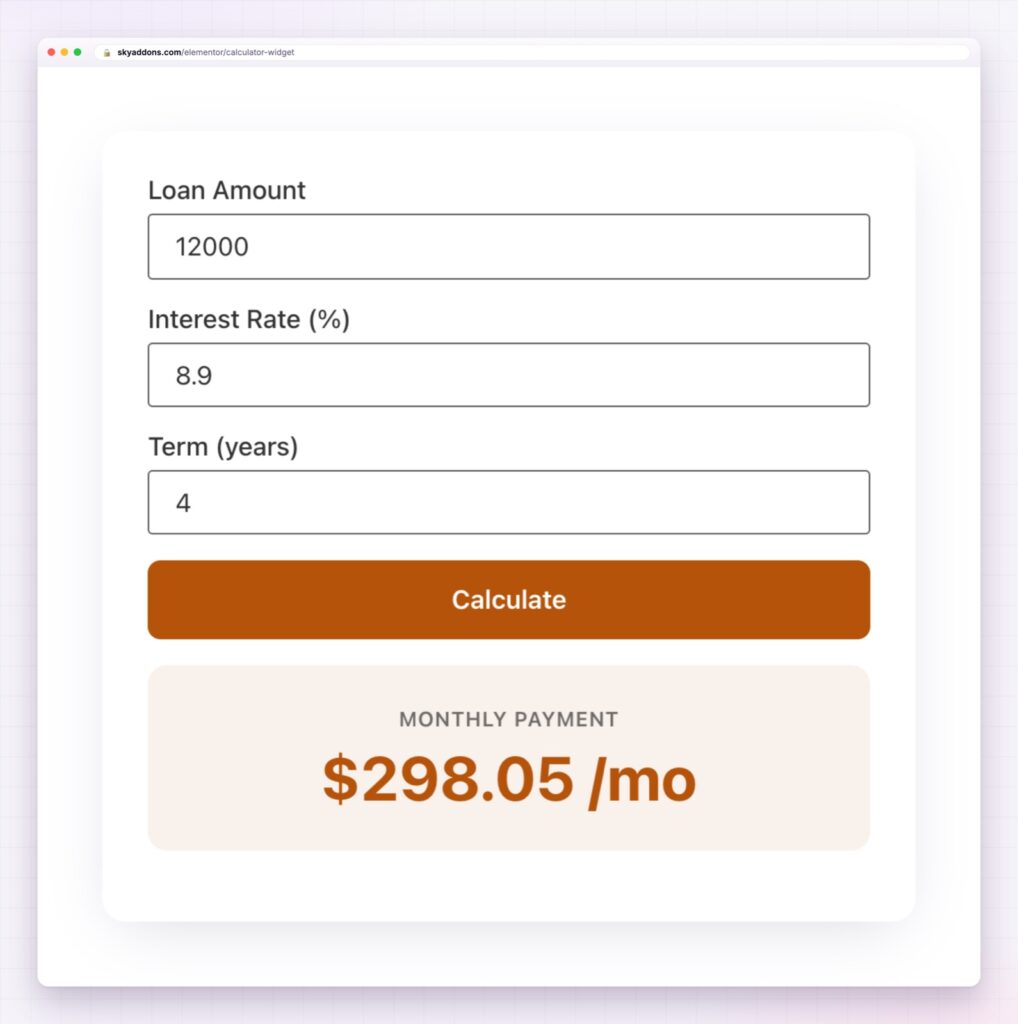
The pattern is the same everywhere: you already know the arithmetic, and your visitors keep asking you to do it for them.
| Contact form | Calculator |
|---|---|
| Visitor waits for an answer | Visitor gets the number immediately |
| You quote before you qualify | Price agreed before the conversation starts |
| One enquiry, no data | Every entry tells you what people are pricing |
| Nothing to search for | People search “cost calculator” by the thousand |
| Easy to abandon | Interactive, so people finish what they started |
Twelve templates, and no ceiling above them. Loan repayments, compound growth, investment totals, profit margin, hourly rate, trip cost, calorie targets, bulk pricing and tax all open with sensible numbers already in place. They are starting points, not a menu. The widget has no fixed list of calculator types: add the fields your job needs, write the equation between them, and you have a calculator nobody else has.
Any equation you can write. Fields have names, and the formula reads like a sentence: price * quantity * (1 - discount / 100). Behind it sits Formula.js, which brings the spreadsheet library with it: PMT for repayments, IF for tiered pricing, ROUND, MIN, MAX, percentages, dates and the rest. Formulas can also feed each other, so one result becomes an input to the next. If it fits in a spreadsheet, it fits in this widget.
As many fields and results as the job needs. Add twenty inputs if the quote is genuinely that detailed, then show four numbers at the end: total, deposit, monthly and the saving against the standard rate. Nothing caps how many calculators a page can hold either, so a pricing page can run one per product line.
Results that move as people type. Live calculation turns the widget into something visitors play with, and that is when a page becomes memorable instead of merely informative.
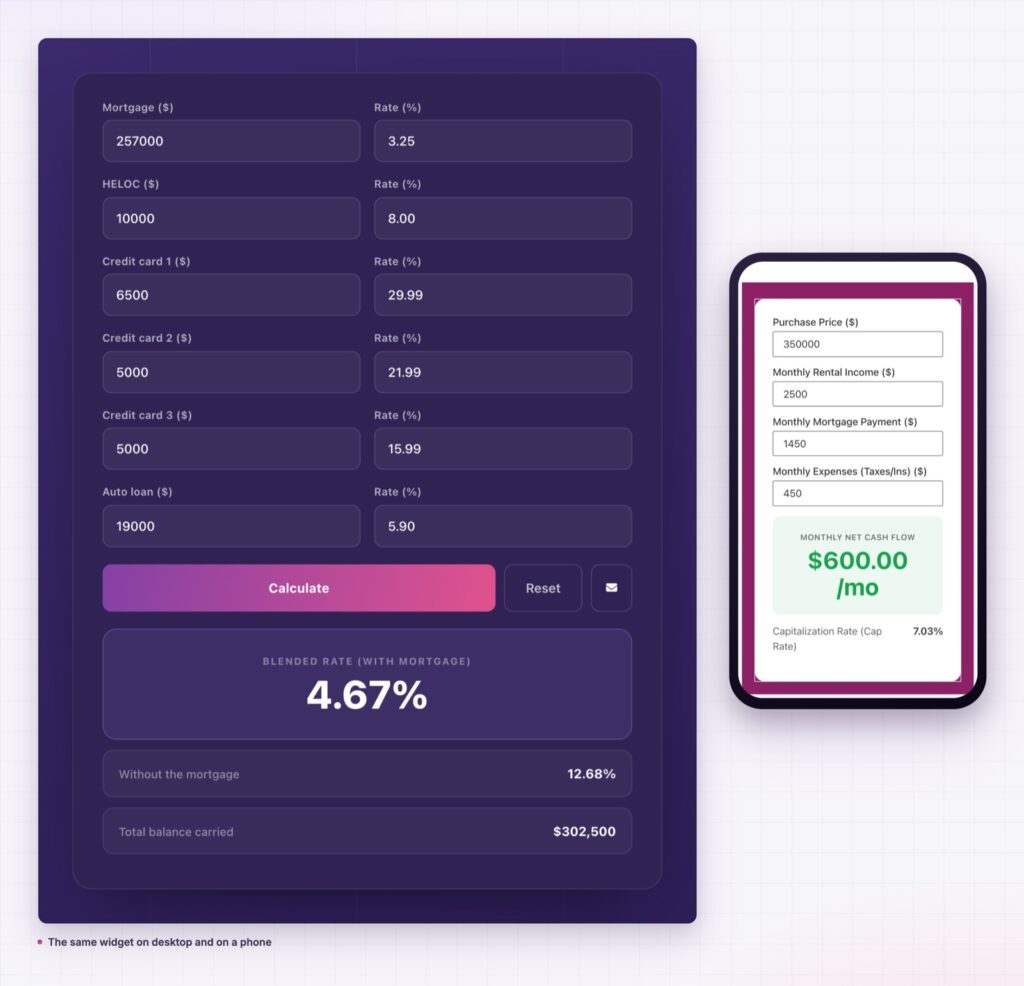
More than one answer. Show the monthly payment, the total interest and the amount financed together. A single figure answers a question; three figures start a decision.
The result by email. Visitors can send the calculation to themselves, which gives them a record and gives you a lead with the exact numbers they were interested in attached.
Fields people understand. Numbers, text, dropdowns, radio buttons, hidden values for fixed rates and disabled fields for figures you want visible but locked. Dropdown and radio options carry their own values, so “Ground floor” can be worth one multiplier and “Third floor, no lift” another.
Styled like the rest of your page, not like a form. Every part is a control: field and label typography, spacing, borders and radius, button colours with their own hover state, and the result box, which is usually the only element that needs to shout. The twelve demo calculators look nothing like each other, and none of them uses a line of custom CSS.

Round the output. A quote of £2,480.00 invites an argument. “Around £2,500” invites a conversation.
Two things usually happen once an Elementor calculator widget goes up. Enquiries drop slightly and bookings rise, because the people who were never going to pay stop writing in. And your own pricing gets tested: watch which numbers visitors enter and you will learn where your assumptions were wrong.
A calculator page is also one of the few pages people bookmark and send to a colleague. That is free distribution, and it comes from a widget you can build between two meetings.
No. Sky Addons works with the free version of Elementor, and the calculator is its own widget.
Yes. Spreadsheet functions are available, including payment, rounding and conditional logic, so loan repayments and tiered pricing are both straightforward.
Yes, each with its own label and formatting.
Yes, and that turns a calculation into an enquiry with real numbers attached.
The calculation happens in the browser. Nothing is saved unless the visitor chooses to email the result.
A calculator answers the one question that stops most visitors from enquiring, and it answers it in their own numbers. The Elementor calculator widget gives you twelve starting points, any equation a spreadsheet can hold, as many fields and results as the job needs, and full control of how the whole thing looks. Build it once, and it qualifies leads every day without you touching it.
The Calculator demo has all twelve running on one page, from a mortgage consolidation worksheet to a freelance rate finder. Try one, change the numbers, and you will know within a minute whether it fits your site. Every control is written up in the Calculator documentation.
Pricing pages work hardest when the number and the plan sit together, so put a calculator under your Elementor comparison table and let visitors price their own case. Both widgets are part of the release covered in Sky Addons 4.0 and Pro 5.0.
The calculator is a Pro widget. Sky Addons Pro covers it along with the rest of the 5.0 release, and the free versus Pro page shows what the free plugin already gives you.




Comments are closed.