
Hair Salon Website Template: Fewer Wrong Bookings, Fuller Chairs
A hair salon website template with 8 ready pages: services, pricing, a new guest guide, lookbook and booking forms. See every page of Marlow, page by page.
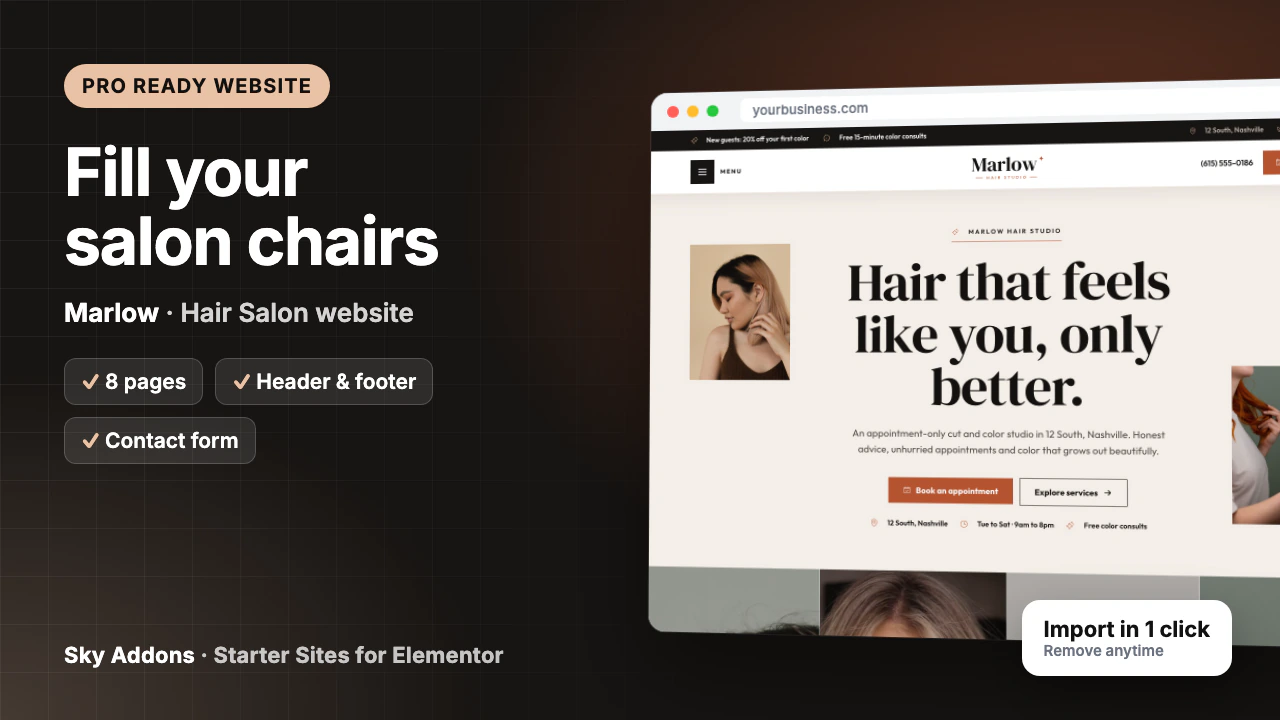
Saturday, 11am. A new guest sits down for “a few highlights”. Ten minutes in, you learn she has three years of box dye on her ends, wants to go much lighter, and has a wedding on Thursday. The two hours you booked will not cover it, your 1pm is already on the sofa, and somebody is going to leave unhappy.
That day went wrong at booking, because nothing asked about her hair history, explained why prices start “from”, or steered a new color guest to a consultation. A hair salon website template that does those three jobs protects your schedule as much as it fills it.
Meet Marlow, a hair salon website template from Sky Addons Pro. Here are all eight pages, what each one does for a busy studio, and what you swap before the site is truly yours.
Marlow is a complete ready website for an appointment-only cut and color studio, built in Elementor with Sky Addons widgets. It imports from inside WordPress with pages, header, footer, menus and appointment forms already linked.
| Part | What arrives |
|---|---|
| Pages | Home, Services, Pricing, New Guests, Lookbook, About, FAQ, Contact |
| Header and footer | Sky Theme Builder: offer bar, Menu button, centred logo, phone and a Book now button |
| Appointment form | Sky Addons Form Builder: first name, phone, email, preferred day, service and “Tell us about your hair” |
| Content types | Services (nine samples), each with its own page |
| Plugins it installs | Secure Custom Fields, free from WordPress.org |
| Theme | Hello Elementor, unless you keep your current theme |
| Plan | Pro: needs Sky Addons Pro active |
| Mobile | Phone layouts on every page, with Call and Book now fixed at the bottom |
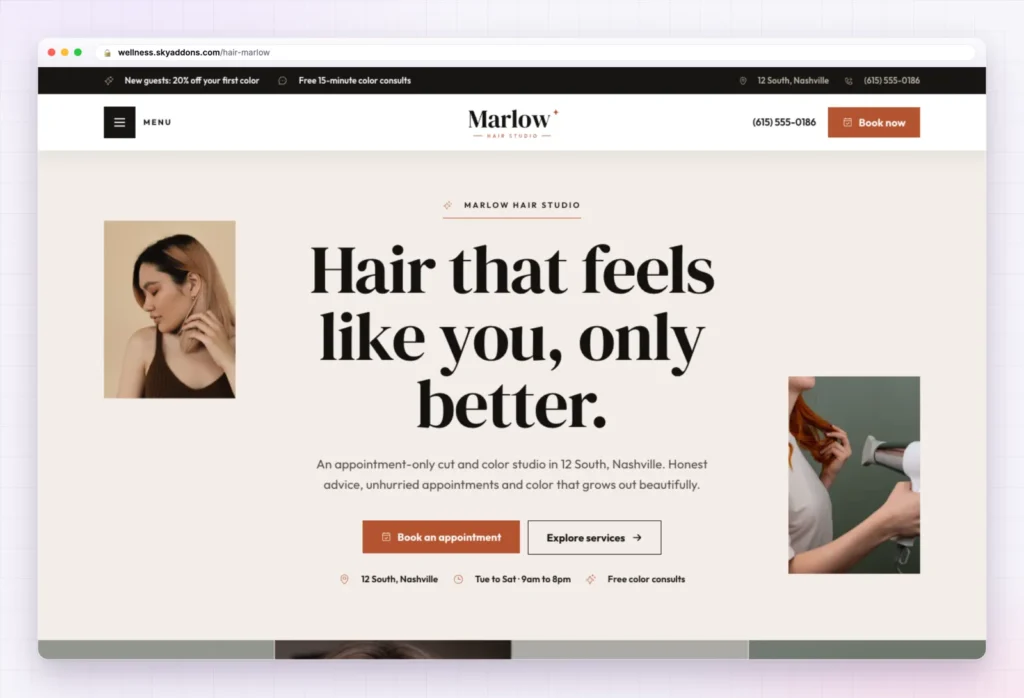
The demo is a six-chair studio in Nashville. The same structure suits:
The top bar does quiet selling before anyone scrolls: new guests get 20% off their first color, and color consults are free for 15 minutes. The headline, “Hair that feels like you, only better.”, sits between two photos with Book an appointment and Explore services below it.
Further down, the Home page moves from inspiration to booking:
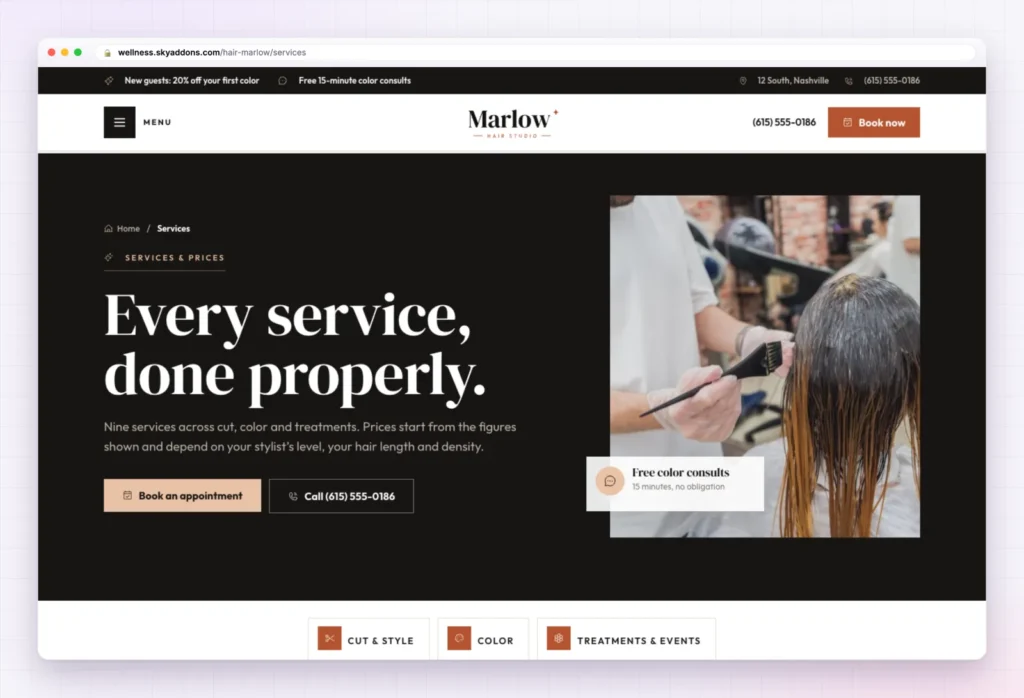
“Every service, done properly.” sets expectations in its first line: prices start from the figures shown and depend on the stylist’s level, hair length and density. That sentence saves awkward talks at the till.
The nine services sit in three groups. Cuts that grow out well: Signature Cut and Style, Curly Cut, Blowout and Men’s Cut. Color that looks like yours: Balayage, Highlights and All-Over Color. Smoothing and special days: Keratin Smoothing and Bridal and Event Styling. Each is one entry in the services content type, so you rename, remove or add services without touching the layout.
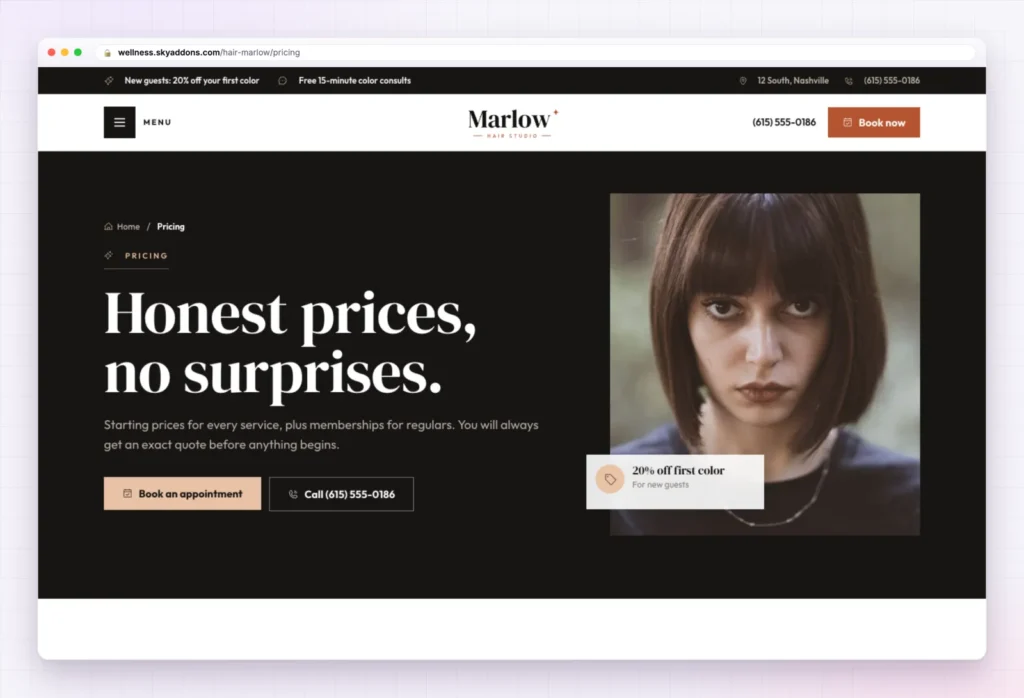
“Honest prices, no surprises.” promises an exact quote before anything begins. A price list comes first, then three memberships under “Look great all year, for less”: Blowout Club, Color Club and Bridal.
A gift card section and four small-print questions follow, including the deposit policy. Every price, membership and policy here is sample content. If you take deposits, say so clearly; guests read that policy twice.
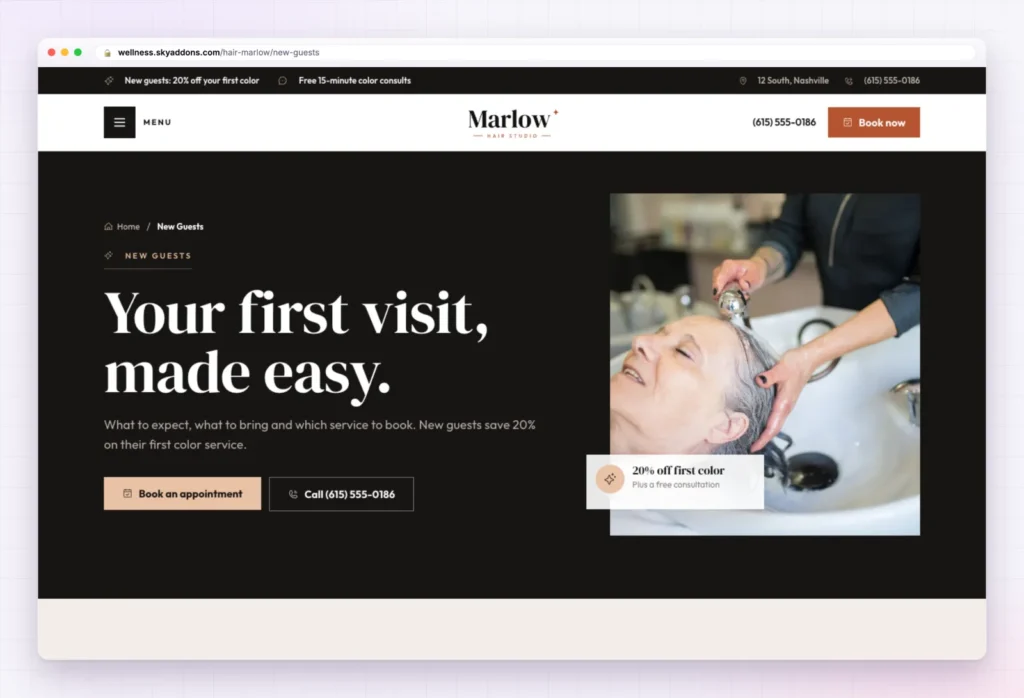
This page fixes the Saturday problem. “Your first visit, made easy.” walks through four steps, and the first one matters most: new color guests are booked into a free 15-minute consultation first.
A “Before you come” list asks for photos of looks they love (and do not), their hair history, especially box dye or keratin, curls dry and styled for curly cuts, and arriving ten minutes early. “Which service should I book?” offers five panels that open on hover or tap, then come the appointment form and four new-guest questions, including “What if I do not love it?”
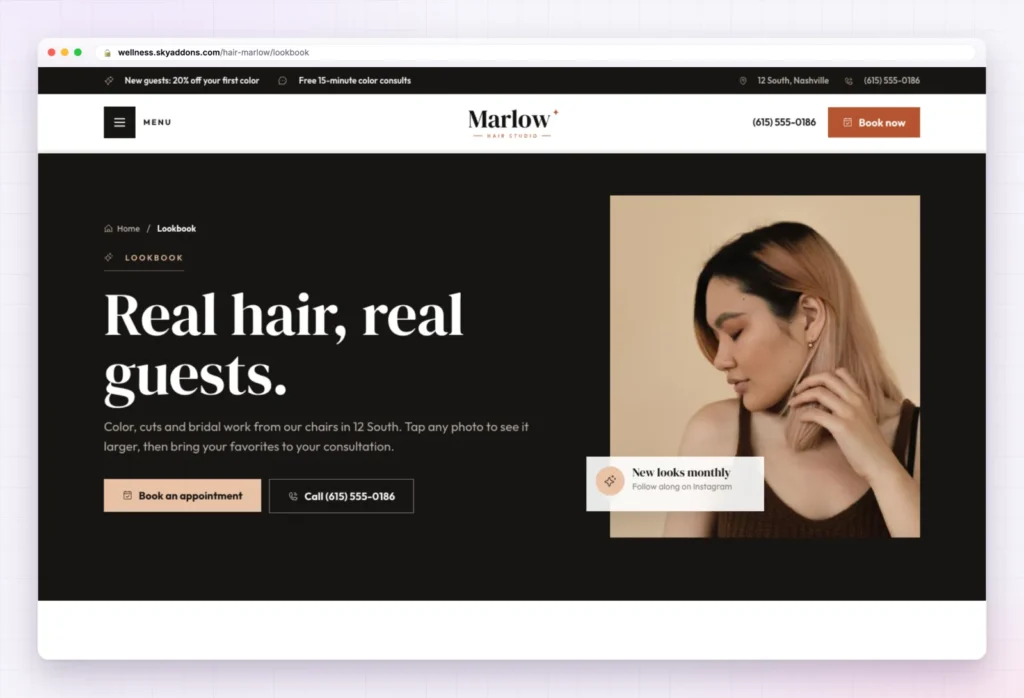
“Real hair, real guests.” is a gallery in two parts: balayage, glosses and shapes that move, then updos, braids and soft waves. Visitors tap a photo to see it larger. A four-step guide (bring photos, talk it through, the appointment, keep it fresh) links the gallery to a booking.
The demo photos are stock images. The headline only becomes true once you fill the hair salon website template’s gallery with your own work, shared with your guests’ permission.
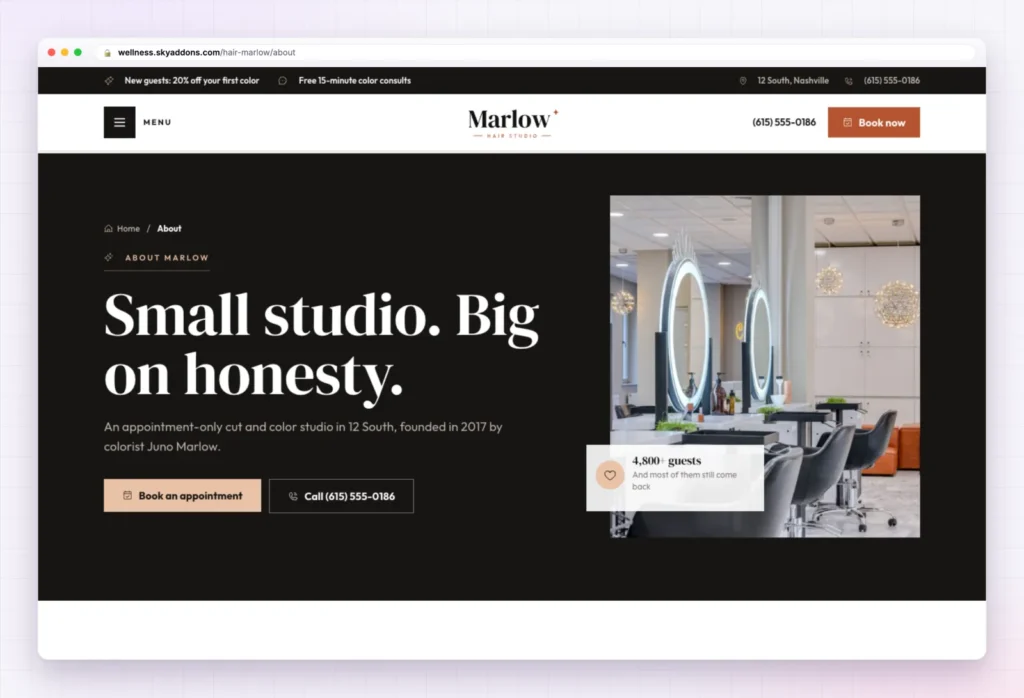
“Small studio. Big on honesty.” tells a founder story: a colorist who spent years in busy downtown salons watching color grow out badly, then opened her own studio. Three ticks follow: six chairs and never double-booked, monthly in-house education, and curl cutting trained across the team.
Four promises, four stylists, a section on the space and guest notes complete it. The hero card claims a number of returning guests; use your own figure or remove it.
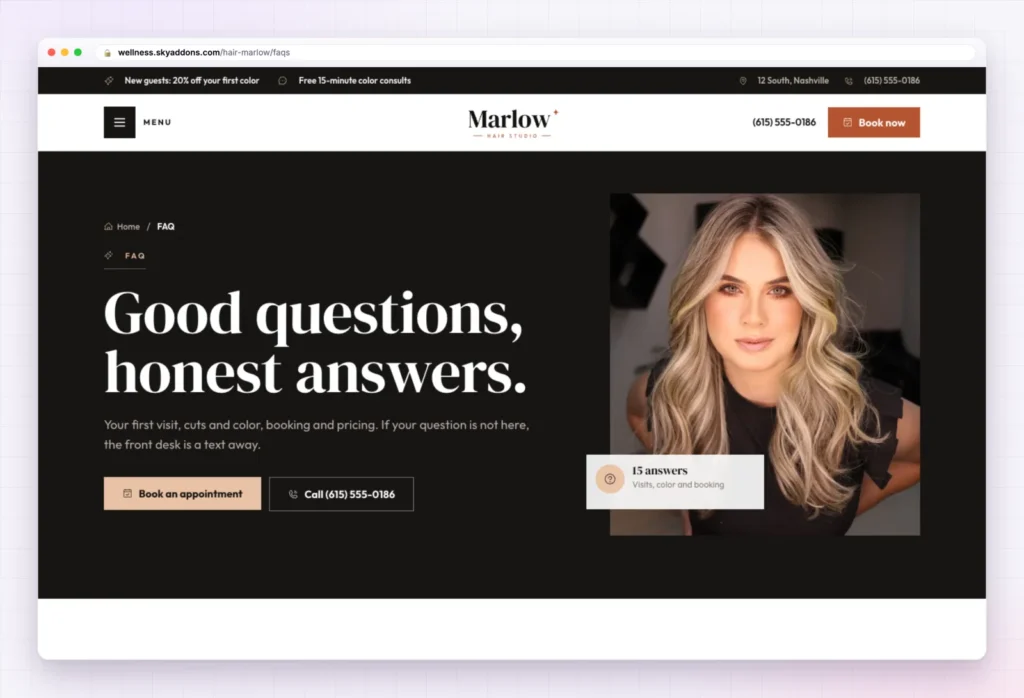
“Good questions, honest answers.” splits fifteen questions into four groups, from “How long does balayage take?” to “Can you go from dark to blonde in one visit?”. Rewrite the policy answers in the hair salon website template to match your own rules.
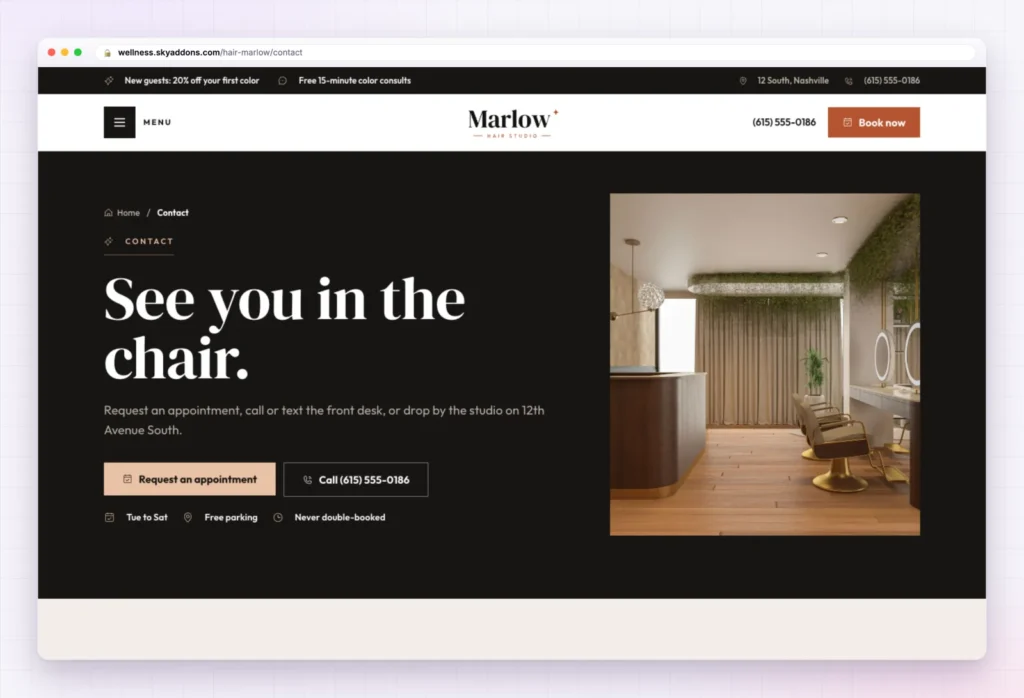
“See you in the chair.” leads with the appointment request, then opening hours, three cards (call, text, drop by) and a map. The text card invites guests to send a photo of their hair for advice, a small touch that turns a question into a booking.
The form is the Sky Addons Form Builder. It asks for a first name, phone, email, preferred day (any day, weekday morning, weekday evening, Saturday), the service and “Tell us about your hair”. That last box is where box dye and wedding dates show up before Saturday, not during it.
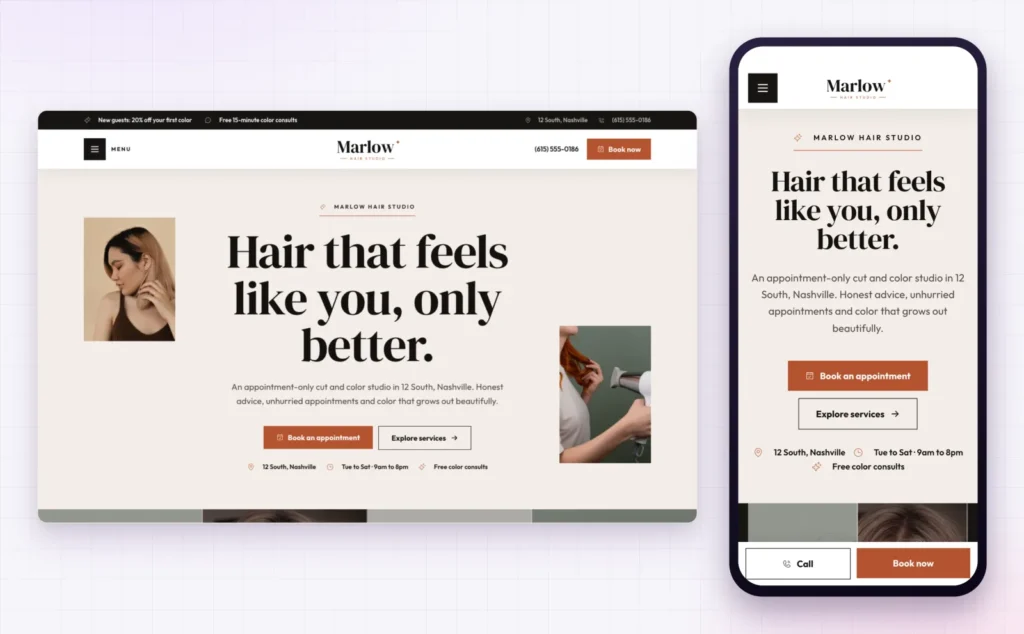
Most salon visits start on a phone. Marlow stacks the headline on a small screen and fixes Call and Book now to the bottom.
Photos decide salon bookings on Google too. Google’s help on adding photos to your Business Profile explains how to show your work there; use the same real shots in the Lookbook.
The part of a hair salon website template that takes longest is the thinking: where the price warning goes, when to push a consultation, what a nervous new guest needs to read. Marlow ships with that done.
| Ready on day one | Yours to finish |
|---|---|
| Eight pages laid out and linked | Logo and salon name |
| Offer bar, header and Book now button | Phone and text numbers |
| Appointment forms that ask about hair history | Address, map and opening hours |
| Nine services in the services content type | Your menu of services |
| New guest guide and consultation step | Prices, memberships and deposit policy |
| Global colours and fonts | Stylist photos and bios |
| Phone bar with Call and Book now | Lookbook photos of your own work |
Guests forgive a wait for the right result. What they do not forget is a stylist who promised one visit and needed two.
Changed your mind? Remove this import restores the site as it was, including your old front page, colours, header, footer and theme.
Marlow comes with Sky Addons Pro, so you need an active Pro licence plus the free Sky Addons plugin.
No. Importing only adds content, and your existing pages and settings stay. If you remove the import later, pages you changed after importing are kept unless you choose otherwise.
Yes, in one place: the kit’s global colours and fonts live in Elementor’s site settings, and the whole site follows them.
Yes. Phone layouts are built in, with Call and Book now pinned to the bottom of the screen.
Not at all. Every section is an Elementor or Sky Addons widget you edit by clicking.
Marlow is a finished eight page hair salon website template that books the right service, not just any service: prices that explain “from”, a new guest page that routes color through a consultation and a form that asks about hair history. You add your name, menu, prices and photos. It imports in one click with Sky Addons Pro and removes just as cleanly.

Comments are closed.