
Elementor Video Player: Video Pages People Actually Watch
The free Elementor video player keeps video pages fast and watchable: the right source, a poster that loads first, and chapters that find the right minute.

Ask a business owner for their best sales asset and they will say word of mouth. Then look at their website and find the testimonials in a grey box near the footer, one at a time, behind arrows nobody clicks.
The problem is not the quotes. It is that a standard slider hides how many people said something kind. A visitor sees one review and has to work to find the second, and proof that takes effort to discover is proof that does not land.
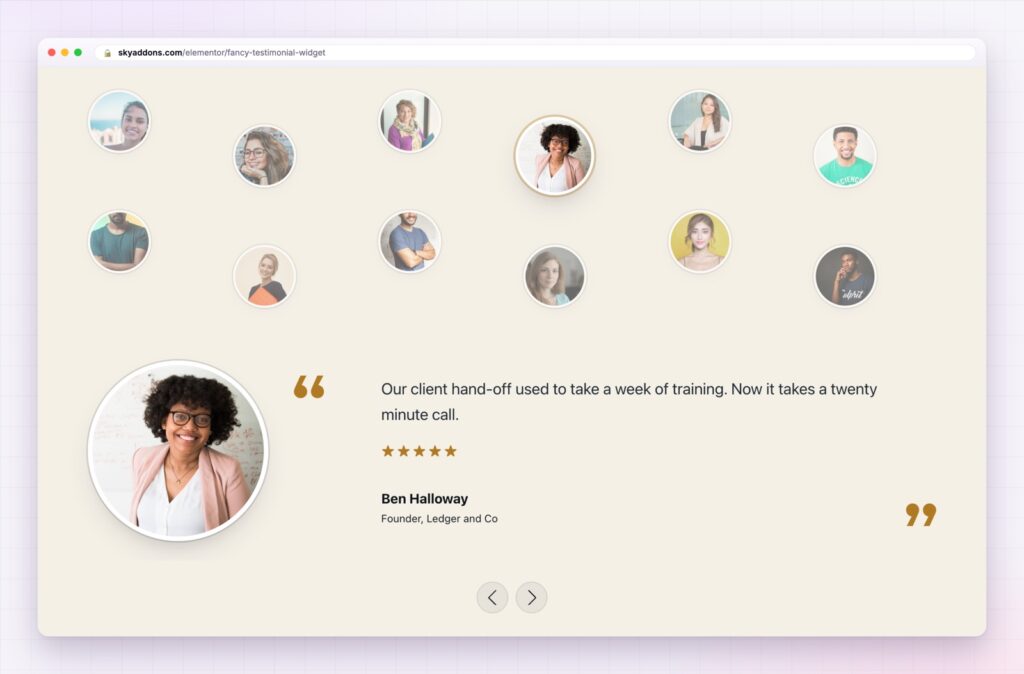
The Elementor testimonial widget in Sky Addons 4.0 shows the faces first: seven at a time on a curve, or a whole wall of them above one featured quote. It is free, it works with the free version of Elementor, and there is no slider plugin behind it.
| A normal testimonial slider | This widget |
|---|---|
| One review visible, the rest hidden | Seven faces visible at once |
| Arrows to click, so most people do not | Any face can be tapped, and it looks tappable |
| The volume of proof is invisible | The volume of proof is the design |
| Usually another slider plugin | A free widget in the plugin you already have |
The point is quantity made visible. Ten reviews behind arrows feel like one review. Ten faces on a curve feel like ten.
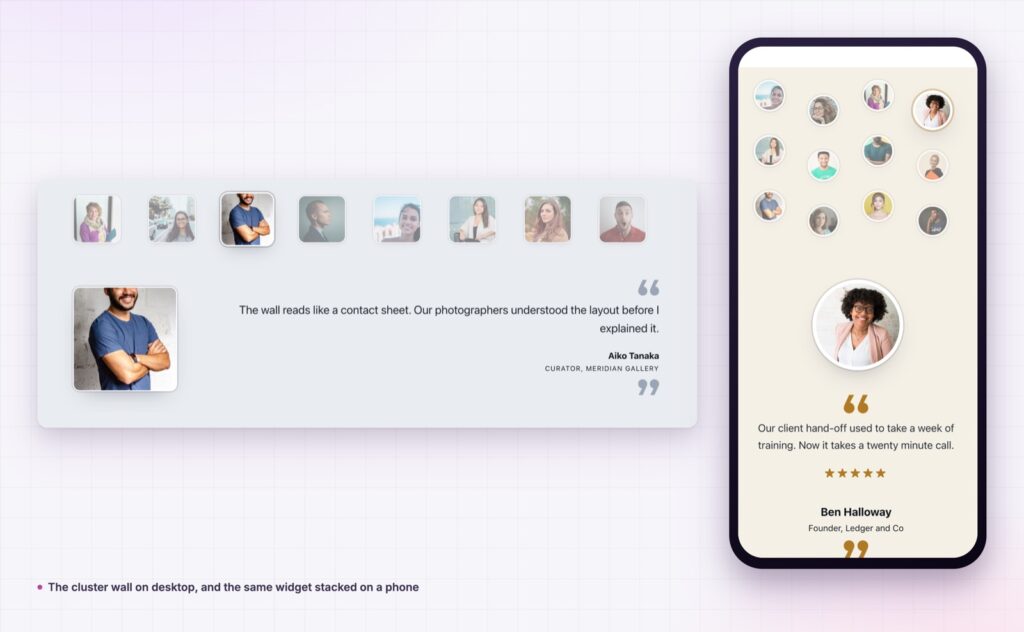
Two layouts with different jobs. The wave curves avatars above the quote and lifts the active one, which suits a home page band. The cluster wall reads like a contact sheet, a grid of small faces above one featured quote, which suits a community or customer page.
Reviews straight from your posts. Point the widget at a post type and the title becomes the name, the first category becomes the role, and the excerpt becomes the quote, with custom fields available for ratings and job titles. Whoever collects reviews can publish them without opening Elementor.
Ratings that stay honest. Stars are optional. If your reviews are a mix of four and five, show them. If you have no rating data, turn them off rather than inventing a number.
Quotes that fit the layout. Long testimonials truncate to a word count you choose, with a read-more link in your own wording, so one rambling review does not wreck the section.
Styling all the way down. Card background, padding, border, radius and shadow, quote icon colour, name and role typography, avatar shape and border. The yellow demo with square avatars and the dark purple one are the same widget with no custom CSS.
Accessible by default. Each avatar is a real link announced as “Show testimonial by” and the person’s name, and the rating is read out as “Rated 4 out of 5” instead of five star characters. If you want the reviews machine readable as well, mark them up with schema.org Review through your SEO plugin.

A testimonial that names the problem it solved is worth ten that say “great service”. Ask customers what they were worried about before they hired you.
Believable proof comes from specifics: a face, a name, a real job, and a sentence that sounds like a person rather than a marketing team. This widget puts all four on screen at once, which is why a wave of seven ordinary quotes usually outperforms one polished case study in a box.
There is a practical benefit as well. Because entries can come from posts, the person who collects reviews can add them without design work, so the section grows over time instead of ageing.
Yes. It ships in Sky Addons 4.0, the free plugin, and works with the free version of Elementor.
Yes. Title becomes the name, the first category becomes the role, the excerpt becomes the quote, and custom fields can supply the rating.
As many as you add, with a setting for how many avatars appear at once on each screen size.
No. Autoplay, transition speed and pause on hover are built in.
Yes, along with the quote icon and the navigation arrows.
Testimonials fail when they are shown one at a time behind arrows. The Elementor testimonial widget puts the faces first, the quote underneath, and the whole volume of your proof on screen at once. It is free, it can feed itself from posts, and it looks like your brand rather than like a plugin.
The Fancy Testimonial demo runs eleven sections built from the same widget: waves, walls, square avatars, dark sections and one fed from posts. Open it on a phone too, because that is where testimonial sections usually fall apart. Every control is listed in the Fancy Testimonial documentation.
Put this above an Elementor comparison table so the proof lands before the price. It is one of seven free widgets in the release described in Sky Addons 4.0 and Pro 5.0.
This widget costs nothing. Sky Addons Pro adds the motion, social and store widgets on top, and the free versus Pro page shows where the line falls.


Comments are closed.