
Barber Website Template: A Booked-Up Shop Site Without Hiring a Designer
A barber website template for Elementor with 8 ready pages, booking form, price list and gallery. Swap in your name, prices and photos and open the doors.
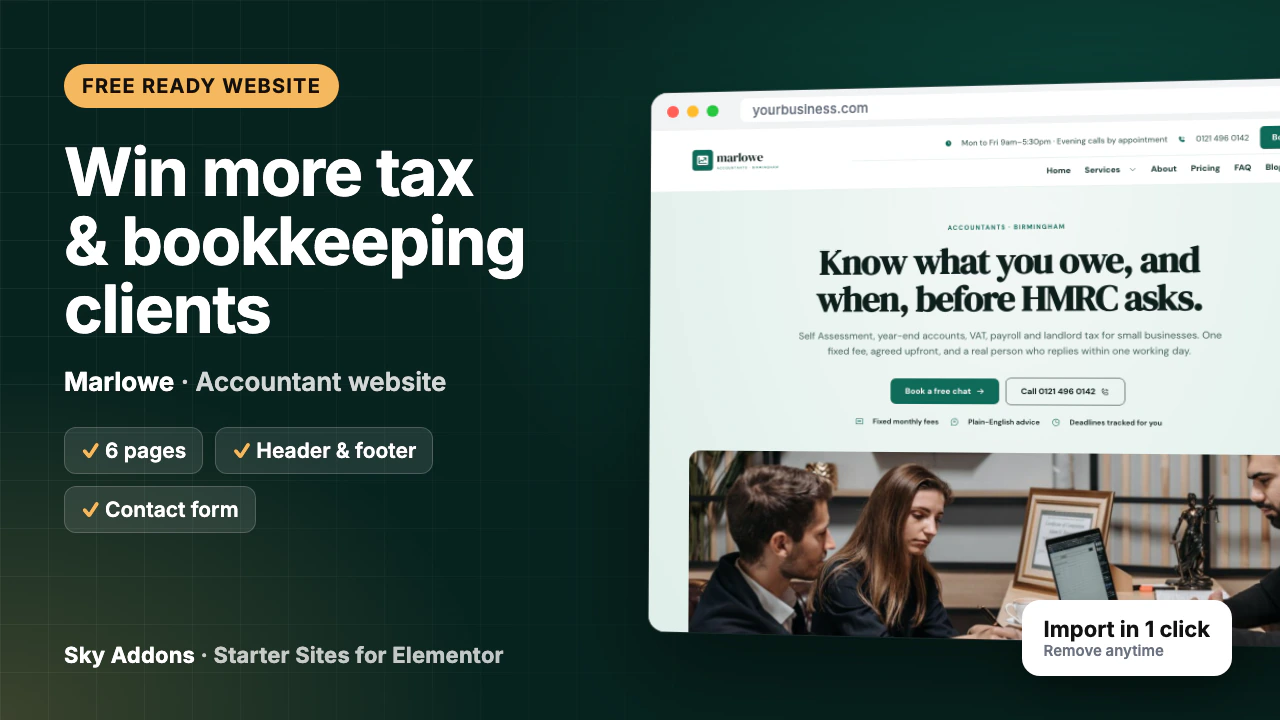
Many accountants have the same website problem. The old site was built years ago, it does not work on a phone, and the fees page is out of date. A new one means agency quotes, weeks of back and forth, and time you do not have in January.
Meanwhile, a sole trader looking for help with a tax return finds a firm nearby with a clean site, a phone number at the top and a “Book a free chat” button. They call that firm, not you.
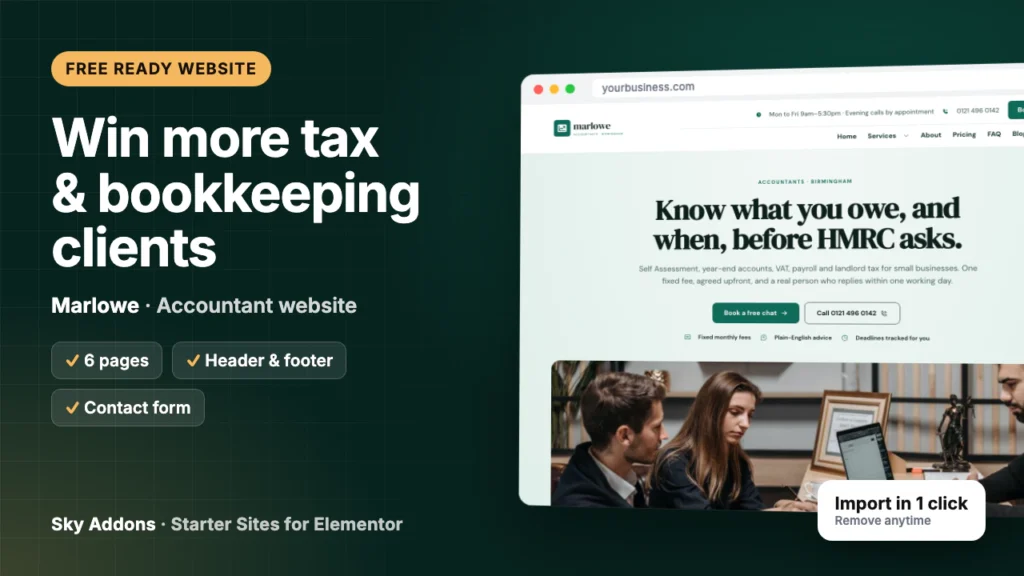
This post walks through Marlowe, a free accountant website template from Sky Addons. It shows every page you get, what each one does for your practice, and how little is left to change before the site is yours.
Marlowe is a complete ready website for an accountancy or tax practice, built in Elementor with Sky Addons widgets. You import it in one go from inside WordPress. Pages, header, footer, menus and form arrive already joined up, so you edit a finished site instead of building one.
| What you get | Details |
|---|---|
| Pages | Home, About, Services, Pricing, FAQ, Contact |
| Header and footer | Sky Theme Builder: hours, phone, Book now button, full menu |
| Contact form | Contact Form 7, sends to your site admin email |
| Content types | Services (8 samples), team (4 people), testimonials |
| Plugins it installs | Contact Form 7 and Secure Custom Fields, free from WordPress.org |
| Theme | Hello Elementor, unless you keep your current theme |
| Plan | Free: needs only Sky Addons (free) |
| Mobile | Every page works on a phone |
The demo is written for a small UK firm, but the structure fits any practice that sells clear, fixed-fee help:
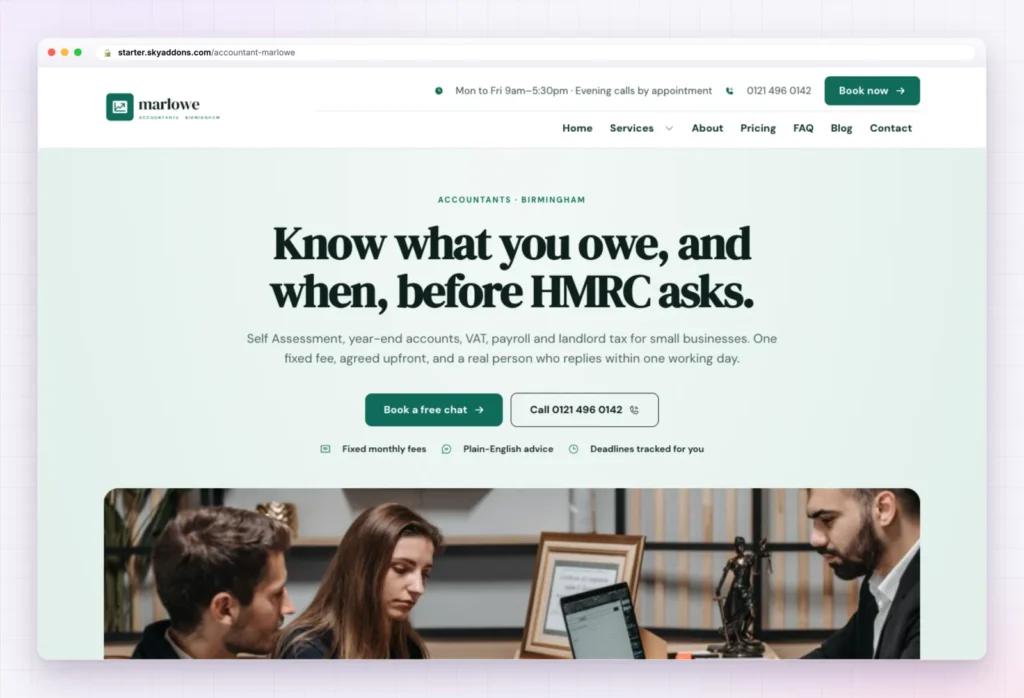
The Home page of this accountant website template opens with a short headline about knowing what you owe before the tax office asks, a line listing the services, and two buttons: Book a free chat and Call. Under them sit three trust points: fixed monthly fees, plain English advice and deadlines tracked for you.
Next comes “Which one sounds like you?”: six situations a visitor recognises, from starting out to a letter from the tax office, VAT confusion and Making Tax Digital. Each gives a first step. This section turns a nervous visitor into a caller, because it shows you understand their exact problem.
The rest of the page builds trust in order:
You change the headline if it does not fit your voice, your phone number, the situations that match your clients, and the testimonials.
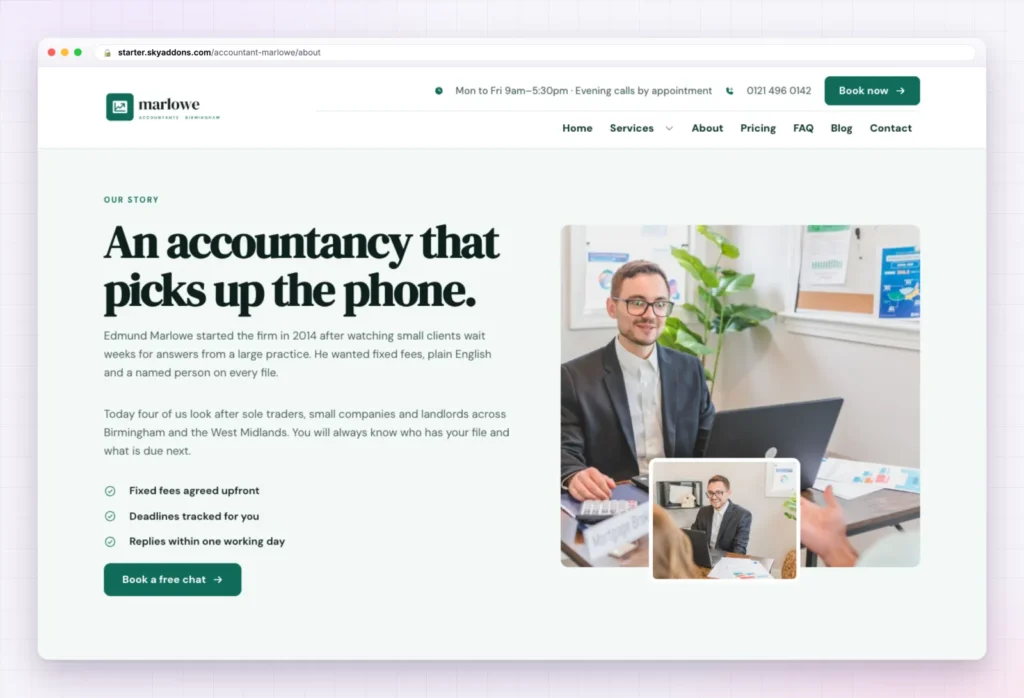
Clients often change accountants because they could never reach a person. The About page answers that with “An accountancy that picks up the phone”, a short founder story and three ticks: fixed fees agreed upfront, deadlines tracked, replies within one working day.
Below it, “The people you will meet” shows four team members with their roles. They come from the team content type, so adding a fifth person means adding one entry. Then come “Four simple promises”, the testimonials and the closing call to action. You change the story, names, photos and promises.
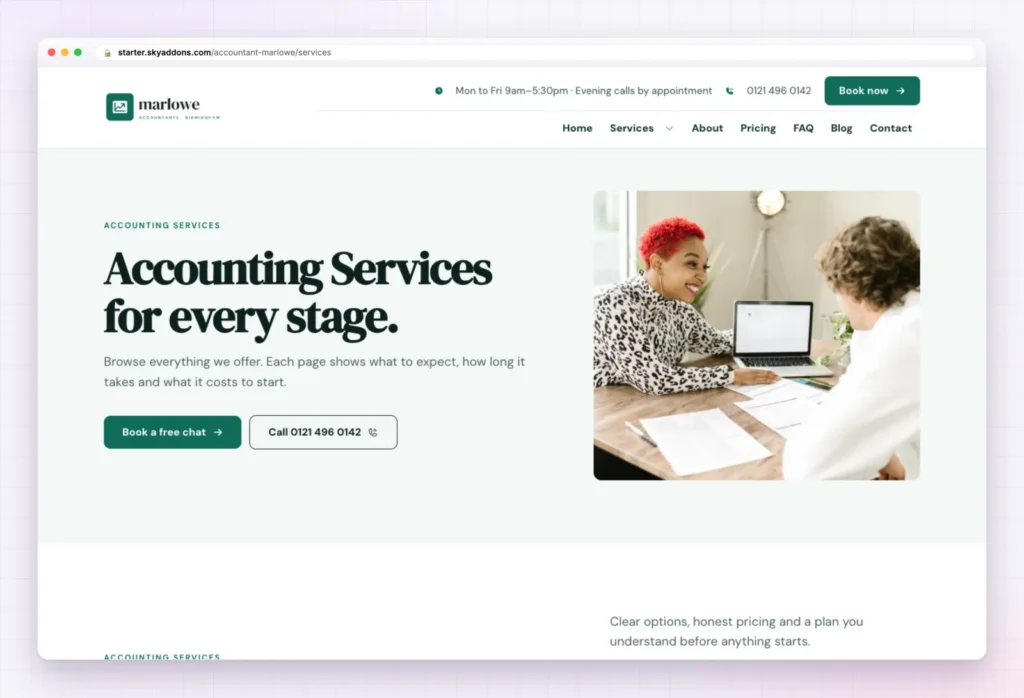
The Services page lists all eight sample services in one grid: Sole Trader Package, Making Tax Digital for Income Tax, CIS and Subcontractor Returns, Limited Company Year-End, VAT Returns, Payroll and Pensions, Landlord Tax Return and HMRC Letter Help.
Services are a content type, so each one is a single entry to edit. Delete the ones you do not offer, rename the rest, and rewrite each service page. The page closes with the four step process, four common questions and the call to action.
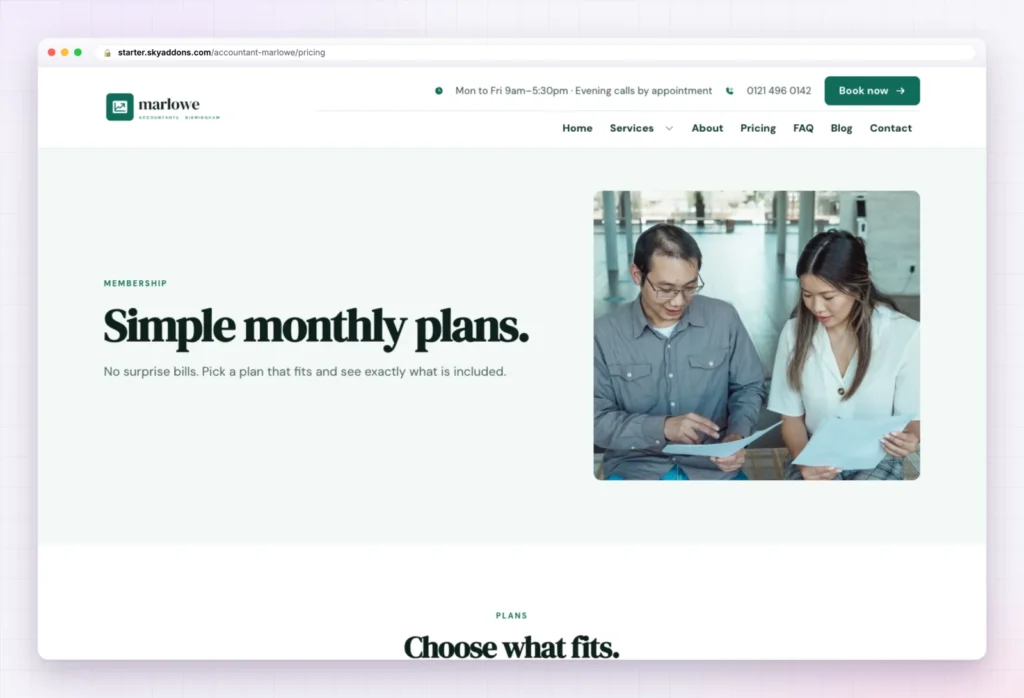
Fee anxiety stops many people calling an accountant. The Pricing page meets it with “Simple monthly plans” and three plan cards: Sole Trader Package, Limited Company Year-End and Landlord Tax Return. Each lists what is included, such as the return filed, quarterly tax estimates or Companies House filings, and has its own “Choose” button.
The prices in the accountant website template are sample content. Put in your own fees, edit the included items, and keep only the plans you sell.
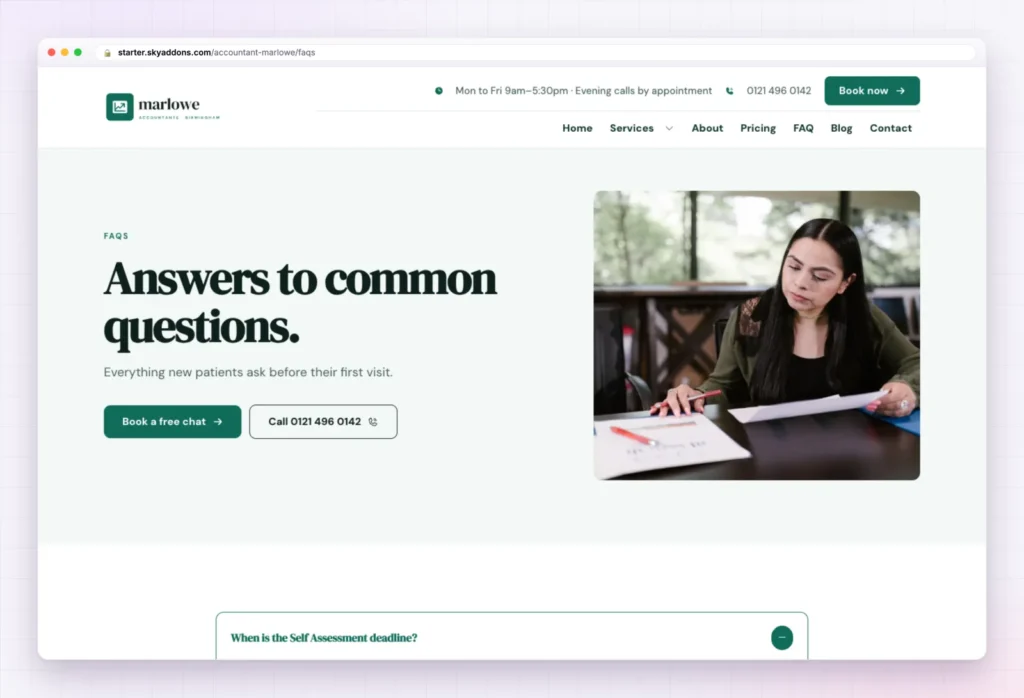
The FAQ page of the accountant website template holds six questions in an accordion: the Self Assessment deadline, whether a sole trader needs an accountant, how much to set aside for tax, when to register for VAT, what Making Tax Digital is, and whether you can take over from a current accountant.
These are the questions you answer on the phone every week. Write the answers in your own words, add the ones you hear often, and read the intro line once against your own practice.
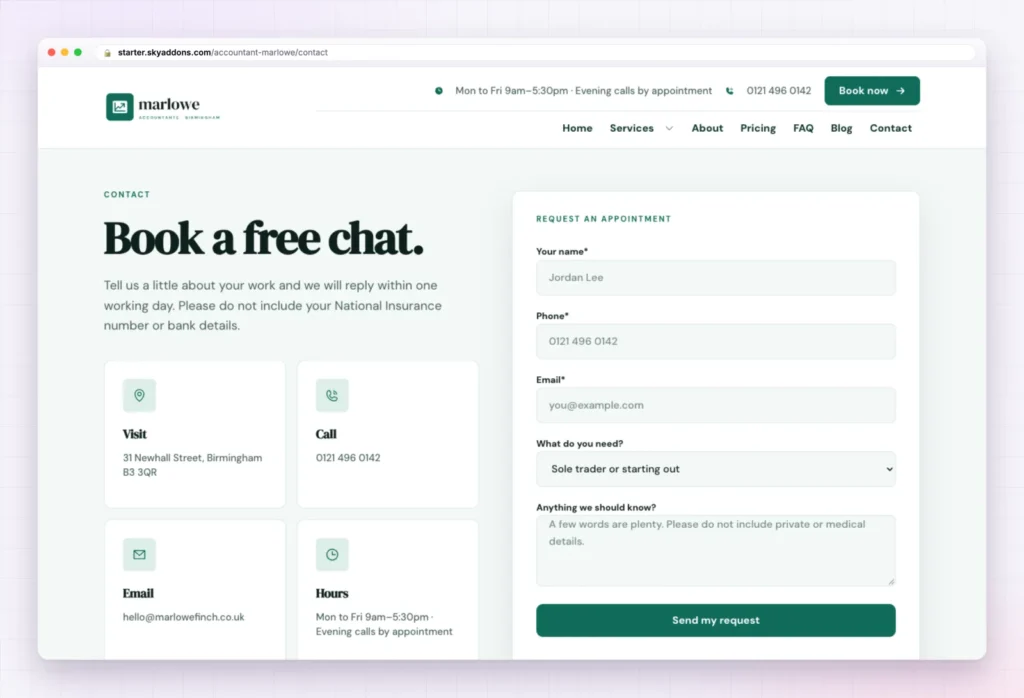
On the left, four cards show your address, phone, email and opening hours. On the right, a Request an appointment form asks for a name, phone, email, what the visitor needs from a dropdown, and a short note. The intro asks people not to send their National Insurance number or bank details, a small touch clients notice.
The form is a Contact Form 7 form that sends to your site admin email. Change the address, phone, email and hours (all sample content), and edit the dropdown to match your services.

Many people look for a local accountant on a phone. On a small screen, Marlowe folds the menu into a button, stacks the headline, and puts Book a free chat and Call right under it. A visitor calls you with one tap.
That matters for local search too. Google’s guide to adding or claiming your Business Profile asks for a website link, and a page that works on a phone is what a searcher lands on when they tap it.
The hard part of any accountant website template is the layout, the order of sections and the joining up. That is done.
| Already done | You change |
|---|---|
| Six pages laid out and linked | Logo and business name |
| Header with hours, phone and Book now button | Phone number and email address |
| Footer and menus, with a Services dropdown | Office address and opening hours |
| Contact form sending to your admin email | Fees and plan contents |
| Services, team and testimonial content types | Photos of you, your team and your office |
| Global colours and fonts | The services you actually offer |
| Phone and tablet layouts | FAQ answers and testimonials |
A visitor decides in a few seconds whether to call you. A clear page with your number at the top does more for a practice than a clever one.
Changed your mind? Remove this import puts the site back as it was: imported items deleted, your old front page, colours, header, footer and theme restored. Nothing you had before is deleted or overwritten.
Yes. Marlowe is a free kit. It needs only the free Sky Addons plugin and Elementor.
No. The import only adds. Remove this import puts the site back as it was, and pages you edited after importing are kept unless you tick the box.
Yes. The kit sets global colours and fonts, so a change in Elementor’s site settings applies wherever the design uses them.
Yes. Every page has a phone layout, with the call and booking buttons near the top.
No. Everything is built with Elementor and Sky Addons widgets, so you edit text, photos and buttons by clicking on them.
Marlowe is a finished six page accountant website template with the header, footer, form and services in place. You change your name, number, fees and photos, and the site is ready for clients. It is free, imports in one click, and comes out just as easily if it is not for you.

Comments are closed.