
Dental Website Template: A Calm, Bookable Clinic Site for Nervous Patients
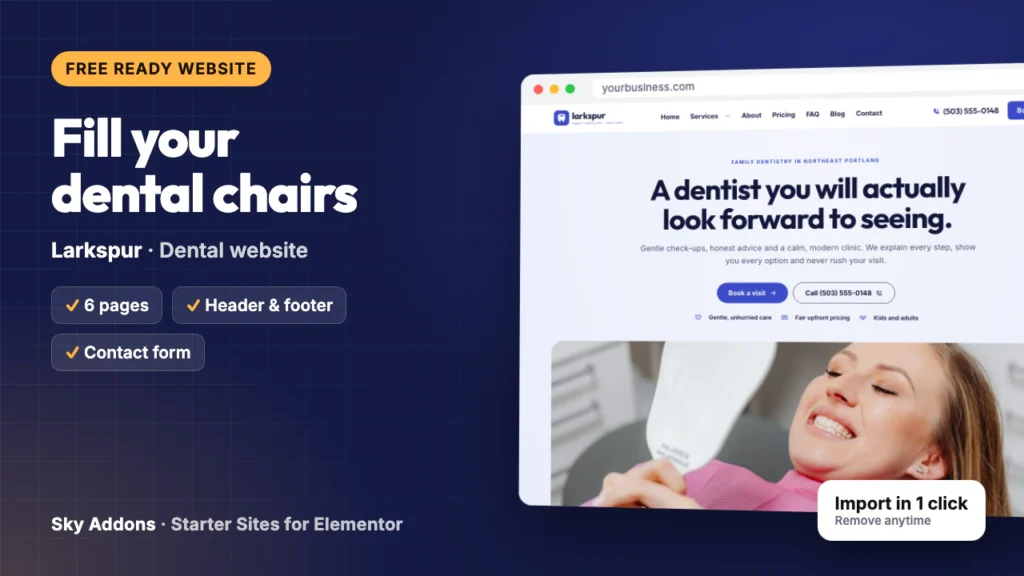
A free dental website template with 6 ready pages, a booking form and a membership plan page. See every page of Larkspur and import it in one click.
It is 10:40 on a Sunday night. Someone has bitten down on a popcorn kernel, a filling feels wrong, and they have put off the dentist for four years. They open three clinic websites on their phone. The first is slow. The second gives no way to book. The third says new patients get extra time, prices are written down before anything starts, and a Book a visit button sits under the headline. On Monday morning, the third clinic gets the call.
Many dentists still run a site they would rather nobody opened. A good dental website template fixes that faster than a rebuild, which means a designer’s quote, a month of emails and evenings away from your family.
This post walks through Larkspur, a free dental website template from Sky Addons. You will see every page, what each one does to turn a nervous visitor into a booked patient, and the short list of things you change before the site is yours.
Larkspur is a complete ready website for a family dental clinic, built in Elementor with Sky Addons widgets. It imports in one go from inside WordPress, with pages, header, footer, menus and booking form already connected.
| Part | What arrives |
|---|---|
| Pages | Home, About, Services, Pricing, FAQ, Contact |
| Header and footer | Sky Theme Builder: logo, menu with a Services dropdown, phone number and a Book now button |
| Booking form | Contact Form 7 with name, phone, email, a “What do you need?” list and a note, sent to your site admin email |
| Content types | Services (nine treatments), team (four people) and testimonials |
| Plugins it installs | Contact Form 7 and Secure Custom Fields, free from WordPress.org |
| Theme | Hello Elementor, unless you keep your current theme |
| Plan | Free: needs only Sky Addons (free) and Elementor |
| Mobile | Phone and tablet layouts on every page |
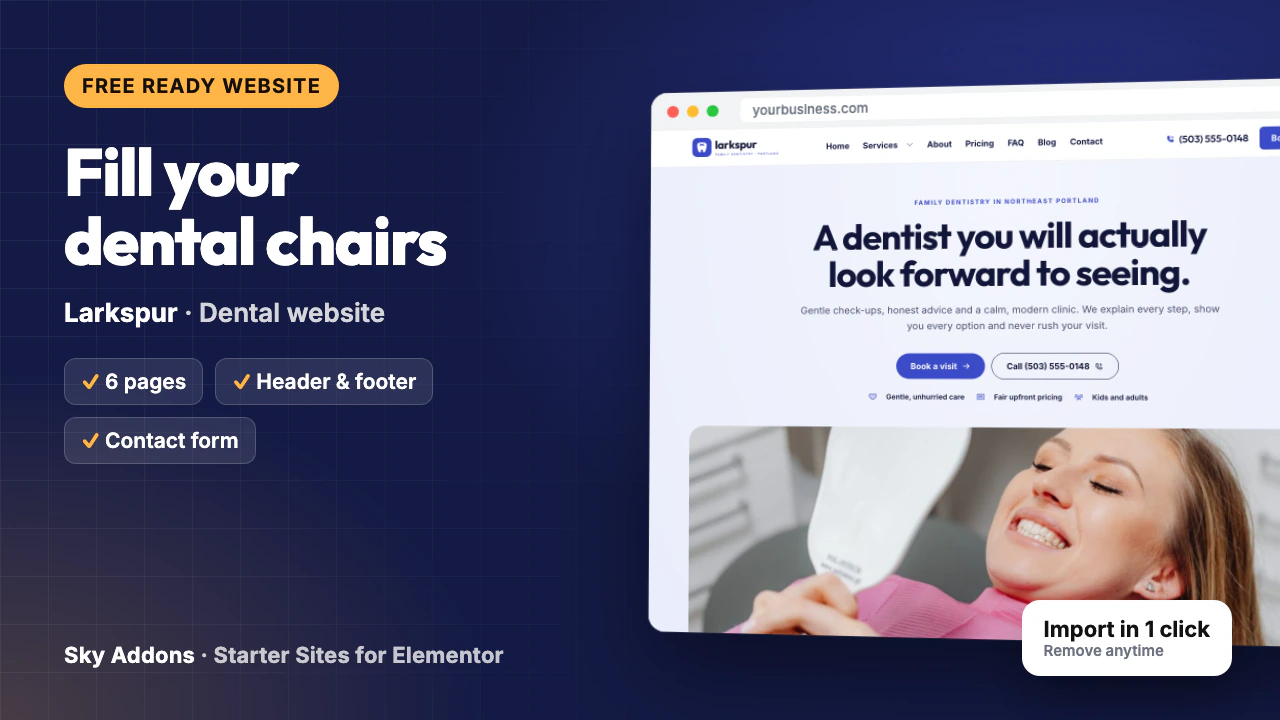
The demo is a family clinic in Portland, Oregon, but this dental website template fits most practices:
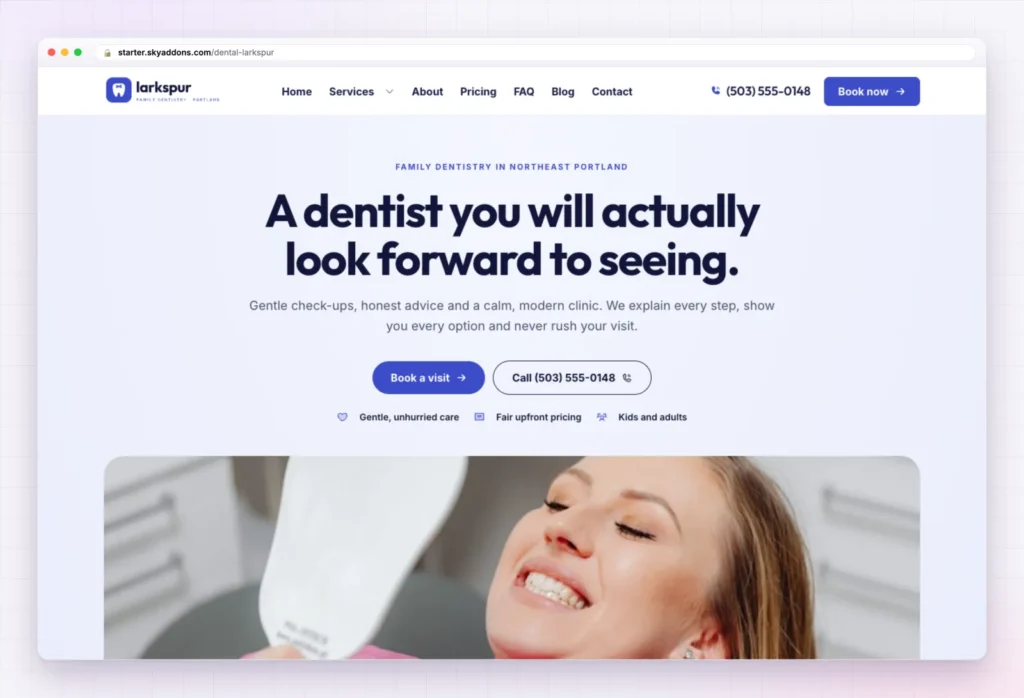
The hero speaks straight to dental anxiety: “A dentist you will actually look forward to seeing.” Under it sit a line about gentle check-ups and never rushing a visit, the Book a visit and Call buttons, and three small promises: gentle, unhurried care, fair upfront pricing, and kids and adults.
Then it answers a worried patient’s questions in order:
Keep only the promises you really keep. If same-week appointments are not realistic, change that line in the dental website template before launch.
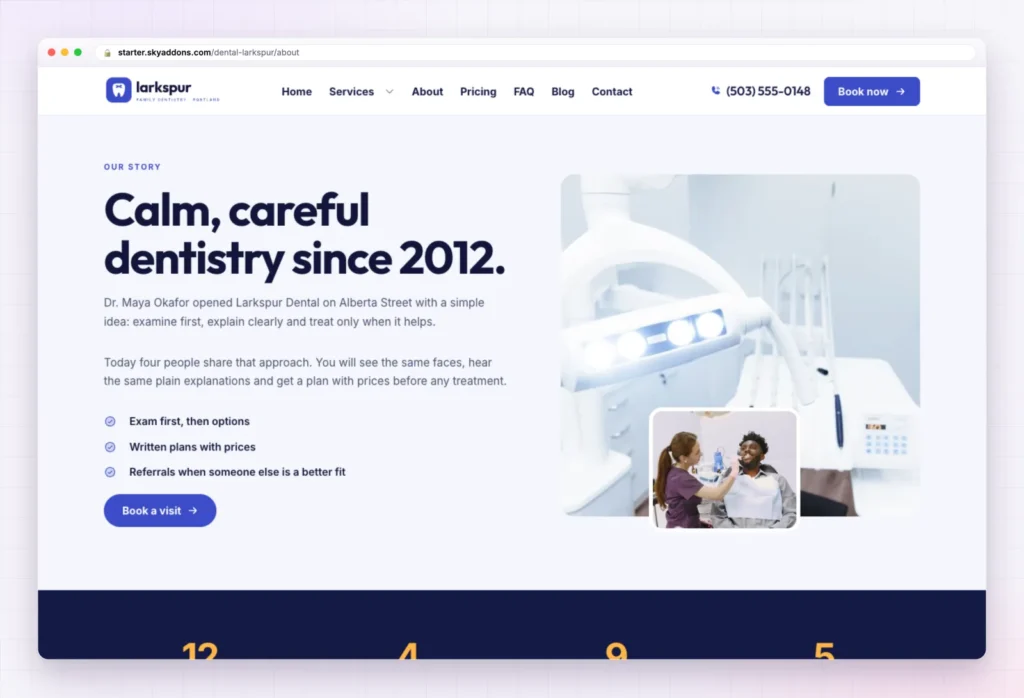
The About page opens with “Calm, careful dentistry since 2012.” and a short founder story: a dentist who opened on a neighbourhood street to examine first, explain clearly and treat only when it helps. Three ticks follow: exam first, then options; written plans with prices; and referrals when someone else is a better fit.
A dark band then counts years on the street, treatment rooms, treatments and days open; put in your own figures. The team of four follows: two dentists, a hygienist and a patient coordinator, all from the team content type. Four simple promises and the testimonials finish the page.
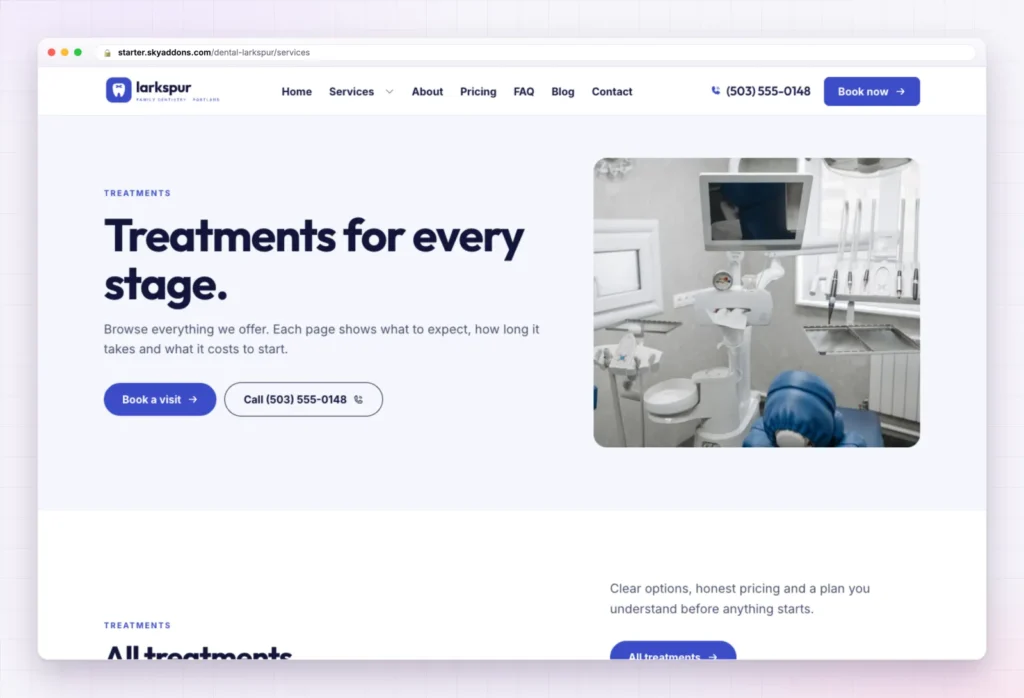
Under “Treatments for every stage.” the page lists all nine sample treatments: Exam and Cleaning, Teeth Whitening, Fillings and Crowns, Children’s Dentistry, Clear Aligners, Dental Implants, Gum Care, Veneers and Bonding, and Emergency Visits. The intro promises that each treatment page shows what to expect, how long it takes and what it costs to start.
Every treatment is one entry in the Services content type. Delete what you do not offer and rewrite the rest. Keep the Emergency Visits page: people with a toothache search for exactly that. The four steps and four common questions repeat below.
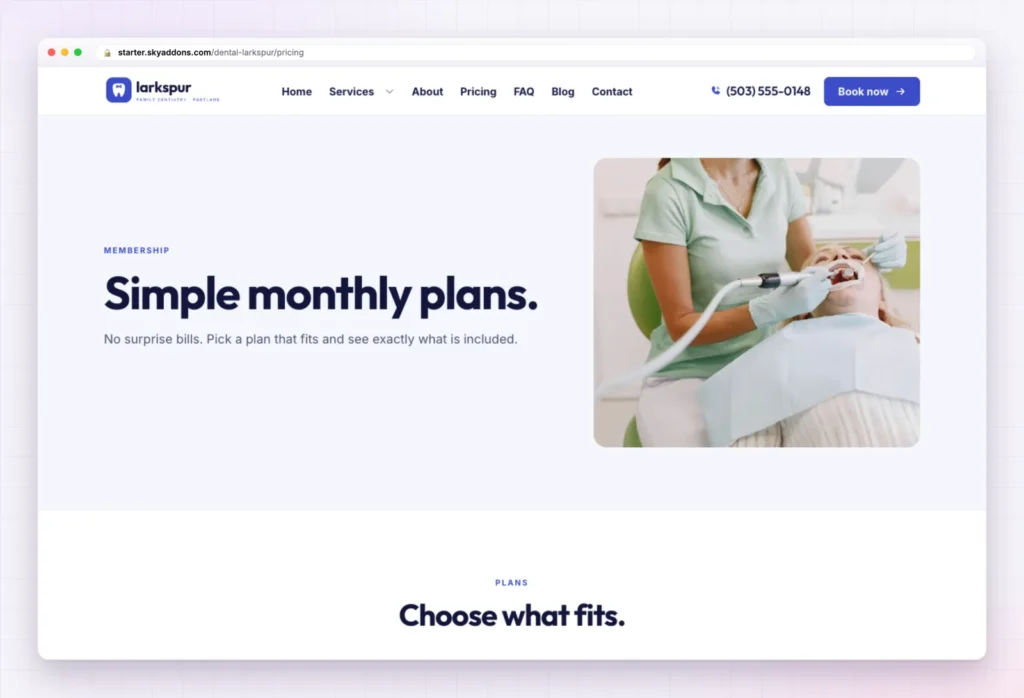
Fear of the bill keeps many people away from the dentist. The Pricing page answers it with “Simple monthly plans. No surprise bills.” and three cards:
Plan names, inclusions and prices are sample content. No membership plan? Turn the page into a plain fee guide.
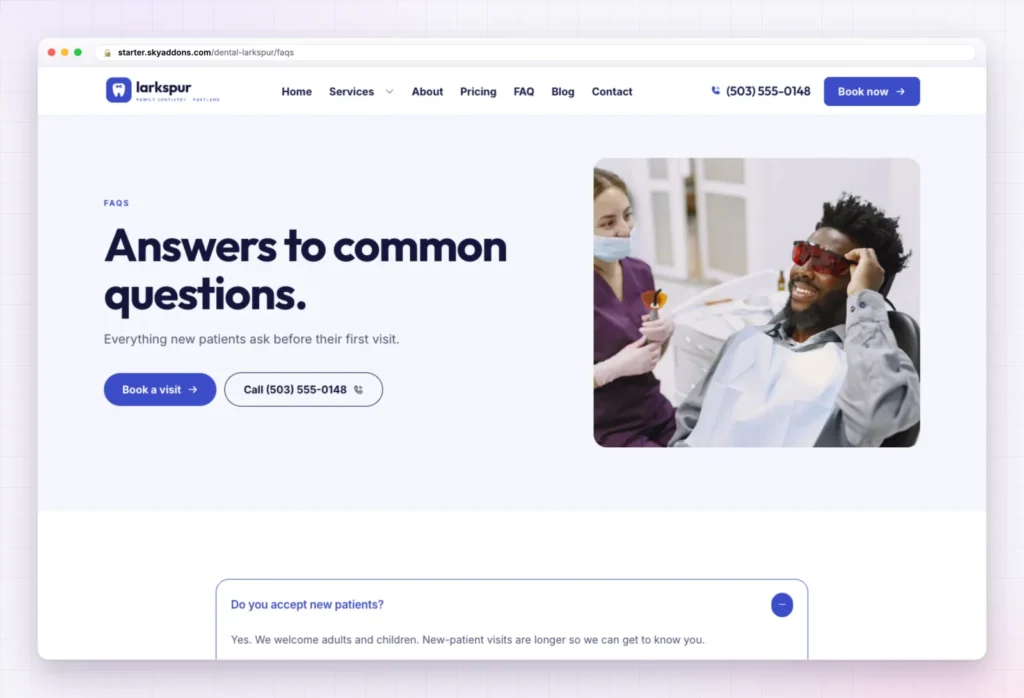
“Answers to common questions.” holds six: new patients, insurance plans, nerves, how often to come in, emergencies and payment. The first answer is open by default.
The insurance answer matters most. Name the networks you are really in, or say plainly that you file claims for the patient.
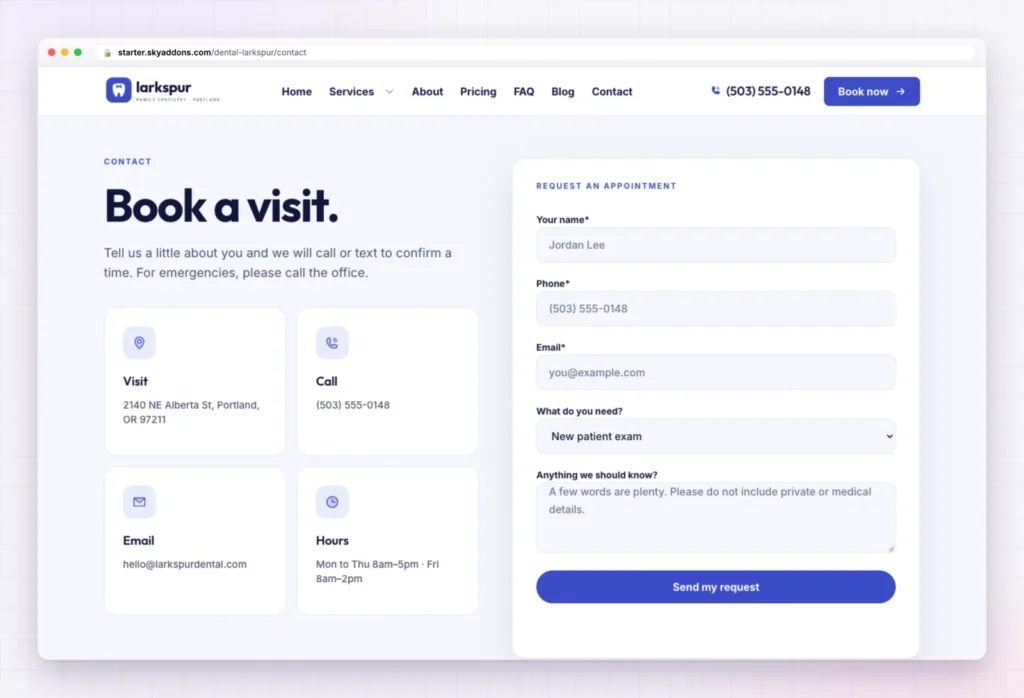
Under “Book a visit.” four cards show the address, phone, email and hours, all sample content. The intro promises a call or text to confirm, and asks emergencies to phone the office.
The Request an appointment form asks for a name, phone, email, a “What do you need?” choice (from new patient exam to toothache or emergency) and a short note whose placeholder asks people not to type medical details. It is a Contact Form 7 form that sends to your site admin email.
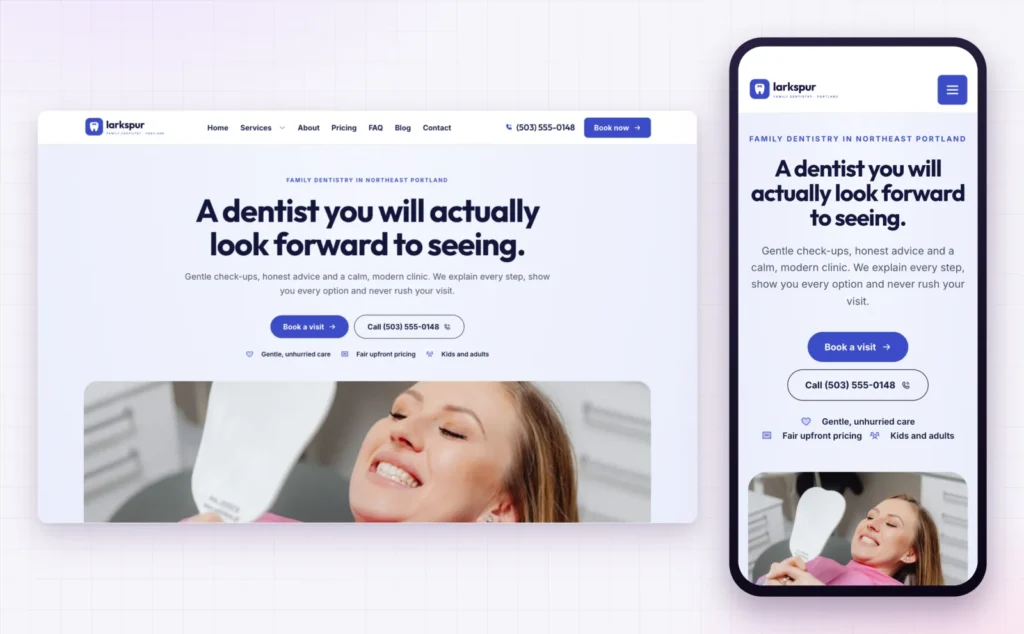
On a small screen the menu folds into a button, the headline stacks, and Book a visit and Call sit one above the other, big enough for a thumb.
This matters for local search. Google’s tips to improve your local ranking explain that results depend on relevance, distance and prominence, and suggest a complete Business Profile with your website on it. When someone taps that link, Larkspur is what they see.
The slow part of any clinic site is the structure: what calms people, where the booking button goes. In this dental website template that work is done.
| Already finished | Yours to change |
|---|---|
| Six pages laid out and linked | Logo and clinic name |
| Header with phone and Book now button | Phone number and email |
| Footer and menus with a Services dropdown | Address, map and opening hours |
| Booking form sending to your admin email | Insurance networks and payment answers |
| Services, team and testimonial content types | Treatments you really offer |
| Global colours and fonts | Photos of your dentists, hygienists and rooms |
| Phone and tablet layouts | Membership plans and prices |
Nervous patients do not compare drills. They compare how safe a clinic feels before they arrive, and the website is where that feeling starts.
If it is not right for you, Remove this import puts the site back as it was: imported items deleted, and your old front page, colours, header, footer and theme restored.
Yes. Larkspur is a free kit. It needs the free Sky Addons plugin and Elementor, nothing paid.
No. The import only adds. Remove this import restores the site as it was, and pages you edited after importing stay unless you tick the box to remove them too.
Yes. The kit sets global colours and fonts, so one change in Elementor’s site settings carries through every page.
Yes. Every page has a phone layout, with Book a visit and Call near the top of the screen.
No. Everything is built with Elementor and Sky Addons widgets, so you click on a heading, photo or button and type.
Larkspur is a finished six page dental website template with treatments, a membership plan page, answers to the usual questions and a booking form already in place. You swap in your name, number, prices and photos, and the site is ready for new patients. It is free, imports in one click and comes out just as cleanly.

Comments are closed.