
How to use Breadcrumbs Widget of Sky Addons for Elementor
The Breadcrumbs Widget from Sky Addons for Elementor is a simple yet effective way to enhance navigation on your website. Breadcrumbs provide users with a visual representation of their current location within your site’s hierarchy, making it easier for them to navigate back to previous pages. This feature is especially beneficial for improving user experience and SEO, as it helps search engines understand your site’s structure.

Features:
- Customizable Design: Easily adjust the appearance of the breadcrumbs to match your website’s theme in terms of color, font, and size.
- Hierarchical Navigation: Visually displays the path from the homepage to the current page, helping users navigate your site seamlessly.
- Responsive Layout: Automatically adjusts to fit various screen sizes, ensuring optimal usability on mobile and desktop devices.
- Dynamic Page Links: Automatically generates links based on the current page hierarchy, saving time on manual input.
Insert Breadcrumbs Widget
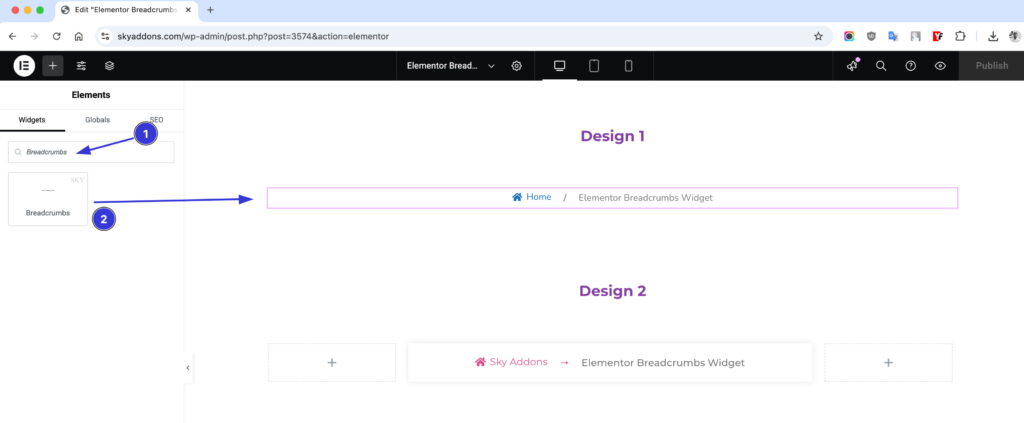
- Open Elementor Editor. In the Elementor panel, search for “Breadcrumbs” under Sky Addons.
- Drag and Drop the Widget to the desired location on your page / editor.
Configure Breadcrumbs
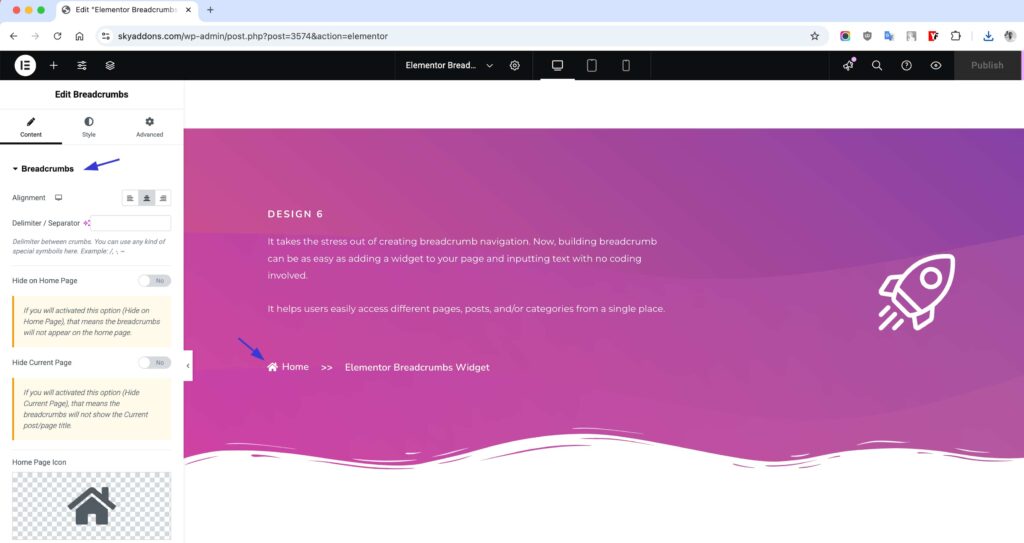
The Breadcrumbs Widget from Sky Addons for Elementor helps improve user experience by providing clear navigation paths on your website. This widget allows you to customize breadcrumbs alignment, icons, text, and more, ensuring a visually appealing and functional navigation structure that guides visitors seamlessly.
- Alignment: Align the breadcrumbs to the left, center, or right per device.
- Delimiter / Separator: Set any character or symbol between crumbs, such as /, -, or ~.
- Hide on Home Page: Prevent the breadcrumbs from appearing on the home page.
- Hide Current Page: Hide the current post/page title from the breadcrumb trail.
- Home Page Icon: Pick an icon to display before the home link.
Display Text
The Display Text section lets you replace the default labels shown in the breadcrumb trail with your own wording:
- Custom Labels: Override the text for Home Page, Blog, Page, Shop, Category, Search, Articles by (author), Tag, and Error 404 crumbs.
- Strip Words: Remove specific words from the current page title (comma-separated, case sensitive; works on pages without a parent).
Breadcrumbs Style
With the Sky Addons Breadcrumbs Widget, you can create beautifully styled breadcrumbs that not only enhance navigation but also improve your website’s SEO and user engagement. 🚀✨
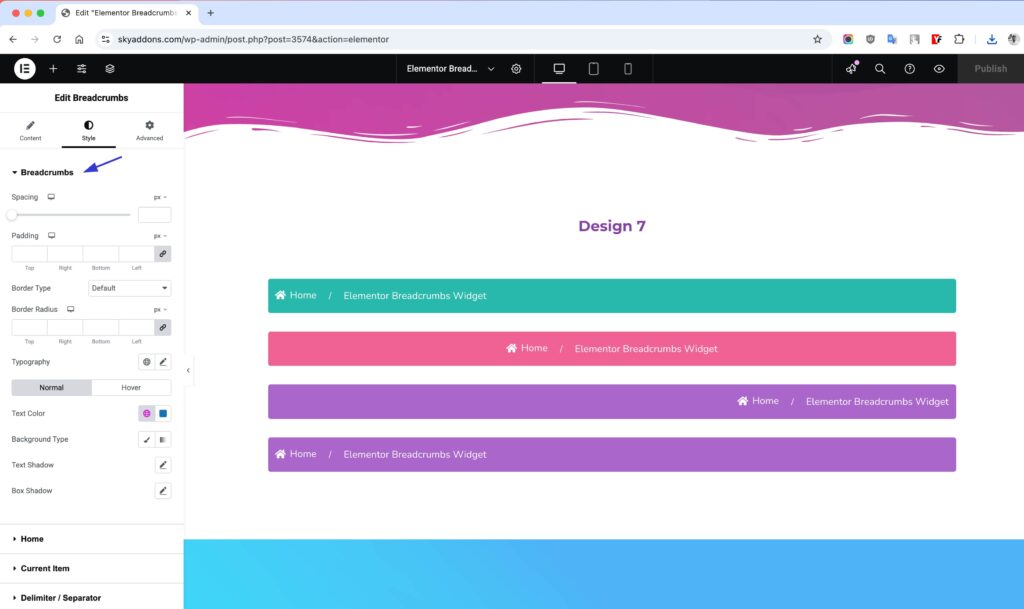
Breadcrumbs Section
- Adjust spacing, padding, borders, and background colors for a clean and structured appearance.
- Customize typography, text colors, and shadows to enhance readability.
- Add box shadows for a modern, layered effect.
- Set hover effects for dynamic interaction.
Home Icon – Personalize the Starting Point
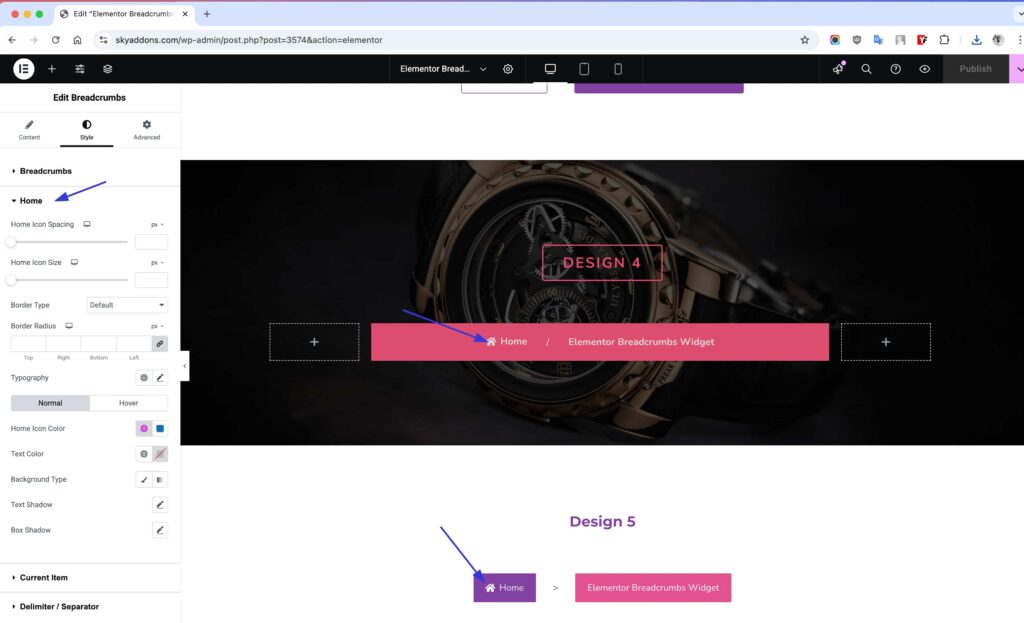
- Change the home icon style, size, and color to fit your design.
- Customize the border, background, and shadow effects for a polished look.
- Set distinct styles for normal and hover states to improve user interaction.
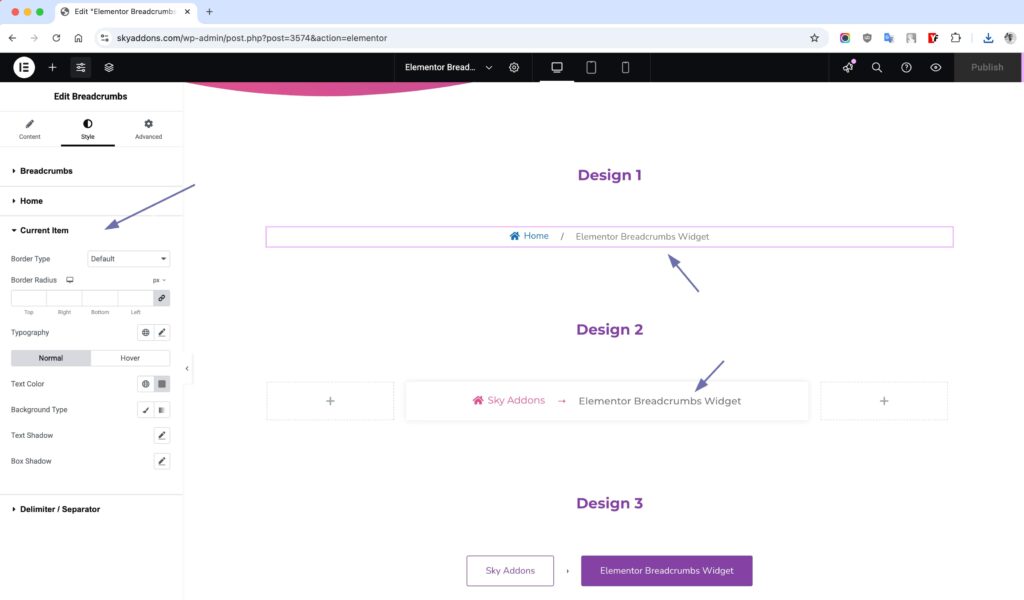
Current Item – Highlight the Active Page
- Adjust font styles, colors, borders, and backgrounds to make the current page stand out.
- Add shadow effects to create depth and emphasis.
- Apply hover effects to enhance the user experience.
Delimiter / Separator
- Customize color, background, padding, and border styles for separators.
- Modify typography and spacing to keep the navigation clean and readable.
Save and Preview
- Once you’ve customized and styled your accordion, click “Publish” or “Update” to save your changes.
- Preview the page to ensure the widget looks and functions as desired.
Troubleshooting
- Breadcrumbs Not Displaying: If the breadcrumbs are not appearing, check plugin compatibility and ensure that the widget is placed correctly on the page.
- Style Issues: If recent style changes aren’t appearing, try clearing your browser cache or check for CSS conflicts with other styles in your theme.
- Responsiveness: If breadcrumbs do not appear correctly on mobile, ensure that the responsive settings are configured within Elementor.
Conclusion
The Breadcrumbs Widget by Sky Addons for Elementor simplifies user navigation while enhancing the overall user experience. Follow these instructions to effectively implement breadcrumbs on your website and improve accessibility for your visitors. For any additional questions, consider contacting the Sky Addons support team or engaging with community forums. Happy building!