
Law Firm Website Template: Be the Firm That Explains Fees Before the First Call
A free law firm website template with practice areas, fixed-fee packages, a team page and a consultation form. See all 6 pages and what you change.
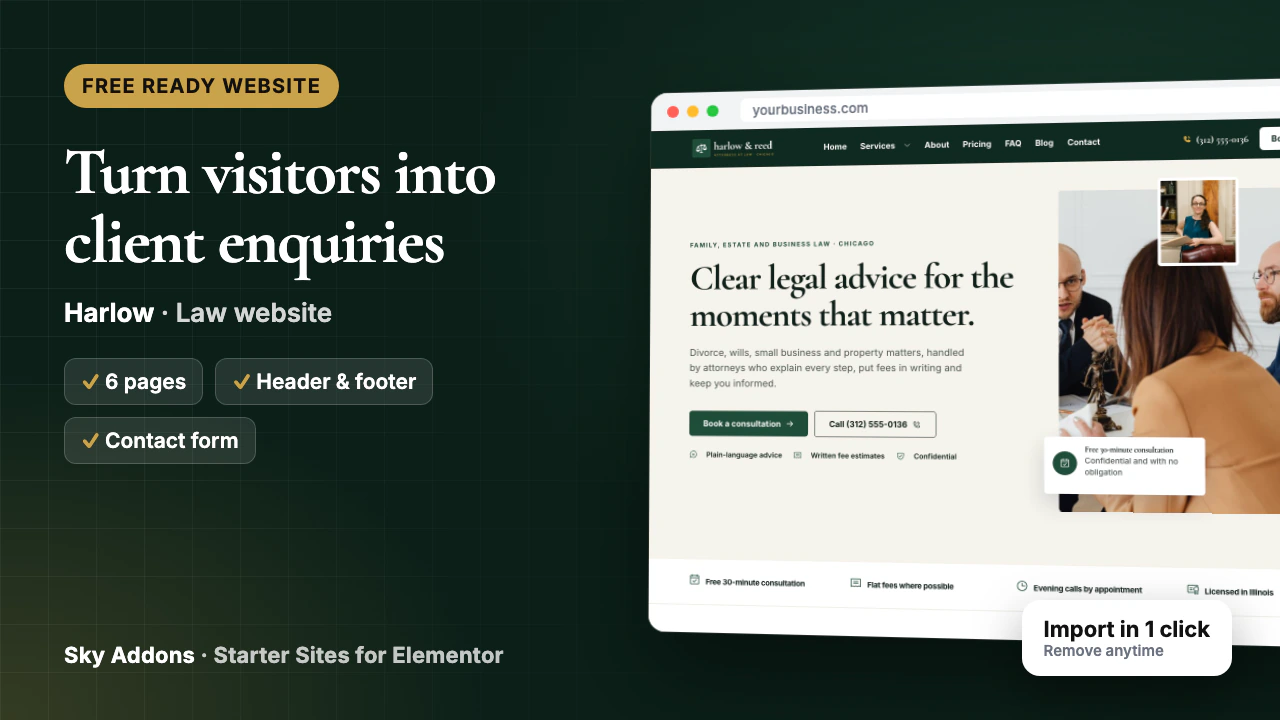
Tuesday, 9:40 at night. A man sits at his kitchen table with a shoebox of his late mother’s papers and a letter that uses the word “probate” four times. He has never hired a lawyer. On his phone, the first firm site is a wall of legal Latin with a “free case evaluation” box and no hint of cost. The second has not changed in ten years. The third explains the first meeting, says fees are agreed in writing and promises an attorney will call within one business day. He sends the form on the third one and goes to bed.
Most small firms are better at law than at websites. The site gets built once and then sits there while referrals do the work, yet even a referred client checks it before calling. A law firm website template that already explains the process, the fees and the first meeting in plain words lets a small practice look as careful online as it is in the office.
This case study opens Harlow, a free law firm website template from Sky Addons, page by page: what each says to a nervous first-time client, what is sample content, and what you change.
Harlow is a complete ready website for a small family, estate and business practice, built in Elementor with Sky Addons widgets. It imports from inside WordPress with every page, menu and form already linked.
| Part | What Harlow includes |
|---|---|
| Pages | Home, About, Services, Pricing, FAQ, Contact |
| Header and footer | Sky Theme Builder: logo, menu with a Services dropdown, phone number, Book now button |
| Consultation form | Contact Form 7, sends to your site admin email |
| Content types | Services used as practice areas (9 samples), team (4 attorneys), testimonials |
| Plugins it installs | Contact Form 7 and Secure Custom Fields, free from WordPress.org |
| Theme | Hello Elementor, unless you keep your current theme |
| Plan | Free: needs only Sky Addons (free) and Elementor |
| Phones and tablets | Every page has a mobile layout |
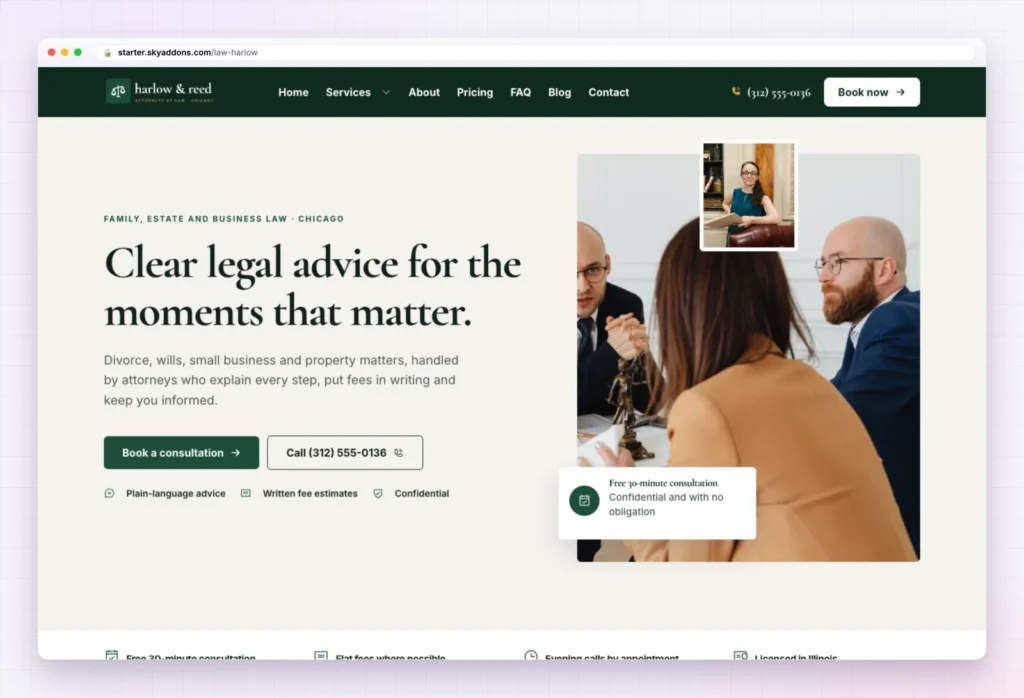
The demo is a two-partner Chicago firm, but the structure suits most small practices that sell clarity:
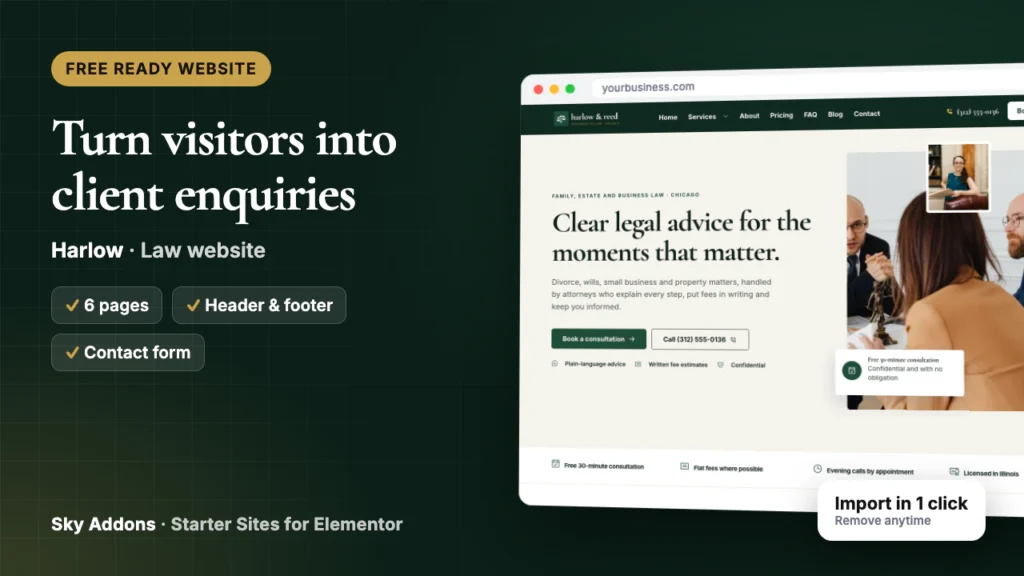
The Home page leads with “Clear legal advice for the moments that matter.” and a line naming divorce, wills, small business and property work, with fees in writing. Under it sit Book a consultation, Call and three trust points. A card on the photo offers a free 30-minute consultation.
A strip of four promises follows: the free consultation, flat fees where possible, evening calls by appointment and licensed in Illinois. The rest of the page reads like a first meeting:
Keep that disclaimer beside the form. It is the sentence a careful client looks for before typing a word.
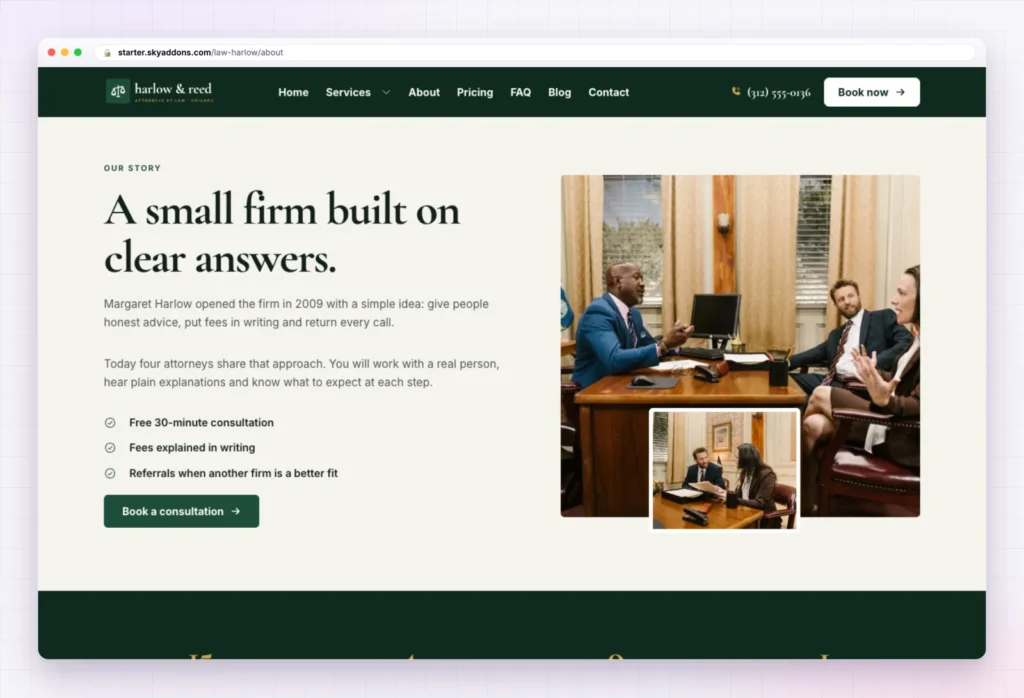
The About page opens with “A small firm built on clear answers.” and a founding story: one partner opened the firm in 2009 to give honest advice, put fees in writing and return every call. Three ticks follow: a free consultation, fees explained in writing, and referrals when another firm is a better fit.
That last tick is the most persuasive line on the page: you will not take a case just to bill it. Below come the four attorneys, Four simple promises, the testimonials and an invitation to book. Every name and date is sample content to replace.
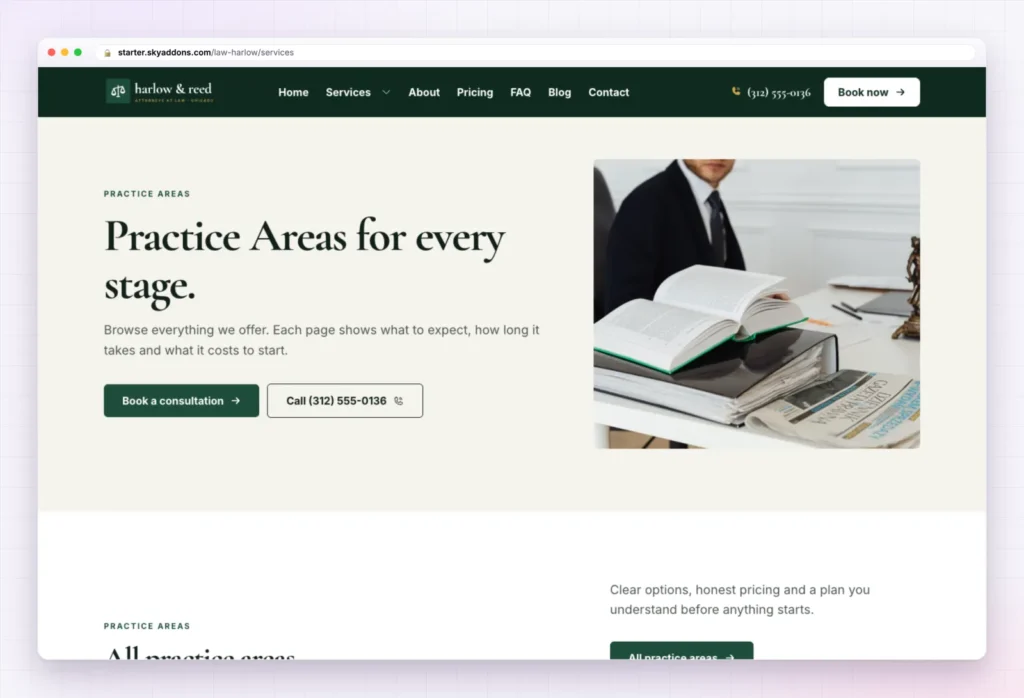
The Services page, titled “Practice Areas for every stage”, lists nine sample matters in one grid: Divorce and Separation, Child Custody and Support, Mediation, Wills and Trusts, Probate and Estate Administration, Elder Planning, Business Formation, Contracts and Business Advice, and Real Estate Closings.
In this law firm website template, each practice area is one content entry with its own page. Delete what you do not handle, add what you do, and write each page in the words you use across the desk. The four-step process and four questions close the page.
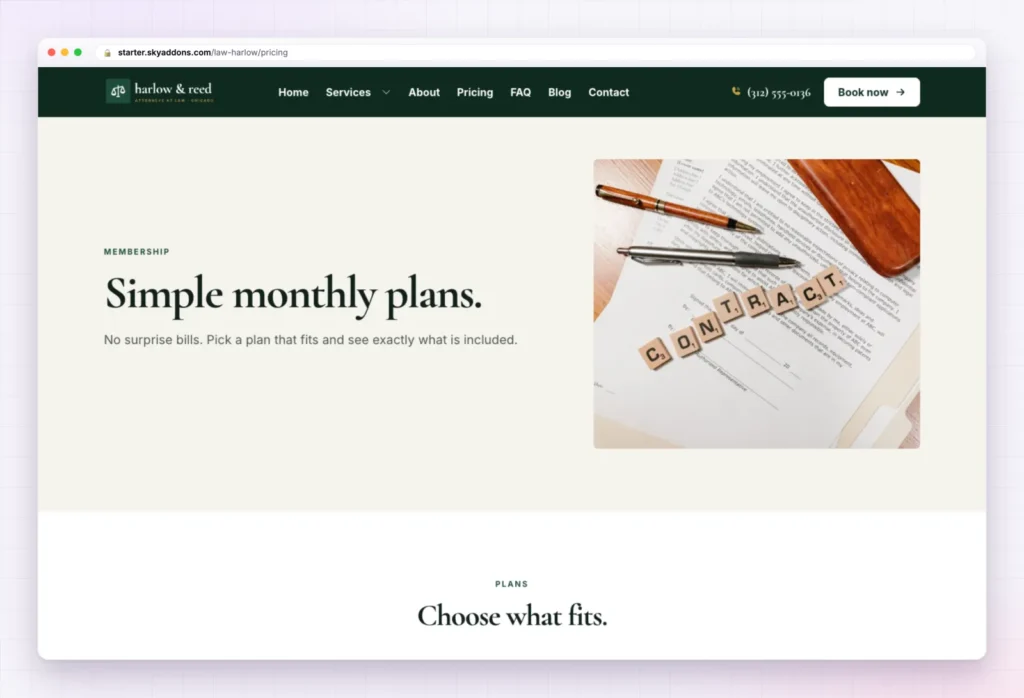
Legal fees scare people more than legal problems do. The Pricing page answers with three fixed-fee packages, each with a Choose button and a short list of what is included:
The prices in this law firm website template are sample content. Reword the heading too: the kit says “Simple monthly plans” under a Membership label, but all three packages are one-off fees. “Fixed fees for common matters” fits better.
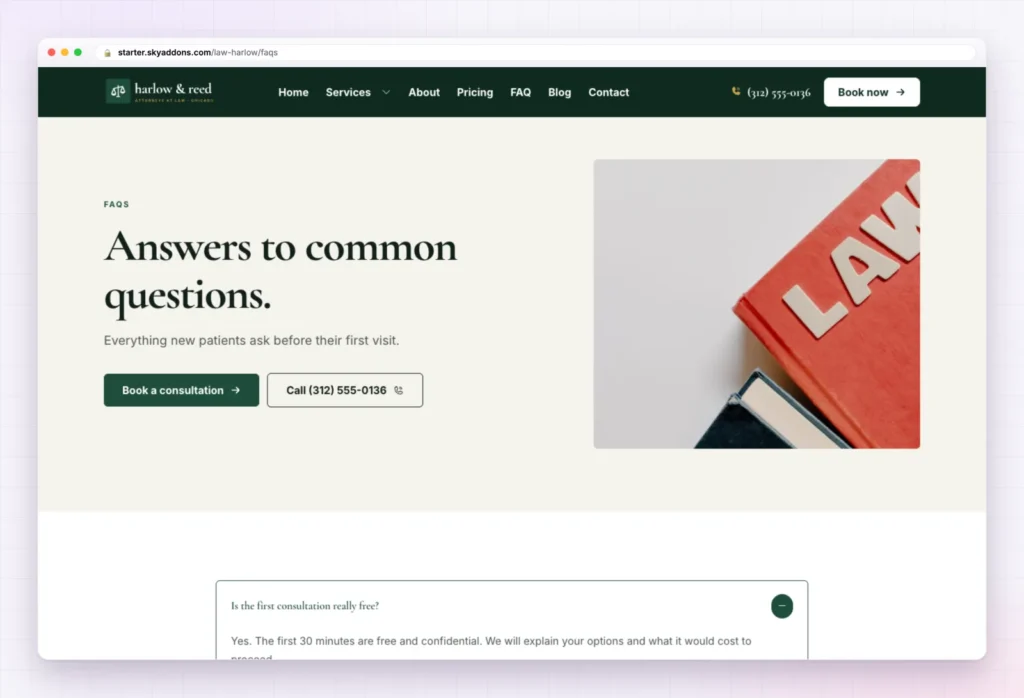
The FAQ page holds six questions in an accordion: Is the first consultation really free? How do your fees work? Will I work with an attorney or an assistant? How long will my matter take? Can you guarantee a result? What should I bring to the consultation?
The guarantee answer matters most: a clear “no, and here is why” protects you and reads as honest. Also change the intro line, which says “Everything new patients ask before their first visit”, wording from a clinic, not a firm.
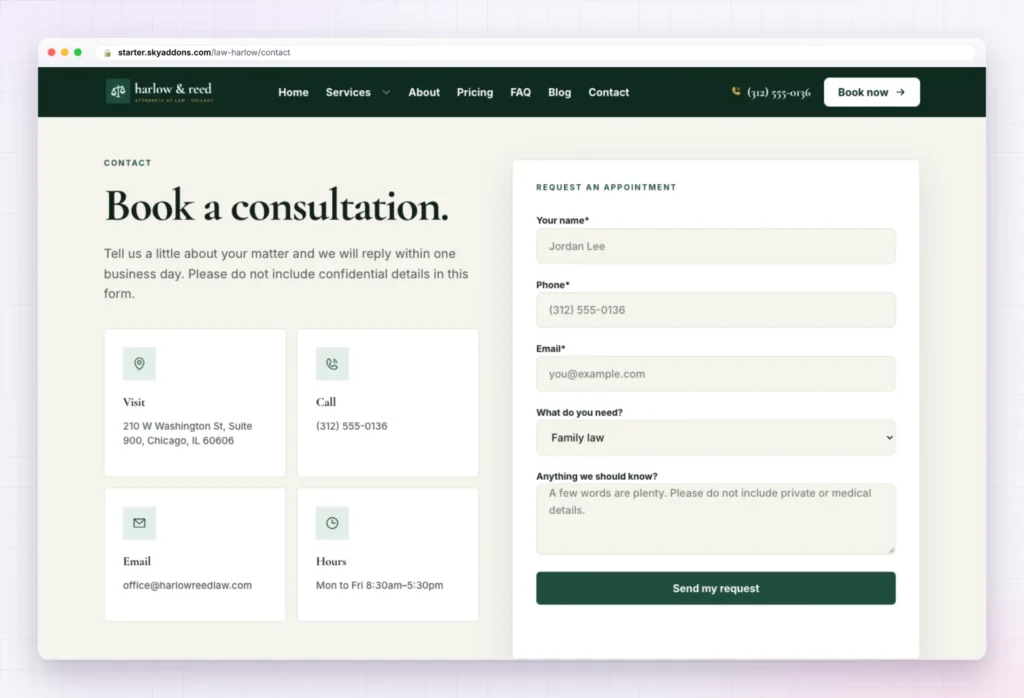
The Contact page, “Book a consultation.”, asks visitors to keep confidential details out of the form, which protects both sides. Four cards show the office address, phone, email and hours. Next to them, a Request an appointment form asks for a name, phone, email, the type of matter from a dropdown and a short note.
Contact Form 7 powers it, and submissions go to your site admin email. Change the contact details (sample content), match the dropdown to your practice areas, and edit the note’s placeholder, which mentions medical details.
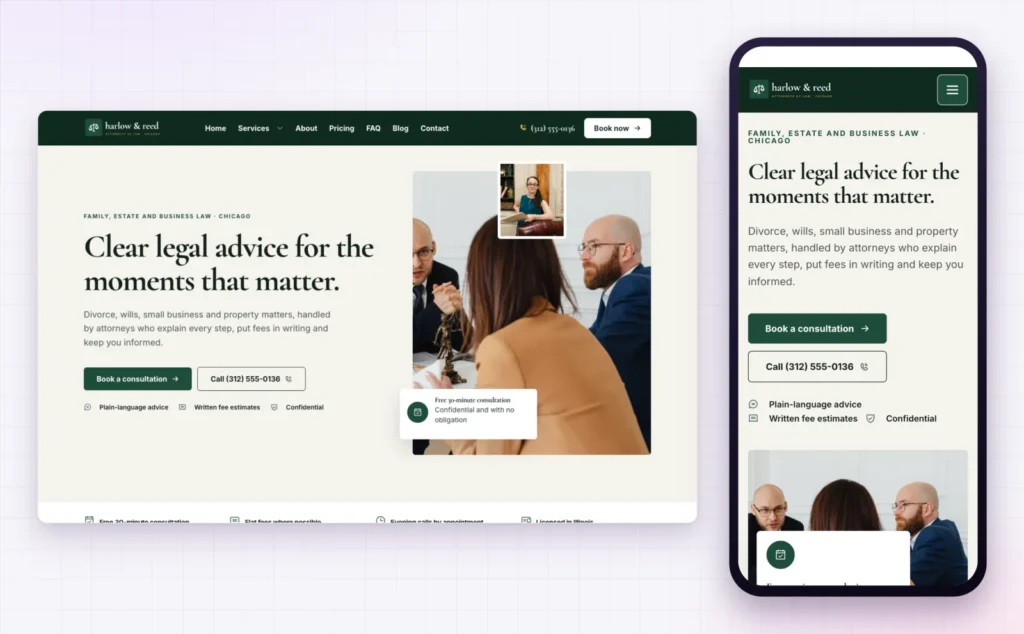
First searches for a lawyer often happen on a phone, late, at home. On a small screen, Harlow folds the menu into a button and stacks Book a consultation and Call right under the intro, so the call is one tap away. Your Google Business Profile links here, so the law firm website template has to work in the client’s hand at ten at night, and it does.
The slow part of any law firm website template is structure, and Harlow ships with it done.
| Done when you import | Yours to change |
|---|---|
| Six pages, laid out and linked | Firm name and logo |
| Header with phone and Book now button | Phone number, email and office address |
| Menu with a Services dropdown, and the footer | Office hours and evening availability |
| Consultation form sending to your admin email | Package names, prices and what each includes |
| Practice area, team and testimonial content types | The matters you actually take |
| Global colours and fonts | Attorney names, bios and photos |
| Phone and tablet layouts | FAQ answers, testimonials and the founding story |
People do not shop for a lawyer the way they shop for shoes. They arrive worried, and they pick the firm that tells them what happens next and roughly what it will cost.
Not right for you? Remove this import deletes the imported items and restores your old front page, colours, header, footer and theme. Nothing you had is deleted or overwritten.
No. Harlow is a free kit. You need Elementor and the free Sky Addons plugin, nothing else.
No. It only adds. Remove this import restores your old front page, theme and settings, and keeps pages you edited afterwards unless you tick the box.
Yes. Harlow uses global colours and fonts, so one change in Elementor’s site settings updates every page.
Yes. Every page has a mobile layout, with the consultation and call buttons near the top.
No. Everything is built from Elementor and Sky Addons widgets. You click on text, photos or buttons and type.
Harlow is a free, six page law firm website template with practice areas, fixed-fee packages, a team page and a consultation form in place. You change the names, fees, photos and contact details, and check your bar’s advertising rules. It imports in one click and comes out just as cleanly.

Comments are closed.