
Changelog Widget: Publish 7 Update Labels From One Remote URL
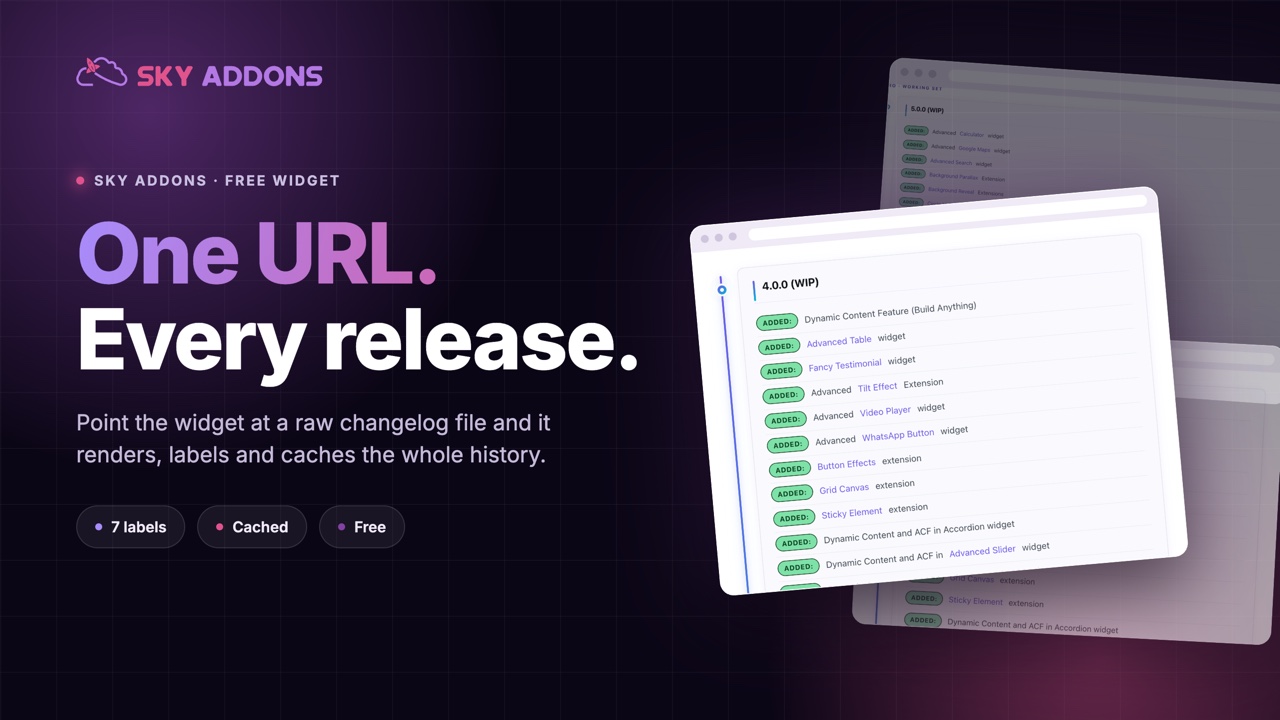
The changelog widget reads a raw changelog file, labels every entry, caches it for days and renders the whole release history on an Elementor page.
If you sell a plugin, a theme or an app, you already keep a changelog. It lives in a text file next to the code, it gets a new block on every release, and it is the single most honest page you could put on your marketing site. Most product sites never publish it, because publishing it means copying the same text into a page every time you ship, and that job gets skipped by the second release.
The changelog widget removes the copy step. You give it the URL of the raw file you already maintain, and it fetches it, parses it, labels every line and renders the whole history on the page. Ship a release, push the file, and the page is current. Nobody has to remember anything.
| A page you edit | The changelog widget | |
|---|---|---|
| Updating | copy and paste per release | push the file, done |
| Drift | page and file disagree within months | one source, always |
| Labels | typed by hand, styled by hand | parsed from keywords, styled by control |
| Long history | a wall of text | paged behind Load More |
| Repeat cost | every release, forever | once |
The interesting column is drift. A hand maintained release page is accurate on the day it is written and wrong by the third release, because somebody shipped a hotfix and did not update the site. A page that reads the file cannot drift.
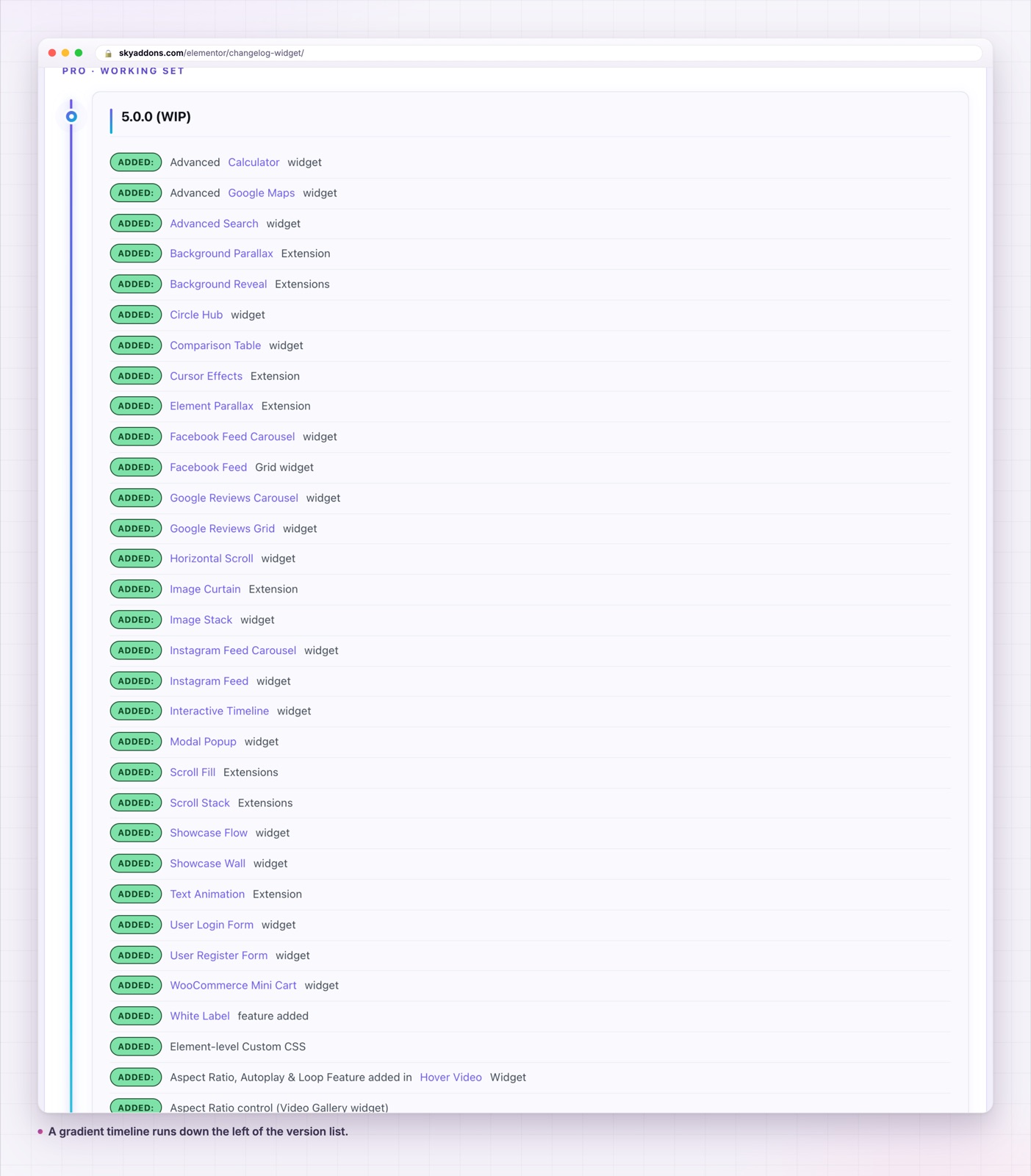
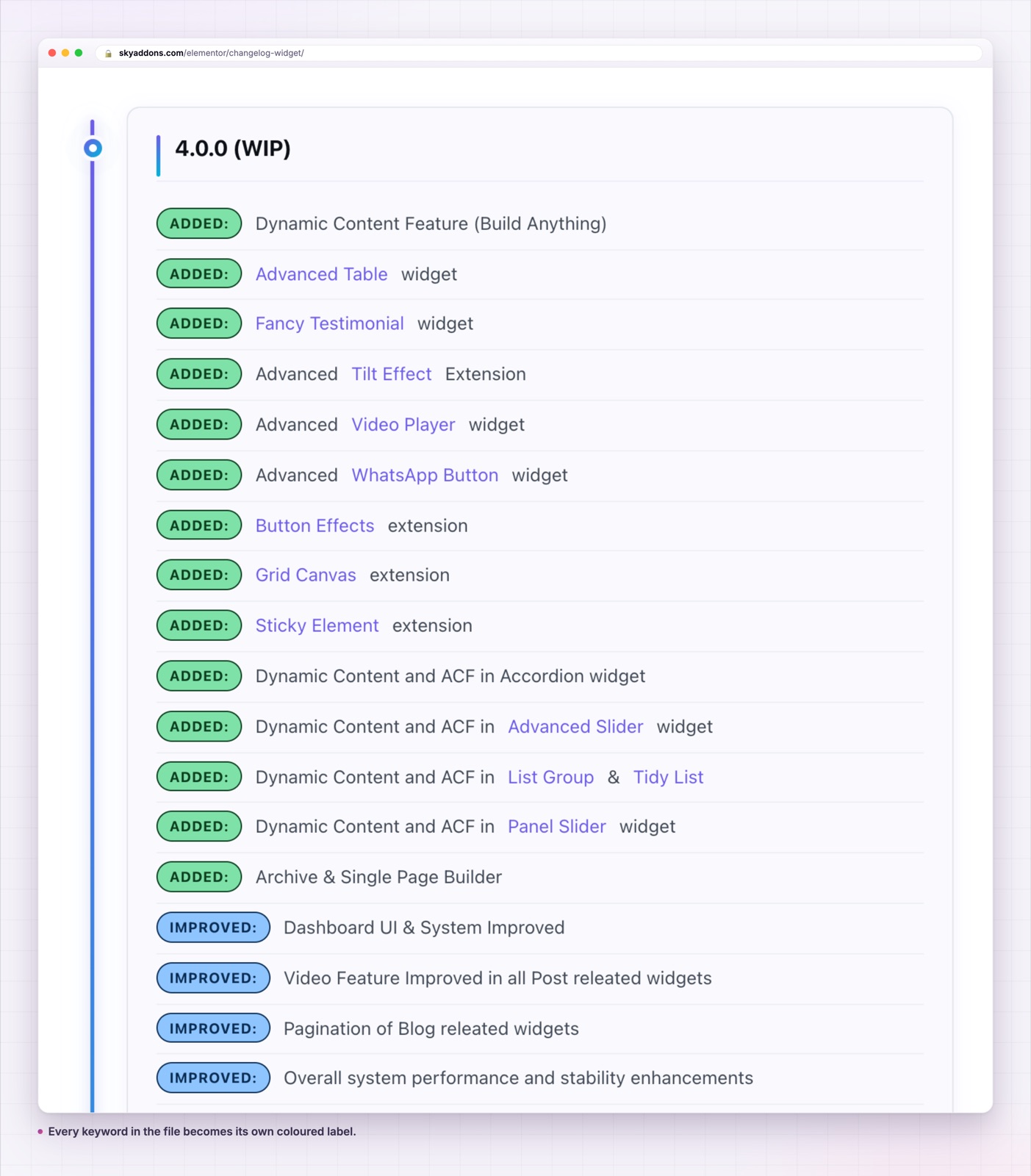
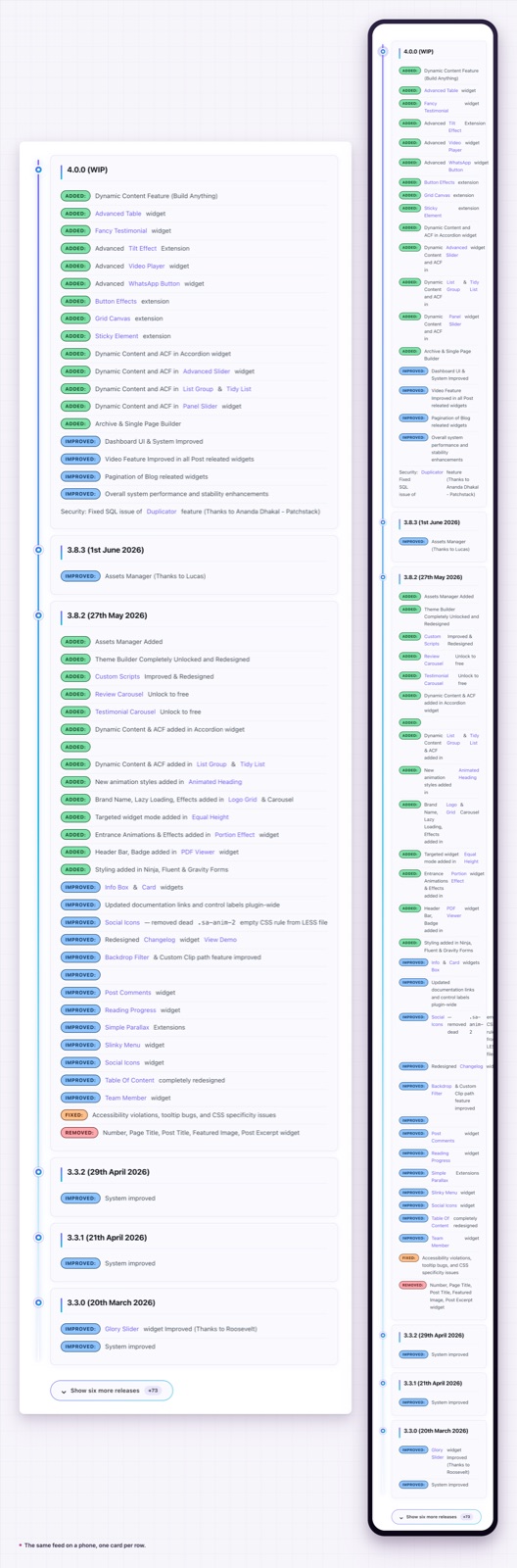
One control does the work. Remote URL takes the address of a raw changelog file, in the same format WordPress plugin readme files already use: = 1.4.2 [12 May 2026] = for the version heading, then a bullet per entry. The widget strips the equals signs, turns the bracketed date into parentheses, and wraps each version in its own card.
Seven keywords become seven labels. Write Added:, Updated:, Improved:, Fixed:, Removed:, Changed: or Note: at the start of a bullet and the widget turns that word into a coloured label. Each label type has its own colour and background control, so the palette is yours. Improved and Updated deliberately share a style, because they mean the same thing to a reader.
Caching, with a dial. The fetched and parsed result goes into a transient. Cache Time is in days and defaults to three, so a busy page is not making an HTTP request per visitor. Turn Cache off while you are testing the URL, then turn it back on.
Load More instead of a wall. Initial Versions defaults to three, Versions Per Load to three, and the button label is yours to write. A product with sixty releases shows the recent ones and keeps the rest one click away.
A support link where people need it. Support URL and Support Label put a button in the widget, which is where a reader lands when a fix they were waiting for is not in the list yet.
Links open in a new tab. Every link in the source file gets target="_blank" and rel="noopener noreferrer" added during parsing, so a ticket reference in your changelog does not navigate the visitor away from your site.
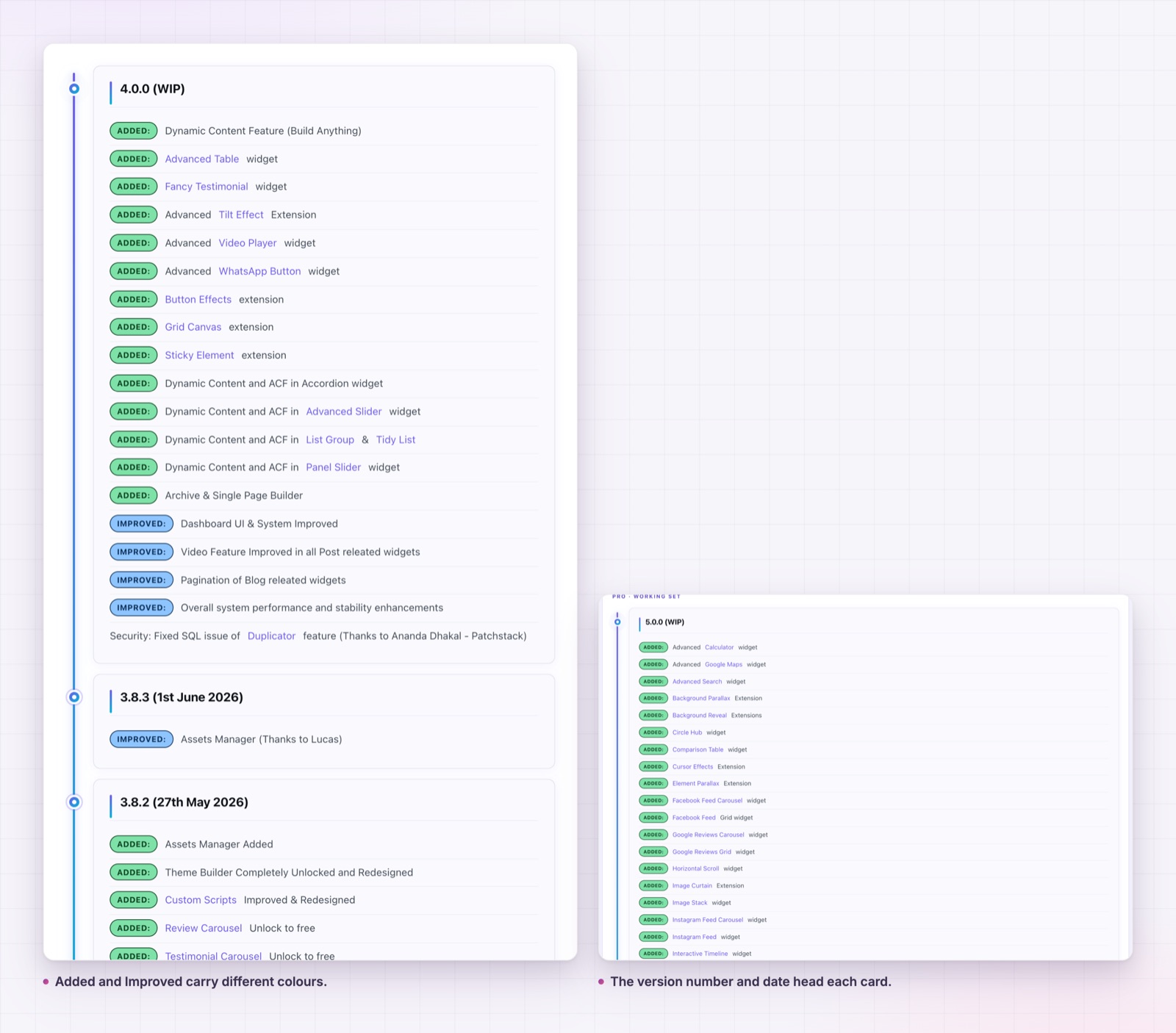
Check the parsed output against the file before you style anything. The version wrapper relies on each version being one paragraph followed by one list, so a release with two lists or a stray blank line will render, but not as a single card.
The obvious change is that the page stops going stale. The less obvious one is what it does to the release notes themselves. Once the file is published, people write it better. Entries get clearer, the vague “various improvements” line disappears, and the labels force each bullet to declare whether it added something, fixed something or removed something.
For a buyer, the page answers a question no marketing copy can: is this thing still being worked on. A changelog with entries from last week is worth more than a paragraph promising active development.
One more thing the changelog widget changes: it makes the release history linkable. Support replies stop saying “that was fixed in a recent update” and start linking to the version card that proves it, which ends the conversation instead of extending it.
It also gives you somewhere honest to put the difficult entries. A removed feature, a breaking change or a migration note reads badly in a marketing paragraph and reads perfectly well as a labelled line in a version card. Publishing those entries costs nothing and buys a lot of credibility with the people evaluating whether to depend on your product.
The format is the WordPress readme convention, which is worth following even if your product is not a plugin.
Put the version and the date on their own line, wrapped in equals signs, with the date in square brackets. The widget strips both, so = 2.1.0 [4 March 2026] = renders as 2.1.0 (4 March 2026). Keep one version per block.
Start every bullet with one of the seven keywords and a colon. A bullet without a keyword still renders, it just has no label, which is fine for a general note but wasteful when the keyword would have carried the meaning.
Keep one idea per bullet. “Fixed: the export button no longer times out on large catalogues” is useful. “Fixed: various bugs” tells a reader nothing and looks like padding once it is rendered beside entries that say something.
Newest version first. The widget renders the file in order, so the file’s order is the page’s order, and Load More assumes the top of the file is the most recent release.
Do not put HTML in the file. It is parsed as Markdown, and links written as Markdown links will work correctly and open in a new tab.
One last practical point. Because the file is fetched rather than stored, the page works the same whether the changelog lives beside your plugin, in a repository or on a documentation host. Move it later and you change one control, not a page of content. That also means a staging site and a live site can point at the same file and stay identical, which removes a whole category of copy and paste mistakes between environments.
Yes. It is part of the free Sky Addons plugin.
No. Elementor and the free Sky Addons plugin are enough.
Anywhere that serves it over HTTP and returns plain text: your own server, a repository raw URL or a storage bucket. The request is made server side, so the file does not need to allow cross origin requests.
Once per cache period. Cache Time is in days and defaults to three. Turn caching off to fetch on every load while you are testing.
Yes. The version cards are a single column with the timeline on the left, and the labels wrap with the text rather than being cut off.
A published changelog is the cheapest trust signal a product site has, and the only reason most sites do not have one is the copying. Point the widget at the file you already keep, set the cache, and the page maintains itself.
See it working on the changelog demo, browse the rest of the Sky Addons documentation, and pair it with the post list widget if you also publish release posts. For a product page that needs a feature comparison beside the history, the comparison table covers that. The free versus Pro page and the pricing page list what else is included. The file format follows the WordPress readme standard, and Keep a Changelog is the best short guide to writing entries worth publishing.


Comments are closed.