
Elementor News Ticker: Keep Offers and Headlines in Motion
A news ticker for Elementor that rotates offers, notices or your latest posts in one live strip, with 8 movement effects. A Sky Addons Pro widget.
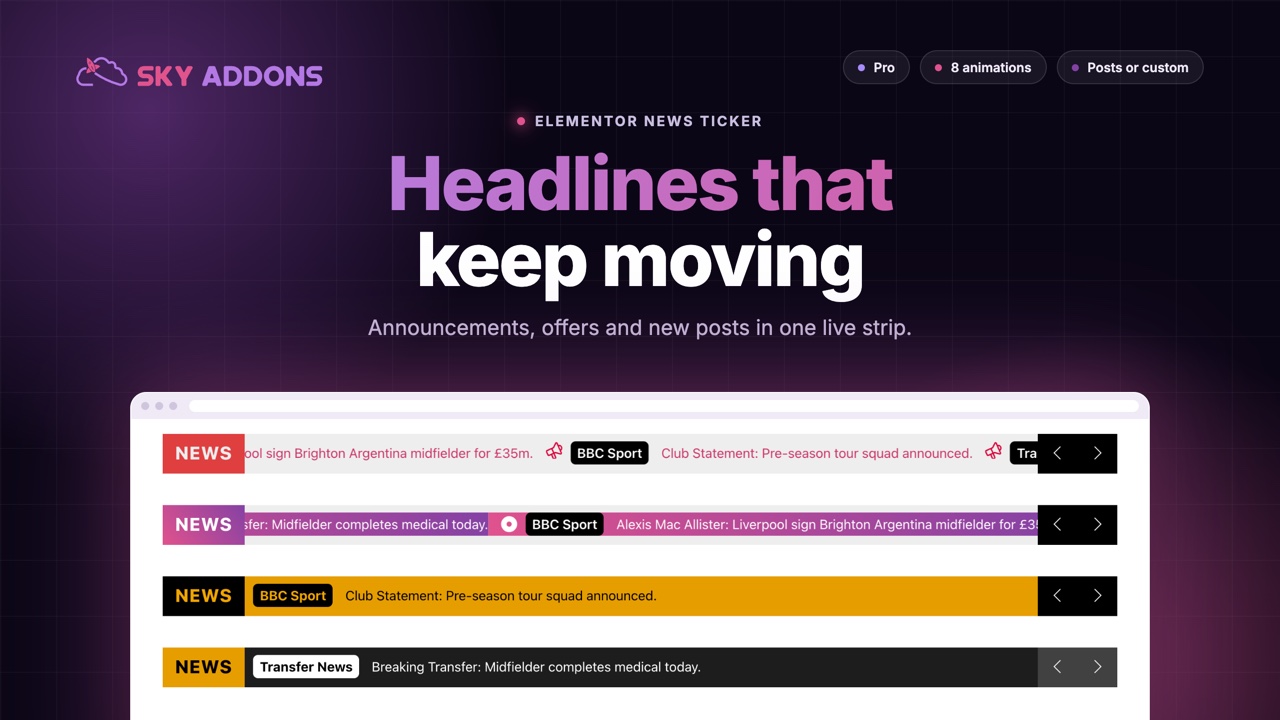
Most visitors never scroll to the announcement bar you spent an hour writing. The offer ends Friday, the shop is closed on Monday, the new post went live at nine. None of it reaches the person who is reading the page right now. A news ticker fixes that by putting one live strip in the same spot on every page, so the newest message is always the first thing in view.
Sky Addons Pro ships a News Ticker widget for Elementor that does this without a slider plugin, a shortcode or a line of custom code. You type the messages, or point it at your latest posts, choose how they move, and style the strip until it looks like part of the site. This article explains where a news ticker earns its space, what separates a good one from a distracting one, and how to build yours in about ten minutes.
A ticker works when the message changes and the reader benefits from seeing it. It fails when it repeats the same slogan. These are the places it pays off most.
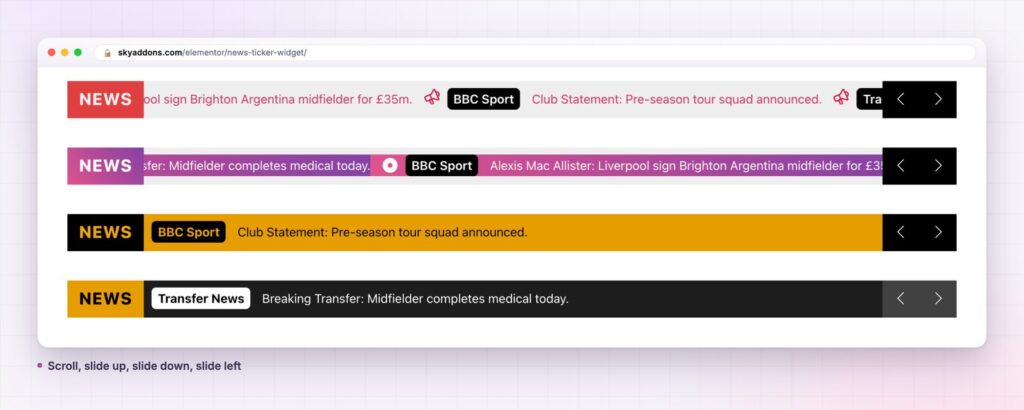
Most sites solve this with an announcement bar from the theme, a hand-edited text widget or a general slider. The table shows where each falls short.
| Theme announcement bar | Slider plugin | Sky Addons News Ticker | |
|---|---|---|---|
| Multiple messages | Usually one | Yes, as full slides | Yes, in a single thin strip |
| Latest posts, automatic | No | Rarely | Yes, from a post query |
| Movement styles | None | Slide or fade | 8 effects, including two marquees |
| Label, prefix, date, thumbnail | No | Manual layout | Built in per item |
| Styling control | Limited | Heavy setup | Colours, spacing and type per part |
| Editing | Theme settings | Separate plugin | Inside the Elementor editor |
Two ways to fill it. Choose the default repeater to write each message by hand, or switch the content source to Dynamic Posts to pull the newest posts from any query. Manual is right for offers and notices. Dynamic is right for a newsroom, because the strip updates itself when you publish.
Every item can carry more than a sentence. Each entry has a prefix such as “Sports” or “Offer”, a date, the text, a thumbnail, an icon and a link. Dynamic posts let you tick which parts to show: thumbnail, category, date and title. The result reads like a real headline feed, not a line of plain text.
Eight ways to move. Slide Left, Slide Right, Slide Up, Slide Down, Fade and Flip change one message at a time on a timer. Marquee Left and Marquee Right scroll continuously. You set the marquee speed, the transition speed and the delay between messages in milliseconds, so a slow bulletin and a fast scoreboard are both possible.
A label that anchors the strip. The ticker label (“NEWS”, “LIVE”, “OFFER”) sits at the start of the bar in its own colour and padding. It tells the reader what the strip is before they read a word.
Arrows and hover control. Previous and next arrows are optional and can use your own icons. The strip pauses when the pointer rests on it, and you can decide whether interaction stops autoplay for good. The bar height, colours, link hover colour and thumbnail size are all controls, not CSS.

Dynamic Posts is the setting that turns a news ticker from a chore into an automatic feature, so it deserves a little care. The Query section decides which posts appear and how many, so a publisher can run one ticker for the whole site and another that shows only a single category. Choose the parts to show with the Item Content field, and keep it to two or three: a category and a title read cleanly, while adding a date and a thumbnail as well makes each entry wide and shortens what fits on a phone.
If you want editorial control over the order, use the repeater for the top three stories and keep a second, dynamic ticker on the archive pages. Readers get a curated bar on the home page and a live one where you would rather not maintain it.

Because the content lives in one widget, one edit updates every page that uses the template. A shop owner changes “Free delivery until Sunday” to “Free delivery until Wednesday” in one place. A publisher who chooses Dynamic Posts never edits the strip at all: each new article appears on its own.
The strip also earns clicks without demanding attention. It is thin, it sits where readers already look, and it only moves when there is something new to say. That is a better trade than a pop-up that covers the page.
A news ticker is not the place to say everything. It is the place to say the one thing a visitor would be sorry to miss.
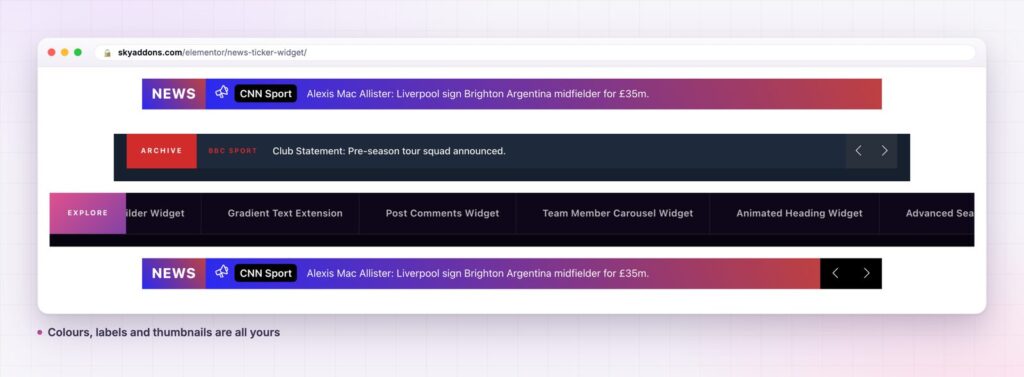
The strip does not have to be a red “breaking news” bar. Make the background transparent and the text small for a quiet notice. Choose a bold label and a bright bar for a sale. Swap the arrows for your own icons, or turn them off for a pure marquee. Because every part is a control, the ticker can match a minimalist brand as easily as a busy magazine.
It also works as more than a message bar. A row of links, such as new widgets or popular categories, becomes a scrolling navigation strip. Dynamic posts turn it into a related-articles bar. The widget adapts to what you give it.

No. News Ticker is a Pro widget. See Free vs Pro for the full split between the two plugins.
No. The ticker runs on Swiper and needs no slider plugin. The Dynamic Posts source uses a standard WordPress query, so it works with the posts you already have.
The strip is one small widget that uses Swiper for movement. If you place it in a header template, test the page once, as you would with any sitewide element.
Yes. The bar is responsive, and you can hide the arrows or lower the height for phones. Long messages truncate, so put the important words first.
Yes. Set the content source to Dynamic Posts, choose the query and tick which parts to show: thumbnail, category, date and title. New posts appear without any edit.
A news ticker puts your newest message in front of every visitor without taking a slot in the layout. Sky Addons Pro gives you two content sources, eight movement styles and full control of the label, text and colours. Build one strip, place it in a template and let it work on every page.
Next steps: see the live demo, read the News Ticker documentation, compare plans and pricing, or read how we handle live social content with the Instagram Feed widget. For a moving, scroll-driven layout, see Horizontal Scroll. The strip animation comes from Swiper.



Comments are closed.