Backdrop filters for Elementor — blur, brightness, contrast and saturation behind any element, for real glass effects.
 Frosted
 Three backdrops that fight the words placed on them: a hero photograph, a clip that keeps moving, and a gradient that never settles. In each one the panel is ordinary markup, and the blur behind it is what keeps the copy legible.
 Photo
Photo  Video
Video  Gradient
 Ten filters. One element. No exported overlays.
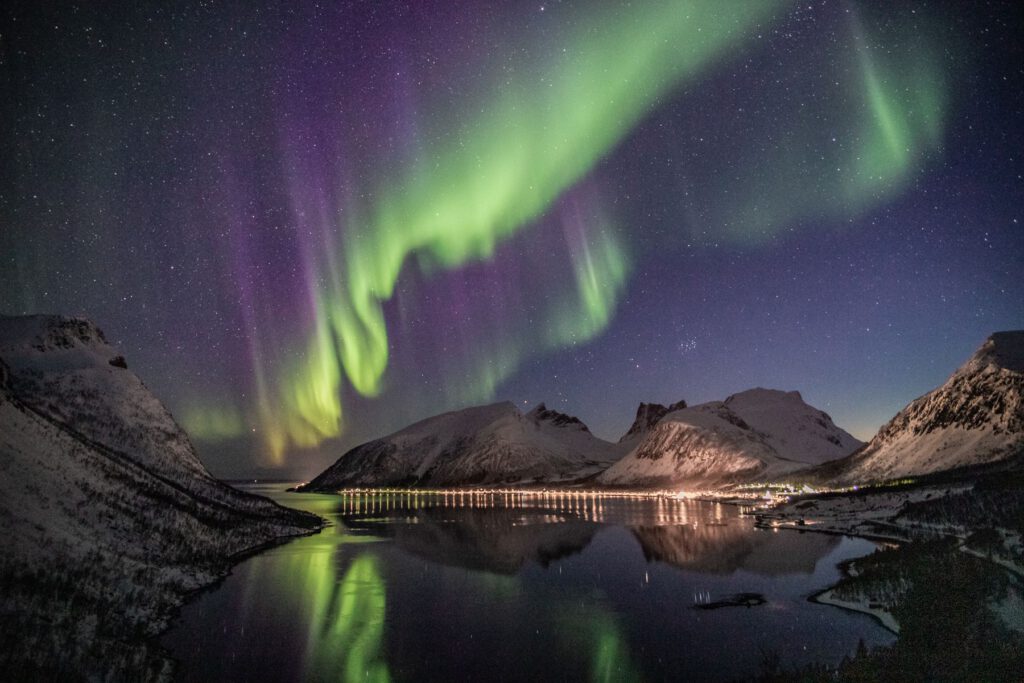
Pin the controls to the top of an archive and the photographs keep moving underneath them. Blur with a small lift in saturation holds the labels legible whether a night sky or a red coat passes behind — one surface, and no second background layer to maintain.





Showing the six frames added this week.
The card carries no image of its own. It reads the product shot behind it, blurs it and lifts the brightness a little, so white type holds up over the darkest part of the frame and the product is still recognisable through the glass.
No overlay image and no second background layer — swap the photograph and the card follows it.
Cancel any time. Card details are never stored on the site.
A control strip has to sit on whatever the footage is showing that second. Frosting it and pulling the brightness down gives the icons a stable surface, while a push on saturation stops the stage lights going grey behind them.
18:42 / 1:04:11
The same strip holds up on a daylight frame — nothing gets re-tinted between scenes.
Consent bars usually drop a solid slab across the bottom of the screen and the reader loses their place. Frosting the panel keeps the paragraph underneath legible as shape and rhythm, so the page still reads as a page while the choice is being made.
The panel is an ordinary container with a translucent fill, a hairline and a blur. Nothing about the article beneath it changes, and there is no second copy of the background to keep in step.
We count which articles get read to the end. Nothing is passed to anyone else, and the choice can be changed from the footer whenever you like.
Neon is the hardest backdrop a figure can sit on. Draining the colour out of the glass and holding the brightness steady turns a shopfront wall into a plain surface, and the chips stay readable without a solid panel behind them. The four figures below are counted from what the panel itself offers.
Ten functions, two states, four places to attach it — and nothing written by hand.
A hard paywall throws away the one thing that persuades anyone to sign in: the sense that there is something worth reading underneath. Deep blur with the brightness pulled down keeps the shape of the page readable while making the words unrecoverable.
No account yet? Ask the studio for an invitation — membership is opened by hand.
Make text pop against any background with intelligent backdrop filtering.
Straight answers about what this one does, where it fits in a real build, and what it costs you to ship.
Read the documentation for this one, or write to us — a human answers inside a business day.
It is a Backdrop Filter section added to elements you already have, not a separate widget. Sky Addons for Elementor puts it on the Style tab of any section, container or column, and on the Advanced tab of every widget, so you blur whatever sits behind that one element.
Give the element a semi-transparent background colour, layer it over an image or another section, then enable Backdrop Filter and raise Blur. Blur runs from 0 to 200 pixels in half-pixel steps. The extension filters what shows through the element rather than the element itself.
Nine of them: blur, brightness, contrast, grayscale, hue rotate, invert, opacity, sepia and saturate, plus a four-part drop shadow with horizontal offset, vertical offset, blur and colour. They compose into a single filter chain, so one element can be blurred, desaturated and brightened at the same time.
Yes. The panel section carries Normal and Hover tabs, and the Hover tab repeats all nine filters, so a card can sit sharp and blur only under the pointer. Transition Duration, from 0 to 3 seconds, sets how fast the two states cross-fade. Drop Shadow is on the Normal tab only.
Neither. It ships in the free Sky Addons for Elementor plugin, works on free Elementor, and loads no script at all — every setting is written straight into CSS custom properties. Both the standard property and the -webkit- prefixed form are output, so Safari is covered.
Almost always because the element has an opaque background. A backdrop filter only affects pixels visible through the element, so a solid colour hides them entirely. Set the background to a semi-transparent colour, or none at all, and confirm something is genuinely layered behind it.
Elementor’s CSS Filters change the element and everything inside it — blur the box and the text blurs with it. The Sky Addons backdrop filter leaves your content crisp and blurs only the layers behind, which is what a glass panel needs. The two can be combined on one element.
It picks where the filter lands on a section, container or column. Default filters the inner content wrapper; Background Overlay paints a full-size layer behind the content instead, which is the right choice when the element carries its own background image. Widgets always use the overlay method.
Use the Border Radius field inside the Backdrop Filter section. On a widget the effect is drawn on an overlay layer that can only inherit the outer wrapper’s radius, usually zero, while the visible rounding often sits on an inner element. Matching the two values lines the corners up.
No. The layer carrying the filter has pointer events switched off, and the element’s real content is lifted above it, so links, buttons and forms keep working normally. Sky Addons adds no extra markup for this — the whole effect is generated CSS on the element you already have.
Elementor widgets and extensions by wowDevs — built for people who would rather ship than fight a page builder.
One short email when something ships. No drip sequence.
