
Landscaping Website Template: Sell the Weekly Mow and the Patio From One Site
A landscaping website template with 6 ready pages: a hero quote form, lawn plans, seasonal prices and crew answers. See every page of Fernwood here.
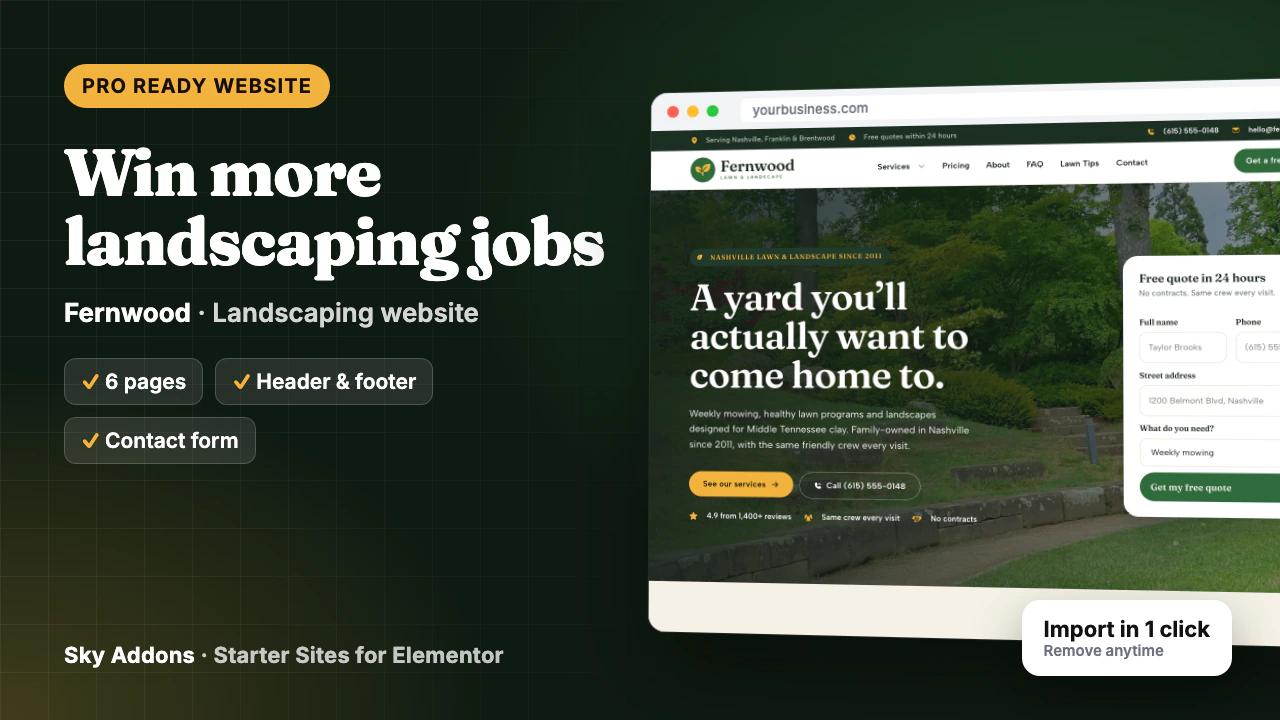
The first warm Saturday in March, the whole street looks at its lawn at the same time. By Sunday night you have twenty messages. Half ask “do you just mow?”, a few want a quote for a patio, and one wants to know if the weed spray is safe for a new puppy. You will answer them from the truck on Monday, between jobs, and some will have booked someone else by then.
Most landscapers run two businesses at once: steady weekly lawn care, and bigger design and build projects that pay for the new trailer. A good landscaping website template has to sell both, and answer the small questions so the phone is free for the big ones.
This post goes through Fernwood, a landscaping website template from Sky Addons Pro, page by page: what each of its six pages says to a homeowner, which numbers are sample content, and the short list of things you change before the spring rush.
Fernwood is a complete ready website for a lawn care and landscaping company, built in Elementor with Sky Addons widgets. It imports from inside WordPress with its pages, header, footer, menus and quote forms already connected.
| Component | What you get |
|---|---|
| Pages | Home, About, Services, Pricing, FAQ, Contact |
| Header and footer | Sky Theme Builder: top bar with service area, quote promise, phone and email, a Services dropdown and a Get a free quote button |
| Quote forms | Sky Addons Form Builder: a short quote card in the Home hero, a full request on Contact and a request form on each service page |
| Content types | Services (nine samples), each with its own page |
| Plugins it installs | Secure Custom Fields, free from WordPress.org |
| Theme | Hello Elementor, unless you keep your current theme |
| Plan | Pro: needs Sky Addons Pro active |
| Mobile | Every page adapts, with Call and Free quote pinned to the bottom |
The demo is a family lawn and landscape company in Nashville, and the landscaping website template suits most green industry businesses:
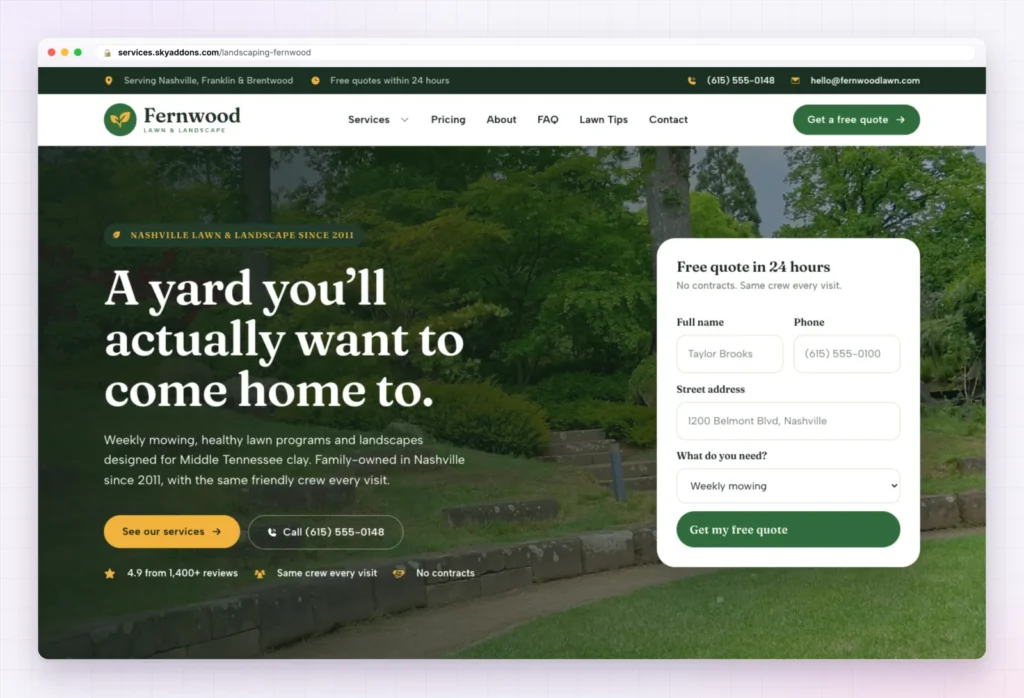
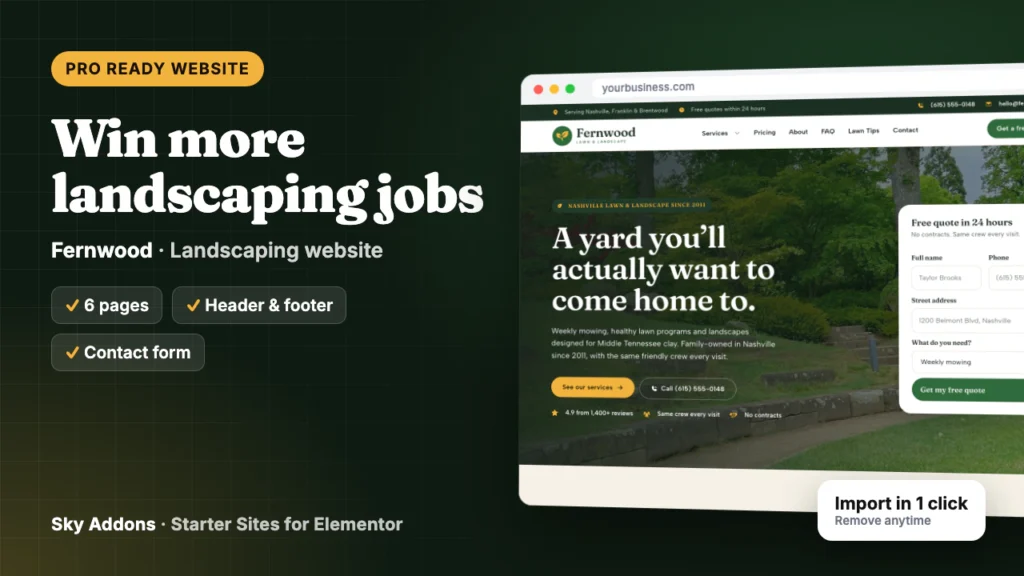
Most landscaping sites hide the form on the Contact page. This landscaping website template puts a Free quote in 24 hours card in the hero: name, phone, street address and what you need, with a Get my free quote button. The street address field lets you look at the property on a map before you call back.
Beside it, the headline “A yard you’ll actually want to come home to.” sits over a line about weekly mowing, healthy lawn programs and landscapes designed for local clay soil, then See our services, a call button and three trust points. Further down:
The review score, counters, before and after story and seasonal discount are sample content.
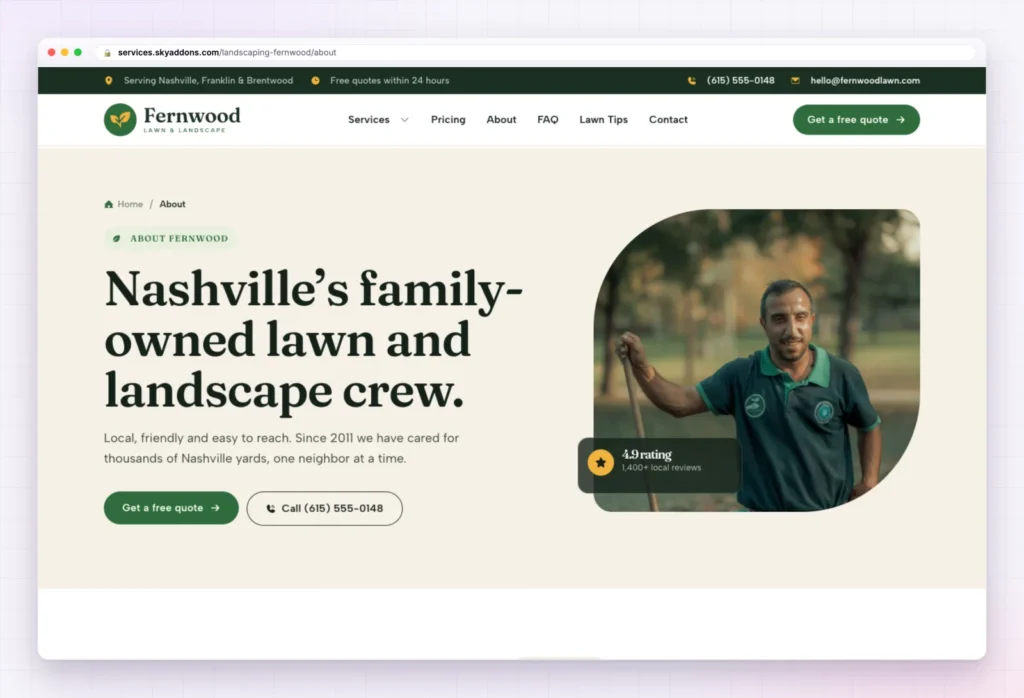
“Nashville’s family-owned lawn and landscape crew.” leads into a founding story about one mower, a borrowed trailer and twelve lawns on the founders’ own street.
Four team profiles follow, then Four promises on every property: same crew every time, price before work, right plant in the right place, and leave it better, with green waste recycled. A Licensed, insured and certified section and a careers block with pay and training points close the page. Rewrite the story, names and credentials with your own; keep only what is true.
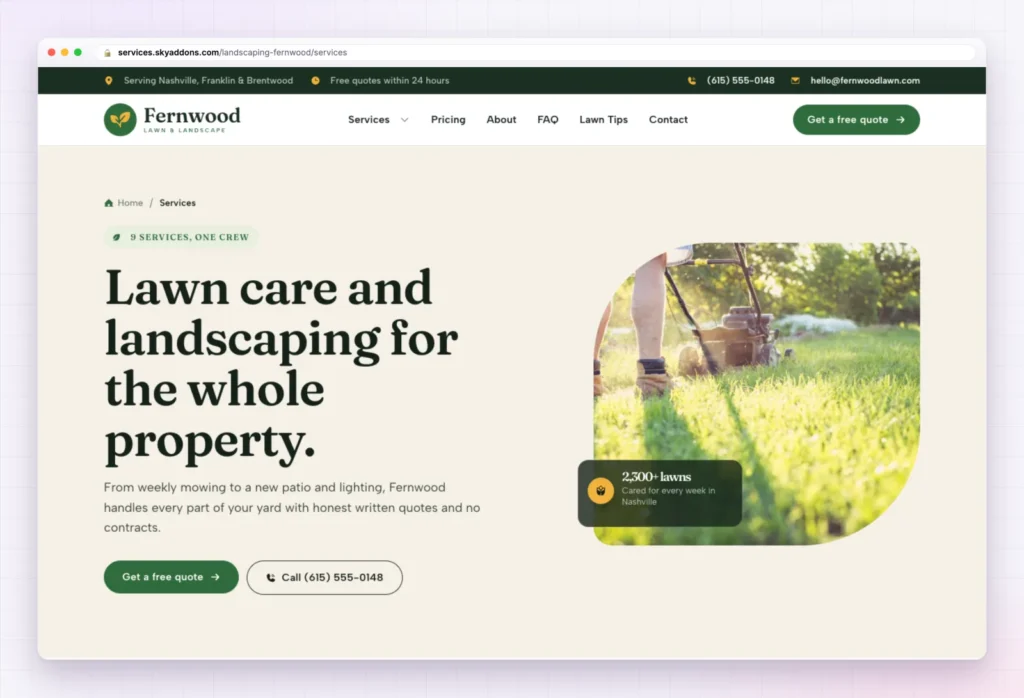
“Lawn care and landscaping for the whole property.” splits nine sample services into three groups:
Then a switch, Ongoing care or a one-time project, shows what each way of working includes. The Fernwood way lists six habits such as written quotes within a day, photo notes, no contracts and licensed and insured. Each service is one entry in the services content type, with its own page and request form.
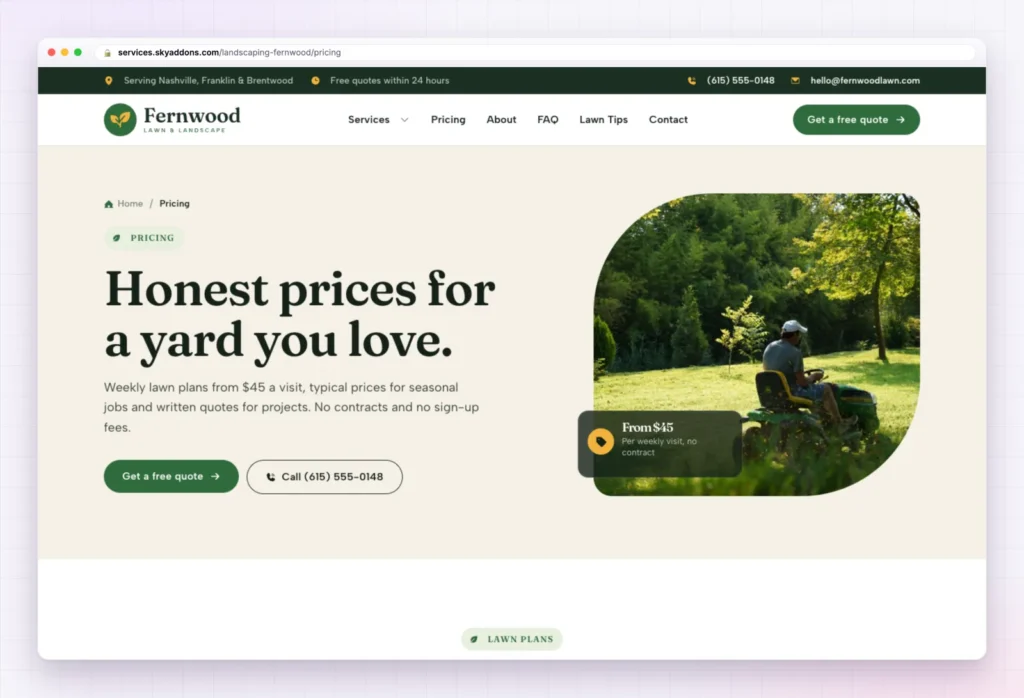
Homeowners want two numbers: what weekly care costs and what a one-off job costs. “Honest prices for a yard you love.” gives both. Three plan cards (Mow and go, Lawn Care Plus and Whole Yard) are billed per visit, month to month. A table then lists typical seasonal jobs with a standard price and a plan member price: core aeration, overseeding, bed cleanup, mulch, trimming, leaf cleanup, a leaf season pass, seasonal colour, a design plan and a lighting starter system.
Simple billing, real savings covers prepaying for the season, a referral offer and a re-visit guarantee, and four cost questions close the page. Every price, discount and offer in this landscaping website template is sample content. The member price column is worth keeping: it quietly sells the plan.
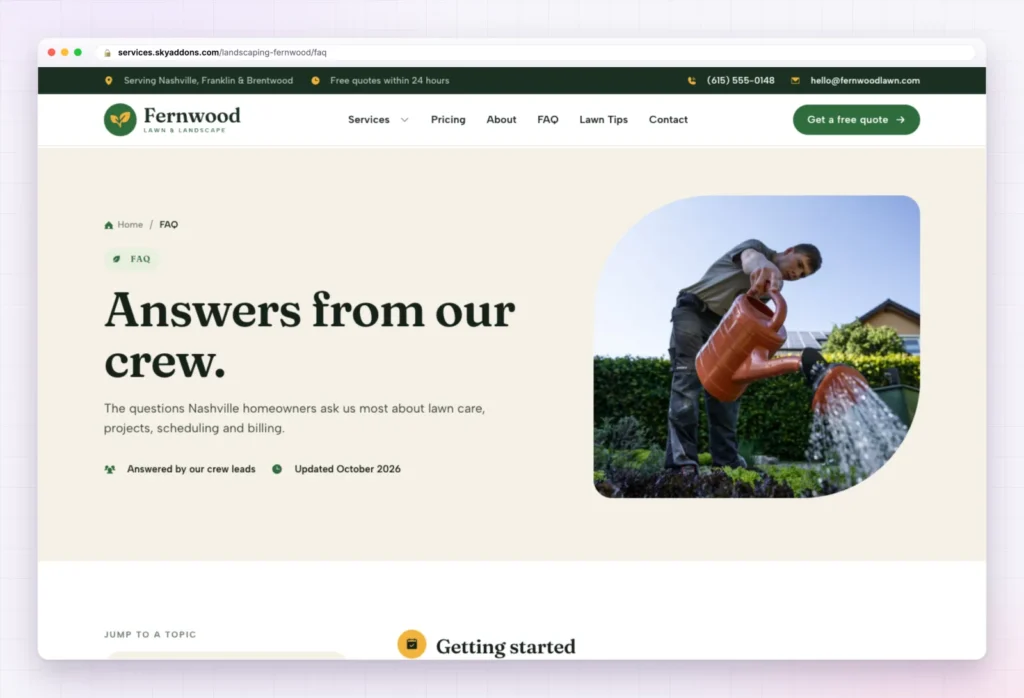
“Answers from our crew.” groups twelve questions under getting started, lawn care, design and projects, and billing and scheduling, with a Jump to a topic menu. They cover mowing height, aeration timing, design fees, plant warranties and rain days.
One answer deserves care: whether fertilizer and weed control are safe for kids and pets. Answer it honestly for your products. The EPA page on safe pest control is a fair neutral link if customers want to read more.
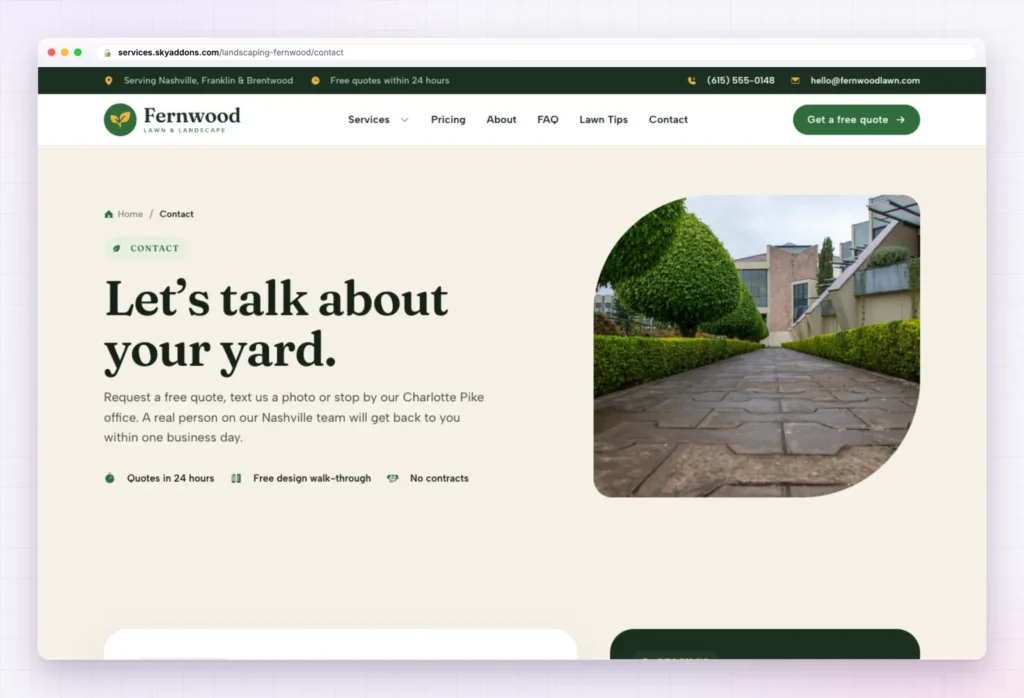
“Let’s talk about your yard.” offers three routes: the form, a photo by text, or the office. The Tell us about your yard form asks for name, phone, email, street address, what you need, lot size (from under a quarter acre to over an acre), whether it is a one-time service, ongoing service or design project, and a note. That is nearly everything you need to price a mowing route.
Office, crew and design studio hours, a service area section and the closing band finish the page. Set each Form Builder widget’s Email Receiver to the inbox you quote from.
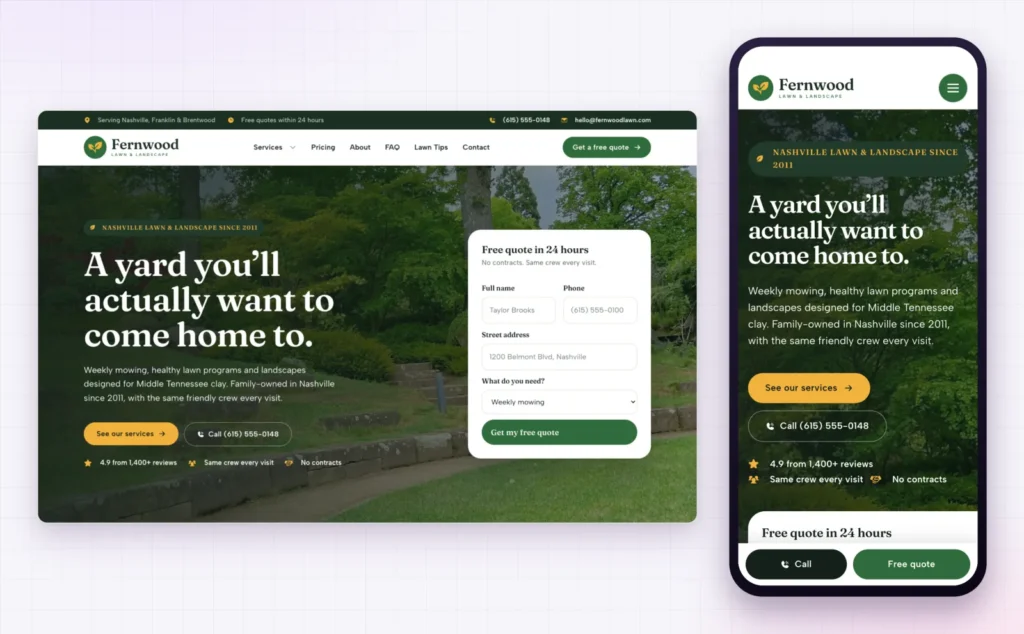
Homeowners look for a landscaper on a phone, often standing in the yard they are unhappy with. On a small screen this landscaping website template stacks the headline, keeps See our services and the call button high, moves the quote card below them, and pins Call and Free quote to the bottom of every page.
Homeowners do not hire the cheapest crew. They hire the one that shows up on the same day every week and tells them the price before the mower starts.
The hard part of a landscaping website template is serving two buyers on one site: the weekly customer and the project customer. That split is built in.
| Planted already | Still yours to grow |
|---|---|
| Six pages laid out and linked | Company name, logo and colours |
| Top bar, header and quote button | Phone, email, service area and hours |
| Hero quote card and full request form | Who receives each form |
| Nine services in three groups | The work you actually take on |
| Plan cards and seasonal price table | Your prices, discounts and offers |
| Lawn calendar and before and after slider | Your own grasses, photos and results |
| Phone bar with Call and Free quote | Team, credentials and reviews |
Remove this import takes it all back out: imported items deleted, with your old front page, colours, header, footer and theme restored.
No. Fernwood is a Pro kit, so it needs Sky Addons Pro active together with the free Sky Addons plugin.
Nothing is deleted or overwritten. Remove this import later restores your old front page, colours, header, footer and theme.
Yes. Update the global colours and fonts in Elementor and the whole site follows.
Yes. Every page has a phone layout, with Call and Free quote fixed to the bottom.
No. Prices, services, photos and form fields are edited by clicking them in Elementor.
Fernwood is a six page landscaping website template that sells weekly lawn care and bigger projects side by side. A hero quote form, plan pricing, a seasonal price table and crew-led answers are in place. Add your prices, photos and people, import with Sky Addons Pro, and remove it cleanly if it does not suit your business.


Comments are closed.